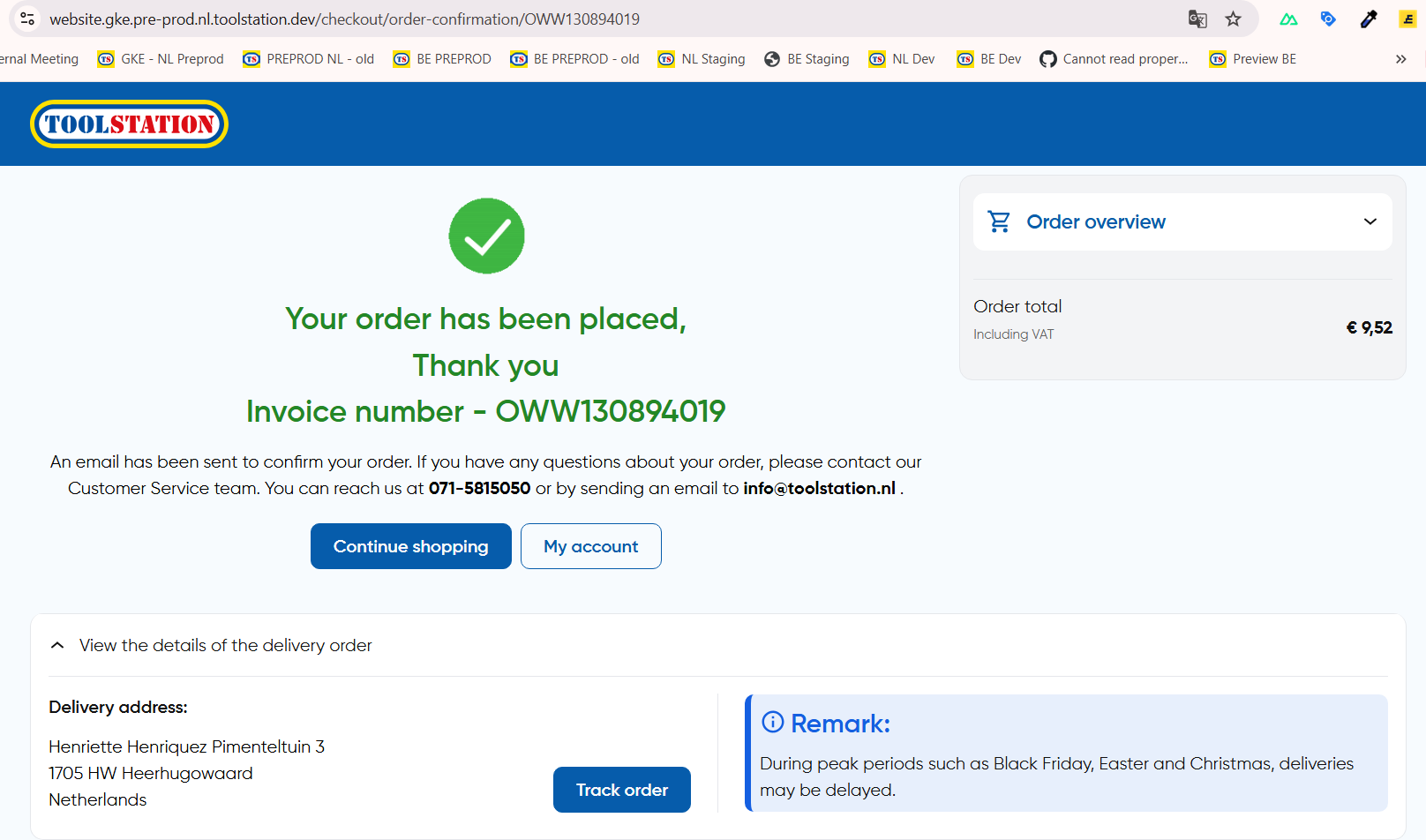
Delivery Order Flow
Checkout flow for delivery type orders from PLP and PDP
Overview
This document takes you through the entire flow of a "delivery" order in ToolStation Website and the technical details of the strategy involved.
Channel Overview:
- API identifies it as channel = 1
- Comes with delivery estimation time (Usually 1 day)
- Delivery option is only available for products with
next_day_deliveryflag received as true from ECOM Products API
PLP
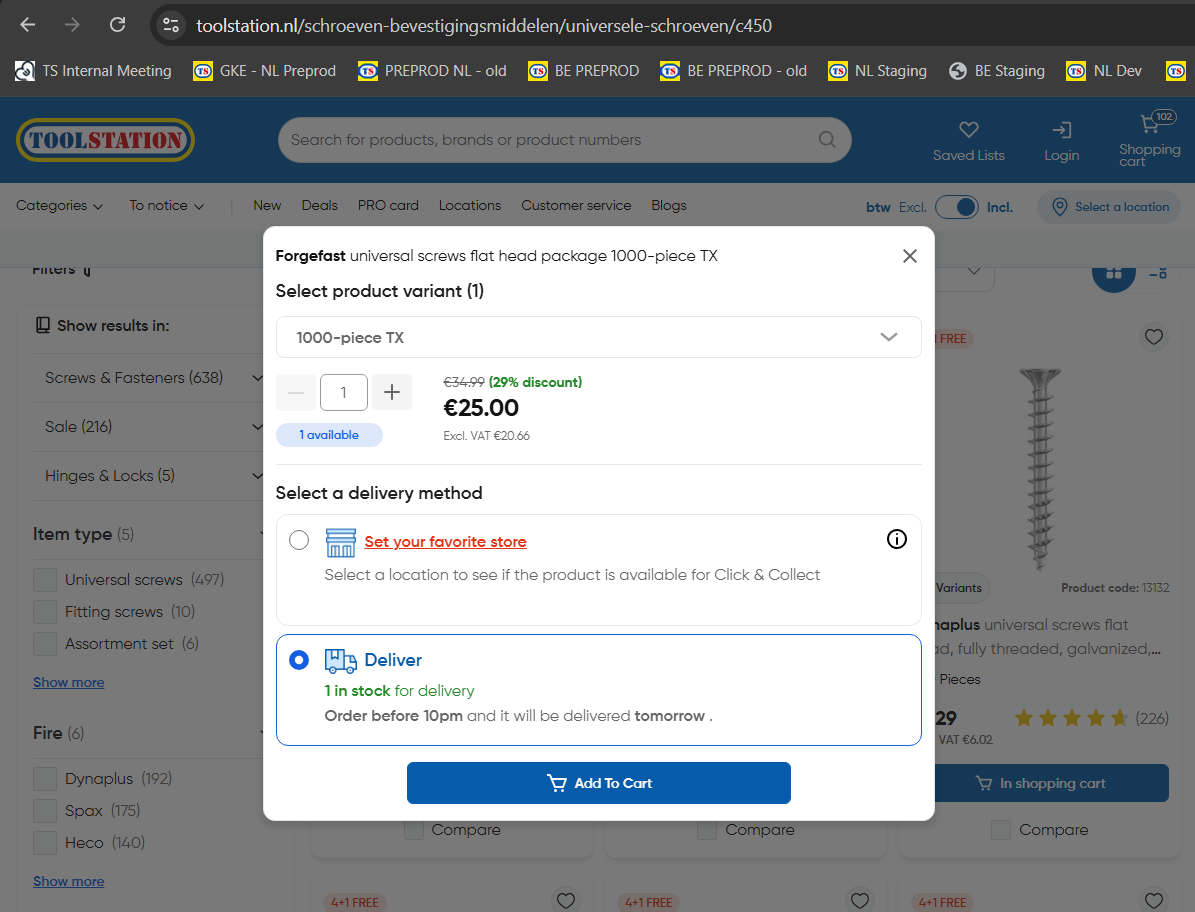
- When user clicks on Add To Trolley CTA from the popup, following method is called and
the product is added to trolley in
deliverychannel with the selected quantity. - After a loading symbol, a confirmation popup is shown.
- In case of failure, an error toast is shown saying "Failed to add items for delivery" and a high severity report is sent to Datadog for further debugging.
// ~/components/organisms/TsProductActions.vue
async function handleAddToTrolleyAction() {
  if (
    trolleyStore.previewed_product_selected_channel === TrolleyChannel.Delivery
  ) {
    await trolleyStore.addToTrolleyForDelivery(
      trolleyStore.previewed_product.code, // product_code
      trolleyStore.previewed_product_selected_quantity, // quantity
      route.path.includes("/trolley") // whether to request delivery cut off time (only shown in trolley page)
    );
  }
}

// ~/stores/trolley.store.ts
async function addToTrolleyForDelivery(
  code: string,
  quantity: number,
  withEstimatedTimeDelivery = false
) {
  // Set default params for delivery
  await dispatchItemToTrolley(
    code,
    quantity,
    TrolleyChannel.Delivery,
    DeliveryMethodCodes.Delivery,
    withEstimatedTimeDelivery
  );
}
Dispatch To Delivery Mechanism
Adding an item to delivery essentially means creating a new trolley line with channel = 1.
- Refer add to trolley API call documentation from frontend here
PDP
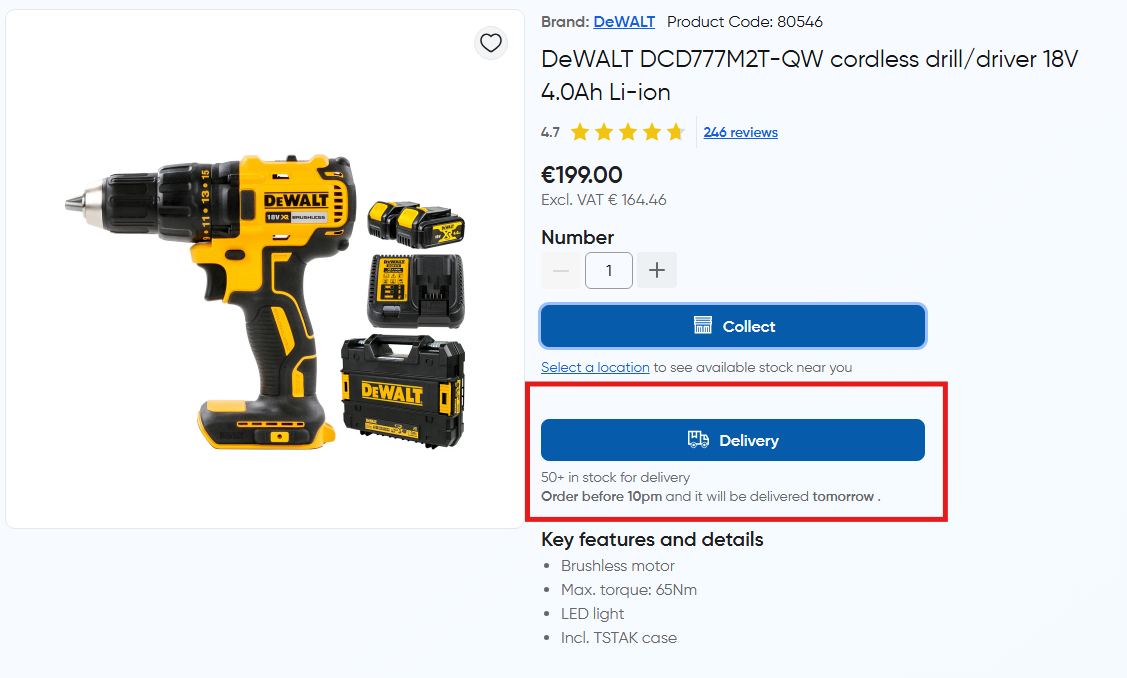
- Delivery CTA is displayed up front just below the click and collect CTA and is disabled if entered quantity exceeds delivery stock.
- After adding to trolley, the common confirmation popup is shown as usual.
Trolley
Estimated Shipping Days
- Estimated delivery days information is shown only on /trolley and /checkout page to the user
- Exact date is retrieved from Endpoint: GET
/products/{product_code}/delivery

Free Shipping Threshold
- For delivery orders, free shipping threshold is 40 euros which is stored as a constant state in trolley store
trolleyStore.free_ship_buffer - If the total order value exceeds this threshold, a free shipping badge is shown on the order summary card
- Otherwise an alert is shown under order summary to inform the user that they need to add items worth
40 - order_totalto their trolley to avail free shipping - Information related to free shipping is hidden if the trolley contains only click and collect items
Switching Fulfilment Channel
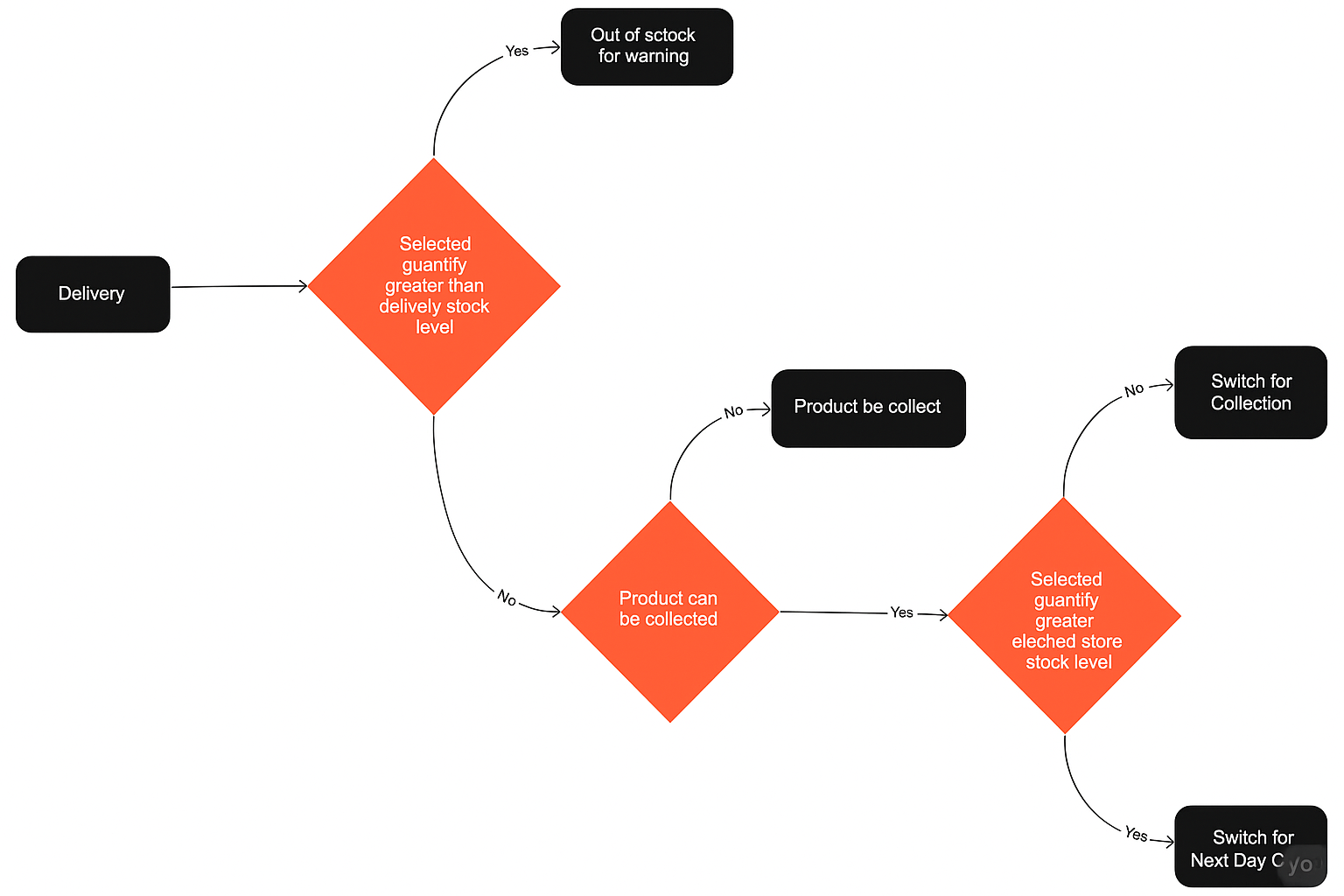
Determined by checking stock availability levels against selected quantity in trolley page.
- If selected quantity in trolley exceeds stock for collection at the user selected branch,
the item is switched for
next day collection - Otherwise, the item is switched for
click and collector same day collection
Logic and Flow:
Checkout
On /checkout visit, two important details are fetched
- Customer Active Trolley
- All active trolleys are fetched from
customers/{customerId}/trolleys/activeendpoint which are sorted by theirupdated_attimestamp - The first trolley is selected as the active trolley and is used for checkout
- Read more about this endpoint here
- Customer Addresses
- All addresses are fetched from
customers/address-book/{customerId}endpoint - Primary or Default address is the address with
address_type = 1which is set as the shipping address initially unless user changes it. - If user also has items for click and collect (channel = 2)
in trolley, then currently selected branch is set as the
collection_address
a. Shipping Cost Calculation
- Shipping cost is obtained by sending a query to
/trolleys/{trolleyId}/delivery-methodsendpoint - Example request: GET
/trolleys/64758350-4361-457b-a65e-0179cf96541c/delivery-methods?delivery_address_id=DWW03152680&collection_address_id=DXX01432235 - Example response:
{
  "data": [
    {
      "code": "00005", // Delivery under free shipping threshold (40 euros usually)
      "channel": 1,
      "name": "Levering",
      "description": "Voor 22:00 uur besteld, morgen bezorgd",
      "price": 4.95, // shipping cost
      "trolley_lines": [12964149, 12964223, 12964227]
    }
  ]
}

Important: The order total is updated with the shipping cost effects only when all trolley lines obey the selected delivery method
by the attribute delivery_method_code. Otherwise, orders will fail.
i.e In the above example, lines 12964149, 12964223, 12964227 must have delivery_method_code = 00005 in trolley resource > lines
b. Shipping Addresses
- All addresses in customer address book are shown to the user including Post NL and TS Branch Pickups
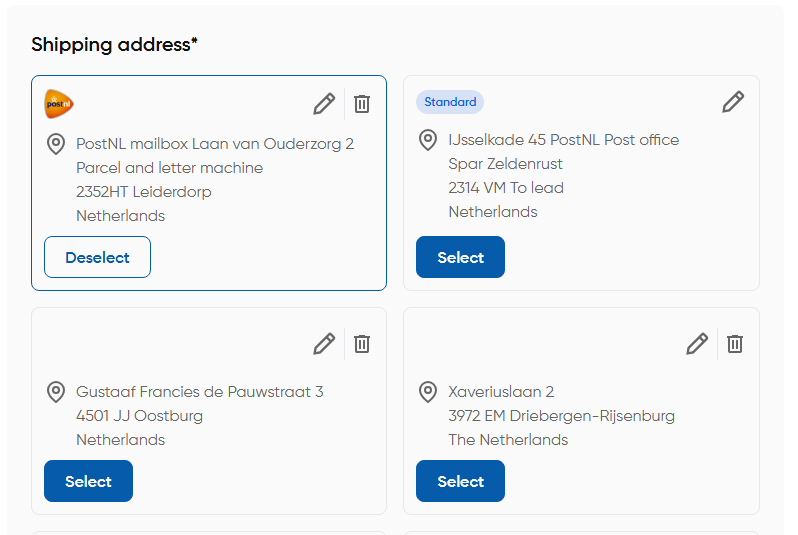
Shipping Address Form:
Looks like the usual address form but with two additional options (Post NL and ToolStation Branch Pickup)
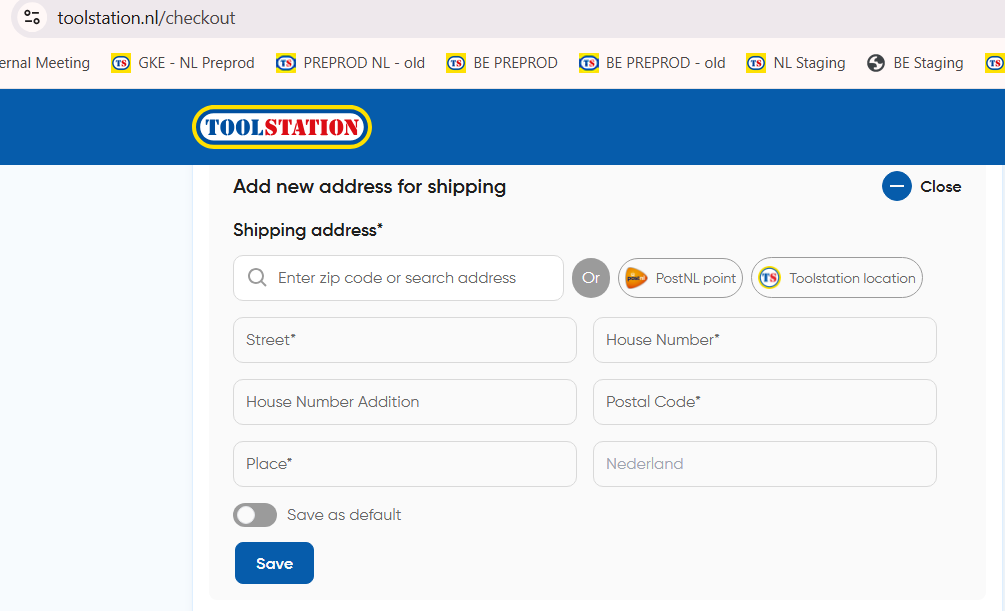
Features:
- AutoSuggestion: Locality based search suggestions fetched by Loqate API
- AutoFill: Upon selection of an address, the form is auto filled with the selected address components
Customer Address Schema:
// ~/types/ecom/address.type.ts
export enum CustomerAddressType {
  PRIMARY = 1,
  DELIVERY = 2,
  PAYMENT = 3,
  BRANCH = 5,
}

export type CustomerAddressItem = {
  id: string;
  type: CustomerAddressType;
  line_1?: string; // House Number
  line_2?: string; // House Number Addition
  line_3?: string; // Street
  town: string;
  county?: string; // Province
  postcode: string;
  country_id: number; // NL: 8, BE: 9
  formatted?: string[];
};
- Option to save the address as default:
Marking an address as default triggers a PUT request to
/customers/address-book/{customerId}/primary-addresswith theaddress_idin the request body - Ability to manage entire customer address book CRUD:
- Adding new address triggers a POST request to
/customers/address-book/{customerId}with the entire address schema in the request body - Editing an address triggers a PUT request to
/customers/address-book/{addressId}with the updated address schema in the request body - Deleting an address triggers a DELETE request to
/customers/address-book/{addressId}
Note: After each of the above operations a fetch request is triggered to /customers/address-book/{customerId} to
fetch the updated address book ans ensure sync
- Client side validation as per country wise field rules:
Country based address rules are fetched from /countries endpoint which lists all recognized countries
Sample Response:
// AppRegion: NetherLands
const nlCountryFields = {
  id: 8,
  name: "Nederland",
  iso3166_2: "NL",
  iso3166_3: "NLD",
  currency: "NLD",
  address_format: ["line_3", "line_1", "line_2", "postcode", "town", "country"],
  rules: {
    line_1: ["required"], // House Number
    line_2: [], // House Number Addition
    line_3: ["required"], // Street
    town: ["required"],
    postcode: ["required", "regex:/^[0-9]{4} ?[A-Z]{2}$/", "min:6"],
  },
};

// AppRegion: Belgium
const beCountryFields = {
  id: 9,
  name: "België",
  iso3166_2: "BE",
  iso3166_3: "BEL",
  currency: "BEL",
  address_format: ["line_3", "line_1", "line_2", "postcode", "town", "country"],
  rules: {
    line_1: ["required"], // House Number
    line_2: [], // House Number Addition
    line_3: ["required"], // Street
    town: ["required"],
    postcode: ["required", "regex:/^(BE?[- ]?)?[0-9]{4}$/", "max:7"],
  },
};
For example, postal code validation rule is matched with the user input and error is shown below the field as "invalid" format.
e.g.
- NL (regex
^[0-9]{4} ?[A-Z]{2}$, min length 6)- Correct✅:
1234 AB,5678CD,0123 AB - Wrong❌:
123 AB(only 3 digits),12345 AB(5 digits),1234 A(1 letter),1234 abc(lowercase),1234-AB(hyphen),AB 1234(letters first),1234 AB(double space),1234 1B(digit in letter part)
- Correct✅:
- BE (regex
^(BE?[- ]?)?[0-9]{4}$, max length 7)- Correct✅:
1111,B1234,BE1234,B-1234,B 1234,BE-1234,BE 1234,BE-0123 - Wrong❌:
123(only 3 digits),12345(5 digits),BE 12A4(non-digit),1234 AB(letters),BE--1234(double hyphen),BE_1234(underscore),NL 1234(wrong prefix)
- Correct✅:
c. Billing Address
- Initially primary address (type = 1) is assigned as the Billing address on checkout.
- User has the option to "make it as same as shipping" or edit it which opens the address form.
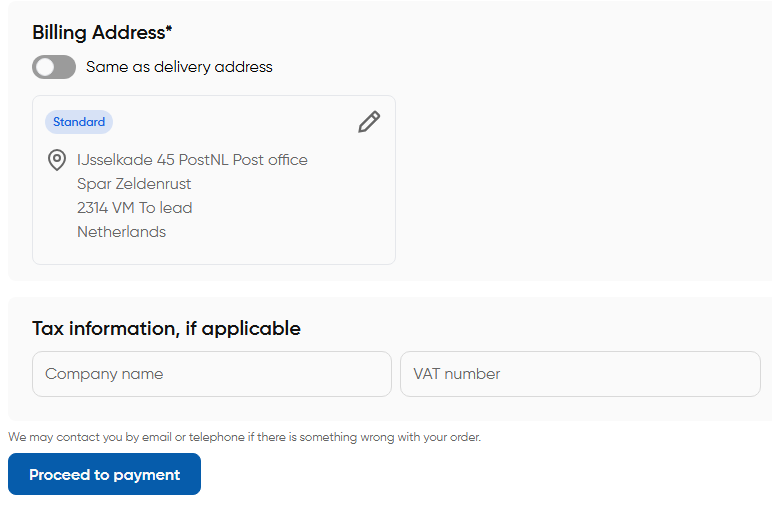
Note: Shipping Address and Billing Address are stored in
checkoutStore. Theiraddress_idis used to make payment and create an order
d. Order Place (Delivery)
- Read about order create strategy and required parameters here
- For delivery orders specifically,
delivery_address_idis necessary here to make payment and create an order
Order Confirmation (Delivery)
- Using the
order_idcreated in the previous step, order details are fetched from/orders/{orderId}endpoint and displayed on the confirmation screen - Confirmation screen shows the delivery address details and ordered items summary
- Also shows a
track orderbutton if order contains delivery items which redirects to GXO tracking site for new orders and showstracking_linksassociated with the order if found from/orders/OWW130894019/tracking-links
Note: Tracking links are generally available for completed orders where as GXO domain shows live order status