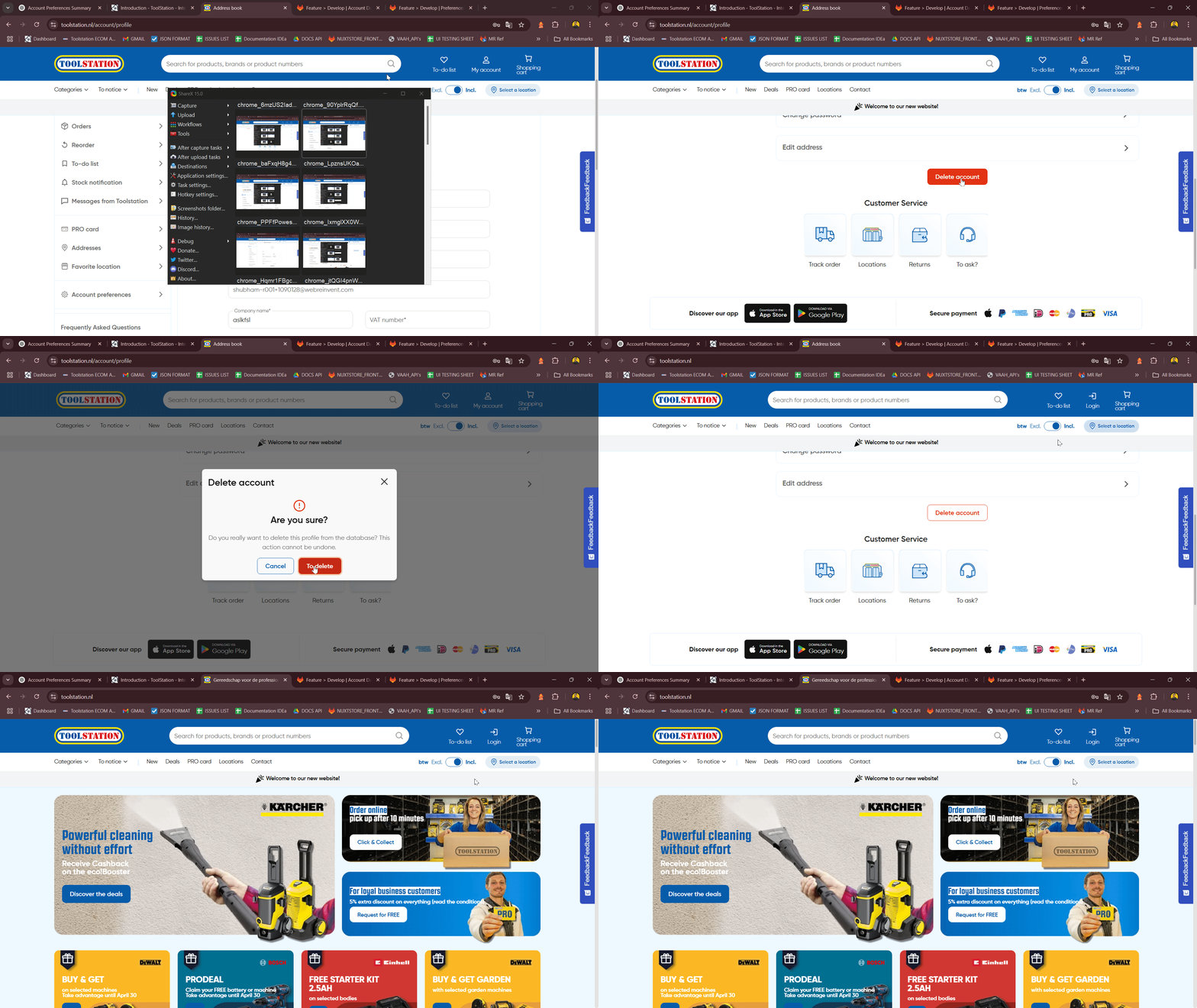
My Account
Profile
Description
- The User Profile page allows users to view, update, and manage their personal and account-related details.
- Built using Composition API, TailwindCSS, Pinia Store, and Nuxt 3.
- Fully responsive with conditional rendering and
modal/drawerswitching based on screen size.
Purpose
- Let users modify personal details such as name, contact information, company data, and VAT number.
- Provide the ability to update the password and username securely.
- Offer access to address management and the option to delete the account.
Use Cases
- Edit Personal Information: Update fields like
name,email,mobile,telephone,company, etc. - Change Password: Securely change the current password after verifying the old one.
- Edit Username: Allow username changes via
modal(desktop) ordrawer(mobile). - Manage Addresses: Navigate to address management for viewing or editing saved addresses.
- Delete Account: Trigger a confirmation modal for permanent account deletion.
Expectations
- Display fallback spinner (
TsLoadingCircularSpinner) while user profile is loading. - Render editable form fields with validation for required and formatted data.
- Show disabled
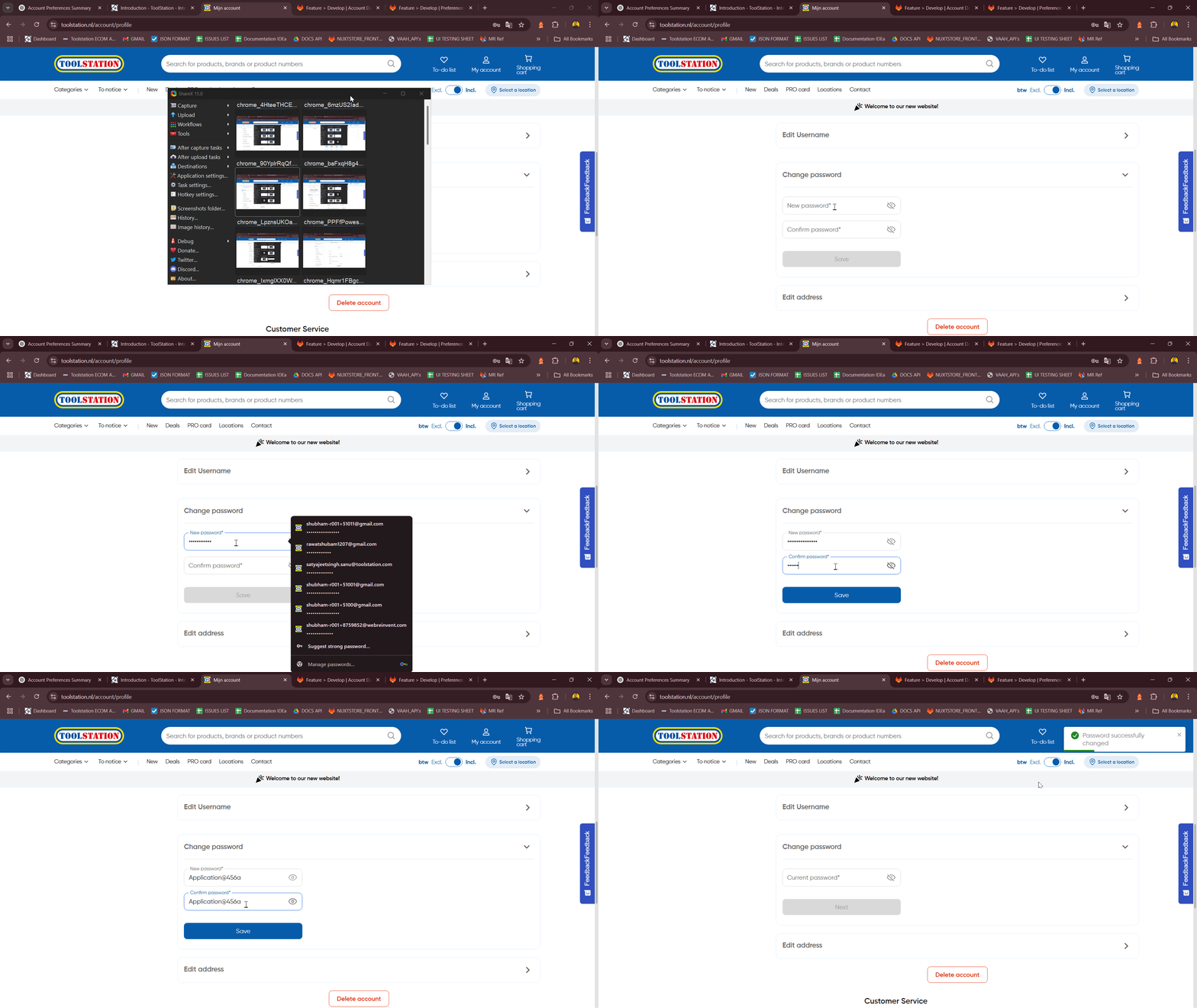
usernamefield; edits are triggered via modal ordrawer. Savebutton is disabled if there are validation errors or during form submission.Usernameandaddressedit cards open appropriate interfaces (modal/drawer/navigation).- Change password section behaves as accordion with conditional steps (verify old password → input new password).
- Show confirmation modal before account deletion with final warning.
Developer Strategies
- Lazy-load components like
TsModalUserNameUpdate,TsDrawer,TsAccordion, etc., viadefineAsyncComponent. - Clone and store user profile locally in
accountStorefor isolated form management. - Use
watch()to observe form error states and control the save button. - Validation methods (
validateEmail,handleTextValidation,handleNumValidation) ensure input correctness. - Use
useTranslation()fori18nstring rendering across all fields and labels. - Toggle between
TsModalandTsDrawerfor username editing based onisMobile.
TODOs for Developer
- Add input masking for phone fields.
- Improve error summary for all form validation feedback.
- Add toast feedback on success/failure of profile update or password change.
- Add rate limiting or debounce to prevent spamming update requests.
- Improve accessibility (ARIA roles for modal, drawer, form labels).
- Implement username availability check before update.
- Add confirmation step before password change if needed.
API Endpoints
| Action | Endpoint | Description |
|---|---|---|
updateCustomer() | "/customers/" + accountStore.profile.id | Updates user profile fields. |
updateUserName() | /customers/${customerId} | Updates the username. |
verifyCurrentPassword() | /customers/auth/login | Verifies if the current password is valid. |
changePassword() | "/customers/" + accountStore.profile.id + "/password" | Changes the password using new credentials. |
deleteCustomer() | /customers/${accountStore.profile.id}/request-account-deletion | Deletes the account from the system. |
Components Used
Component | Description
| Action | Endpoint |
|---|---|
TsNuxtCard | Card layout used for grouping form sections and UI blocks. |
TsTypography | Used for headings and inline text. |
TsLabel | Custom label wrapper with floating support. |
TsInput | Form input field with variant-based styling. |
TsSelectBox | Dropdown select component for titles. |
TsButton | Buttons for form actions and interactions. |
TsIcon | Icon utility used across modals and drawers. |
TsDrawer | Drawer UI used on mobile devices. |
TsModal | Modal UI for desktop interactions. |
TsAccordion, TsAccordionTab | Expandable sections used for password change flow. |
TsLoadingCircularSpinner | Spinner shown when profile data is loading. |
TsModalUserNameUpdate | Modal content component for username updates. |
Flow Summary
Step: 1
- Show
TsLoadingCircularSpinnerifaccountStore.profileis not yet loaded.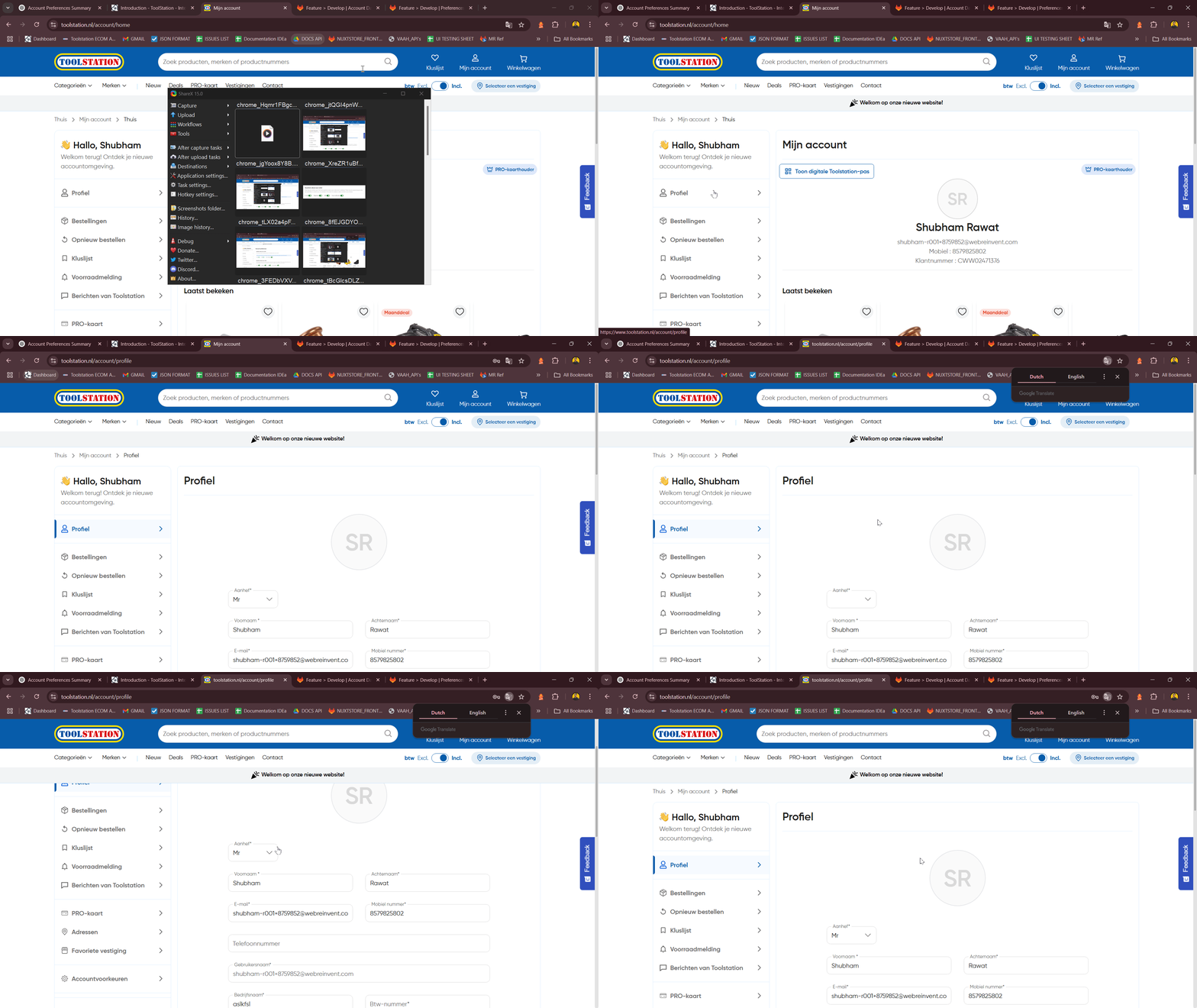
Step: 2
- Render a profile form inside TsNuxtCard with sections for personal and business data.
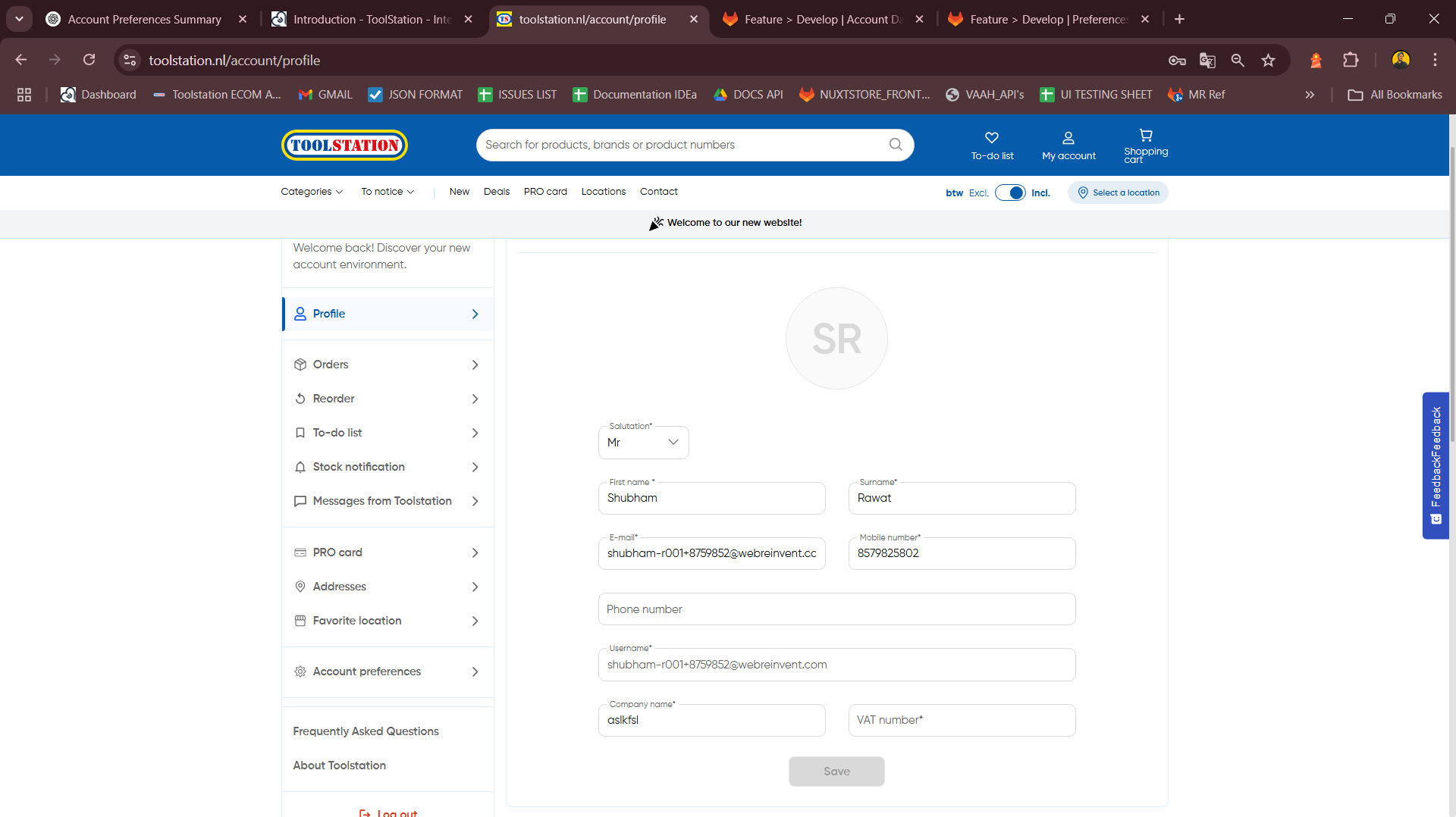
Step: 3
- Include interactive elements like select dropdown for titles and floating labels with validation feedback.
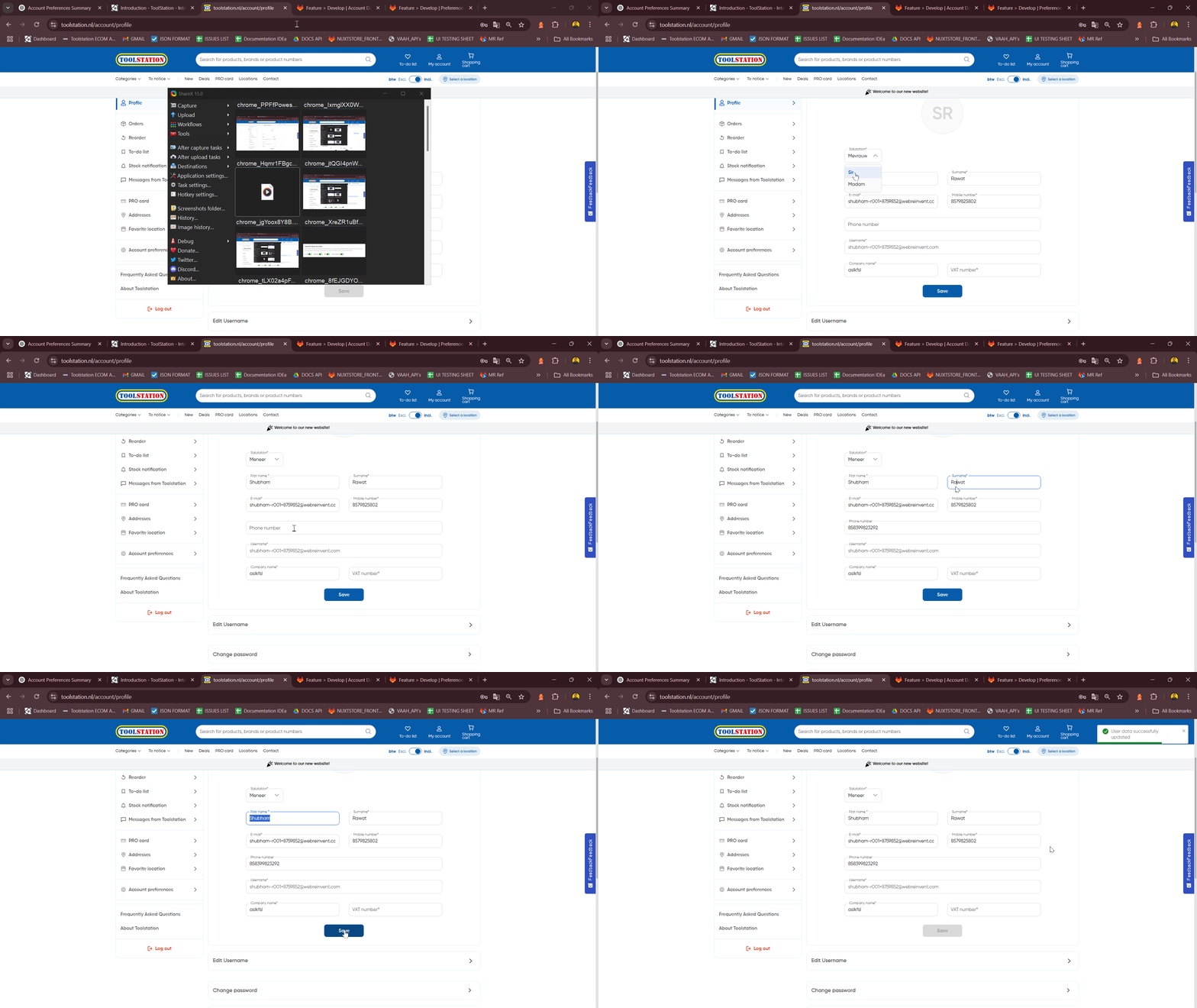
Step: 4
- Show separate clickable cards for username edit (via modal/drawer) and address management navigation.
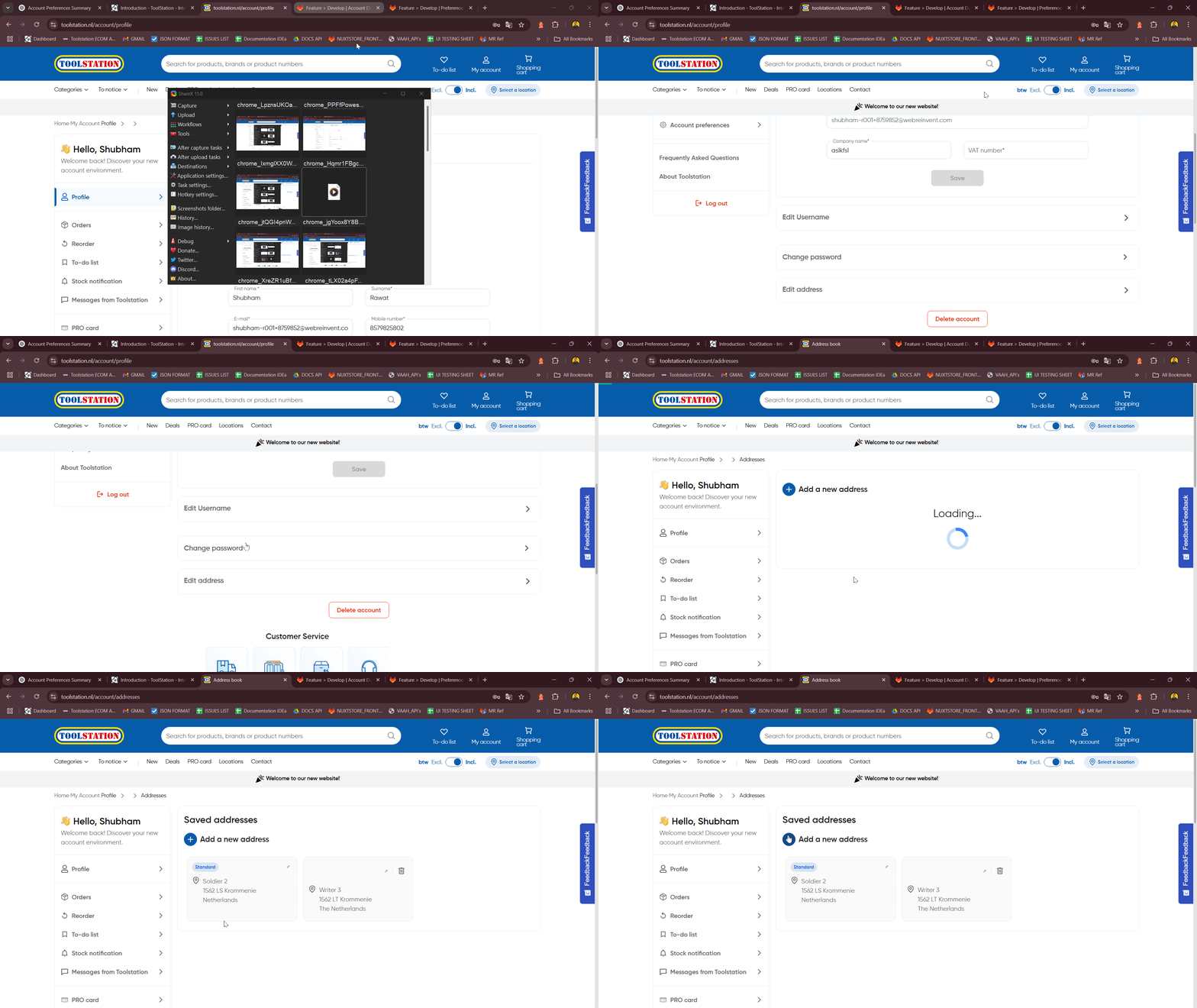
Step: 5
- Use
TsAccordionfor password change flow:verify → change → confirm.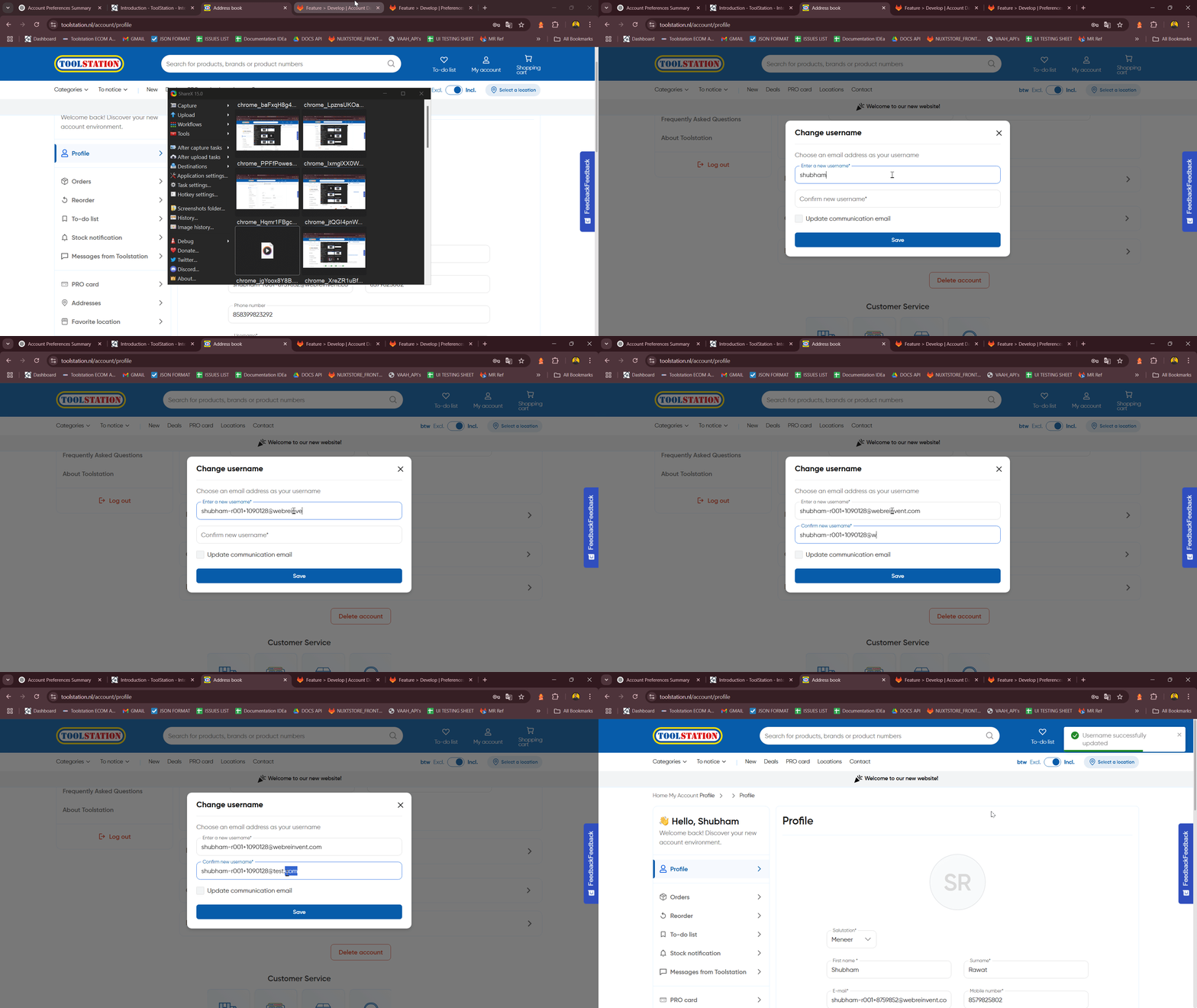
Step: 6
- When you type wrong
Password, validation message seen.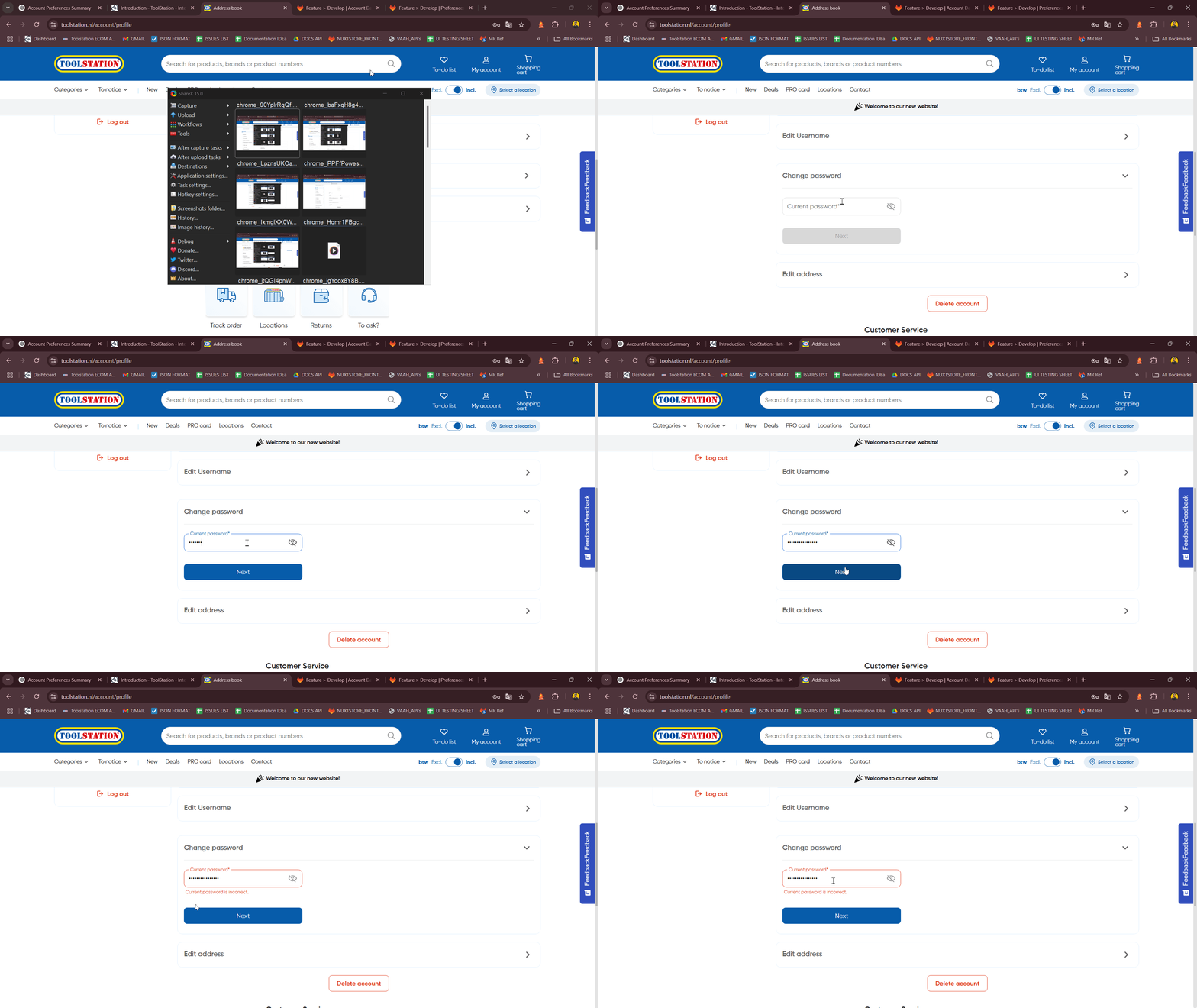
- When user type password correct :
Step: 7
- Render confirmation modal before account deletion with clear call-to-action.