My Account
Addresses
Description
- Address Section allows users to manage their saved addresses in the account section.
- Built with
Composition API,TypeScript, andTailwindCSS. - Supports
responsive designand user interaction tracking.
Purpose
- Deliver a seamless experience for managing address book entries.
- Reduce user friction through smart validation and feedback.
- Ensure performance and scalability via
lazy loadingand reactive data handling. - Maintain clean, readable, and maintainable code with modular components.
Use Cases
- Subscribe to Product Notifications: Users can subscribe to receive notifications when an out-of-stock product becomes available.
- View Subscribed Products: Users can view all subscribed products in the Stock Notifications section of their account page.
- Unsubscribe from a Single Product: Users can unsubscribe from individual product notifications.
- Unsubscribe from All Products: Users can unsubscribe from all product notifications at once.
Expectations
- Functional CRUD operations for user addresses.
- UI should reflect real-time updates (
add/edit/delete). - Form interactions should be smooth, intuitive, and error-free.
- Avoid duplicate entries and meaningless updates.
- Adapt seamlessly across desktop and mobile views.
- Clear loading indicators for all asynchronous operations.
Developer Strategies
- Use async component loading for better performance.
- Maintain form state using
refand sync withTsFormAddress. - Guard form submissions with duplicate and change checks.
- Use Pinia store actions (
addAddress,deleteAddress,updateAddress,setAddressAsPrimary) for backend interaction. - Add transition effects using
v-auto-animate. - Auto-scroll into view when the edit form is triggered.
- Ensure all user-facing actions are trackable using
logEvent.
TODOs for Developer
- U Add form field validations with user-friendly error messages.
- Show toast messages on success/error (
add/edit/delete). - Add ARIA roles and labels for accessibility improvements.
- Implement more robust error handling for API failures.
- Write unit/integration tests for form logic and store interactions.
- Enhance mobile layout and interactivity (especially touch targets).
- Add debounce or skeleton loading during address
fetch/update. - Confirm analytics tracking events fire as intended (e.g.,
account_add_new_address).
API Endpoints
| Action | Endpoint | Description |
|---|---|---|
getSavedAddresses(userId) | GET /users/:id/addresses | Fetch user's saved addresses |
addAddress(...) | POST /users/:id/addresses | Add new address. |
updateAddress(...) | PUT /users/:id/addresses/:addressId | Update existing address |
deleteAddress(addressId) | DELETE /users/:id/addresses/:addressId | Delete address. |
setAddressAsPrimary(id) | PATCH /users/:id/addresses/:addressId/primary | Set an address as the primary one |
Components Used
| Action | Endpoint |
|---|---|
TsNuxtCard | Main card container for the address management UI |
TsTypography | For styled headings and text |
TsButton | Reusable button component |
TsIcon | Icon renderer (used for add/remove address icons) |
TsFormAddress | Form for adding/editing user addresses |
TsCustomerAddressItem | Displays individual saved address with options |
TsGrid /TsColumn | Grid system for rendering address cards responsively |
TsLoadingCircularSpinner | Spinner displayed while loading initial address data |
Flow Summary
Render
- Fetch current user from
useAuthStore(). - Load saved addresses via
accountStore.getSavedAddresses().- If fetching: show
TsLoadingCircularSpinner - If loaded: render grid (
TsGrid) ofTsCustomerAddressItem.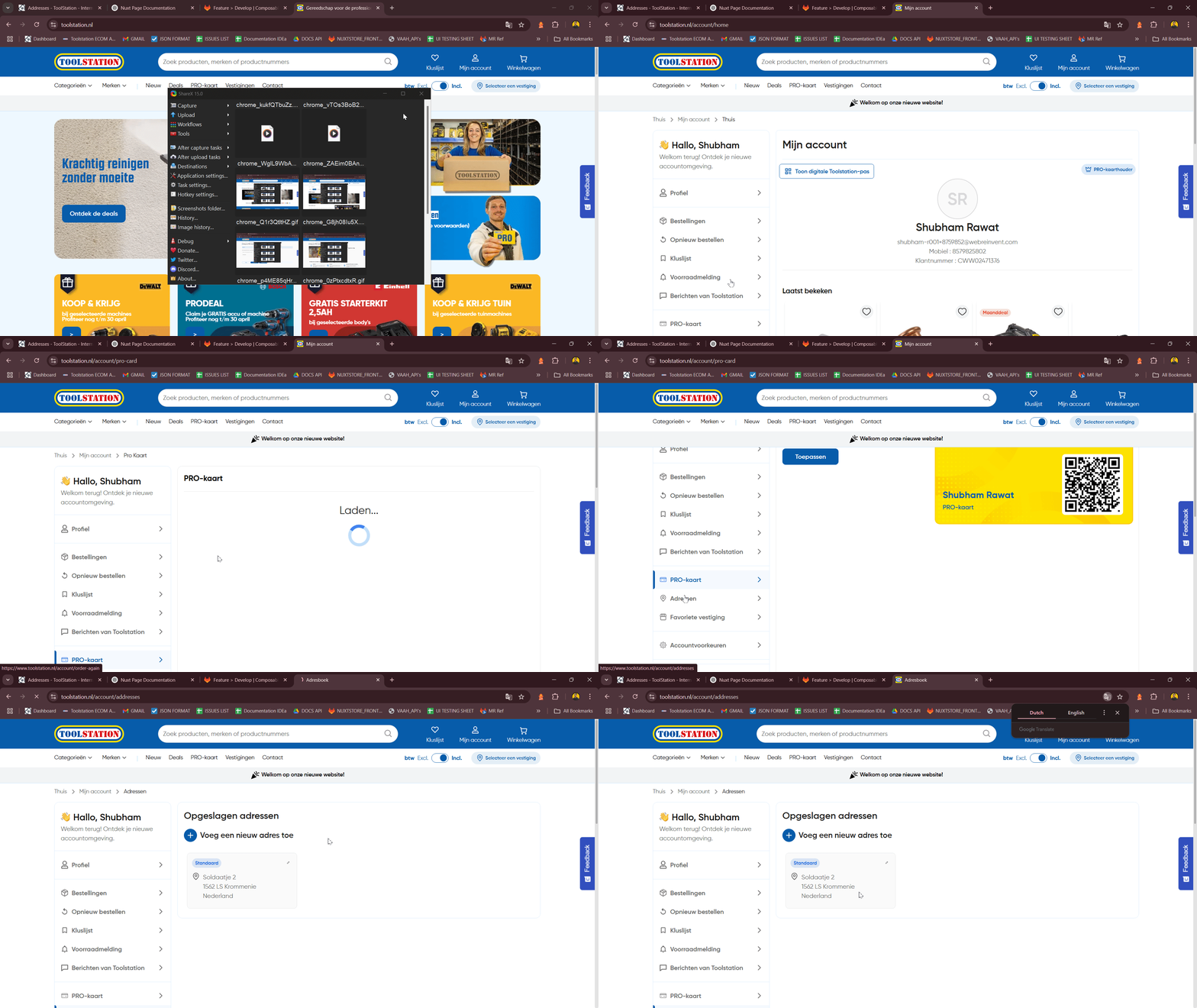
- If fetching: show
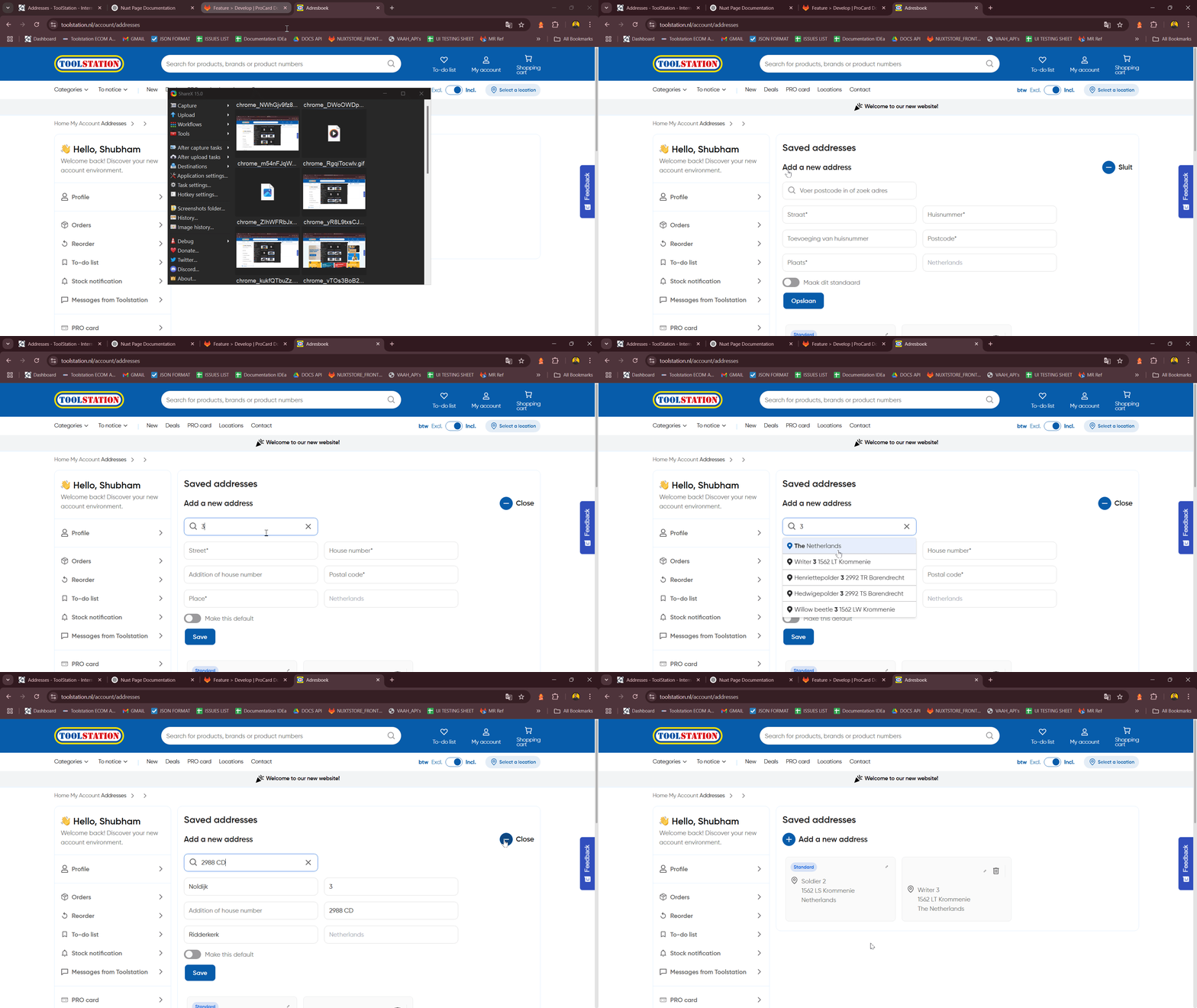
Add Address
- Click Add New Address ➝ toggle form visible.
- Fill and submit ➝ validate ➝
accountStore.addAddress(). - Log event
account_add_new_address.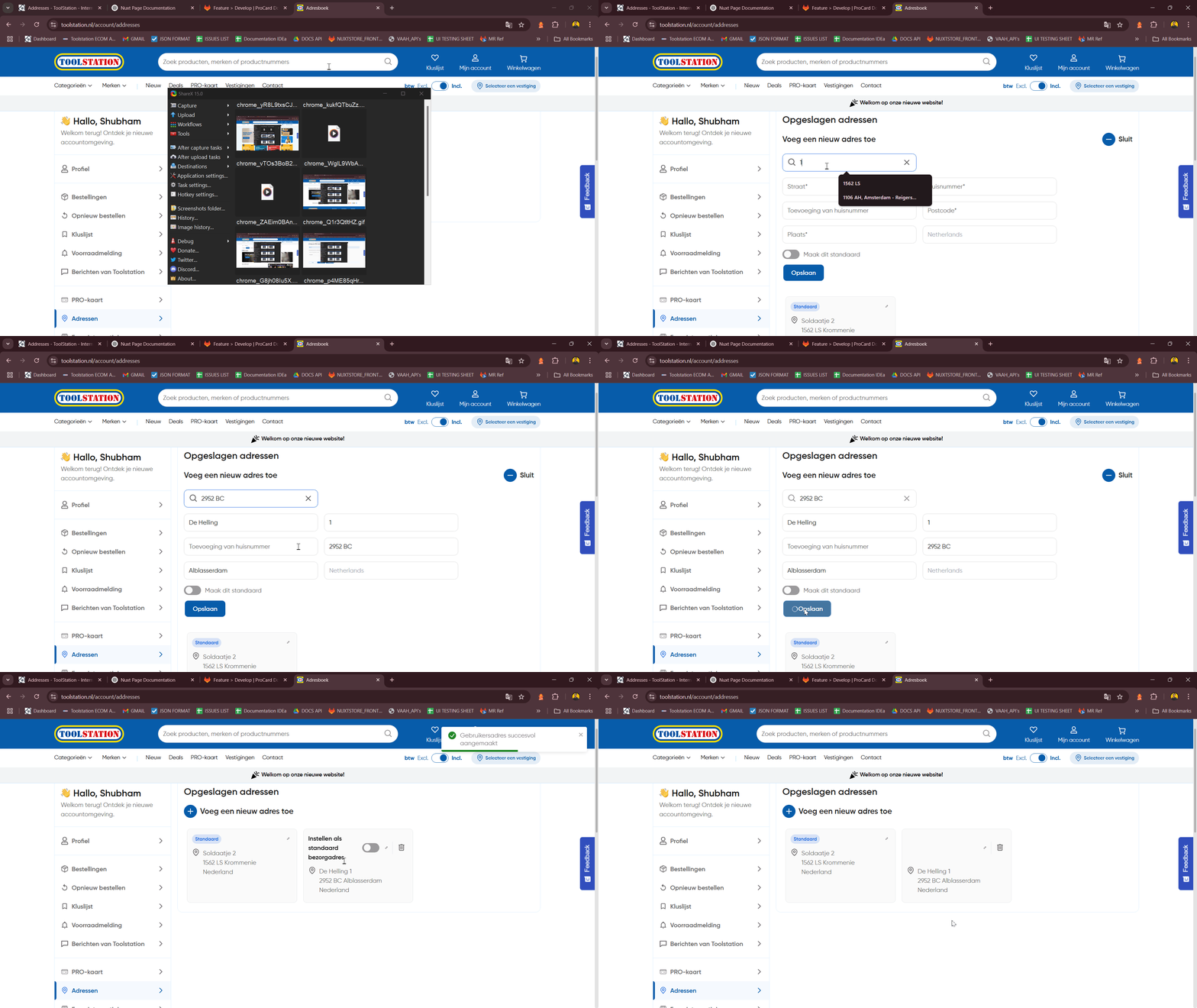
Edit Address
- Click "Edit" ➝ prefill form ➝ scroll into view.
- Submit ➝ check for changes and duplicates ➝ update via
accountStore.updateAddress().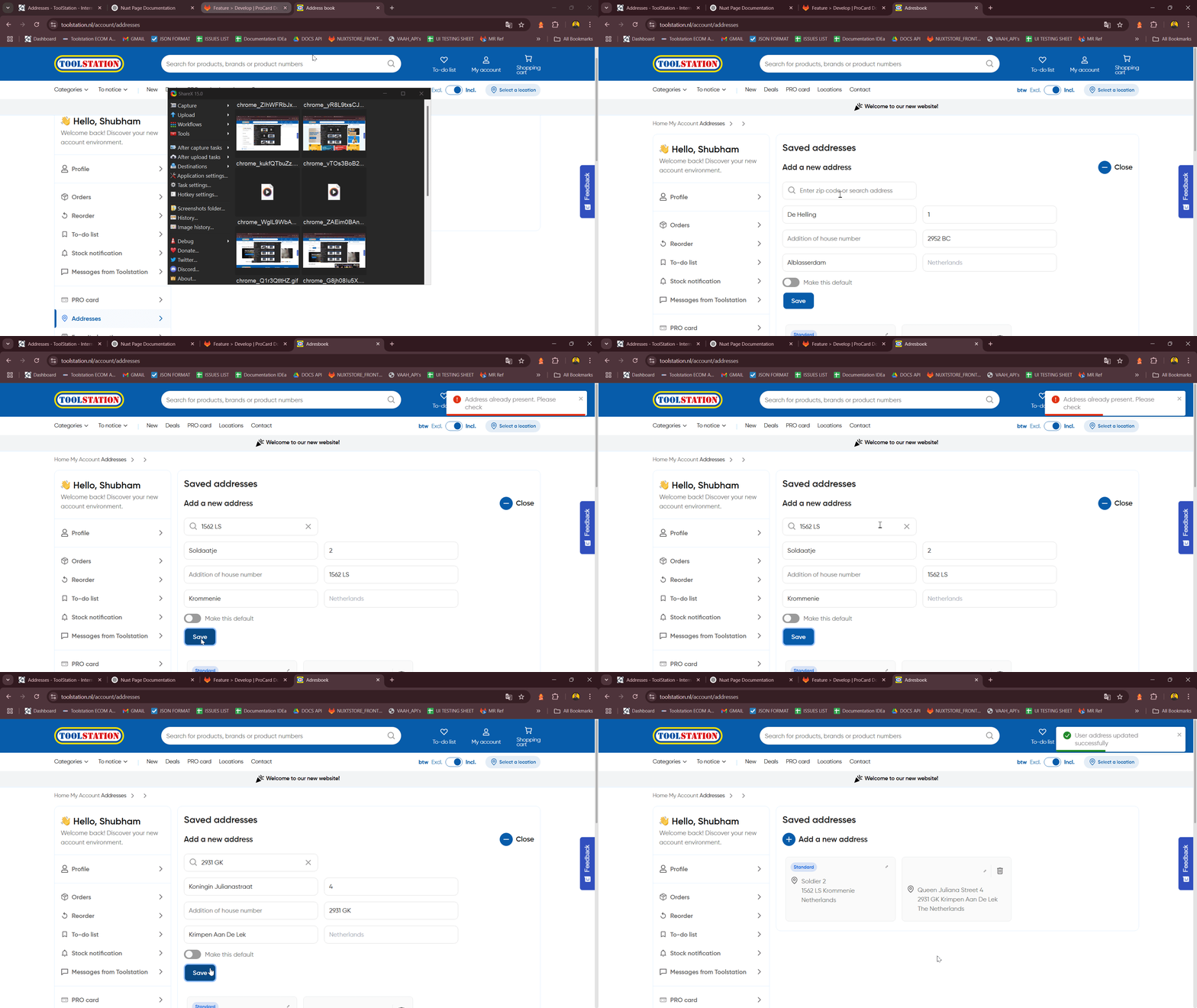
Delete Address
- Click delete ➝ call
accountStore.deleteAddress()➝ refresh UI.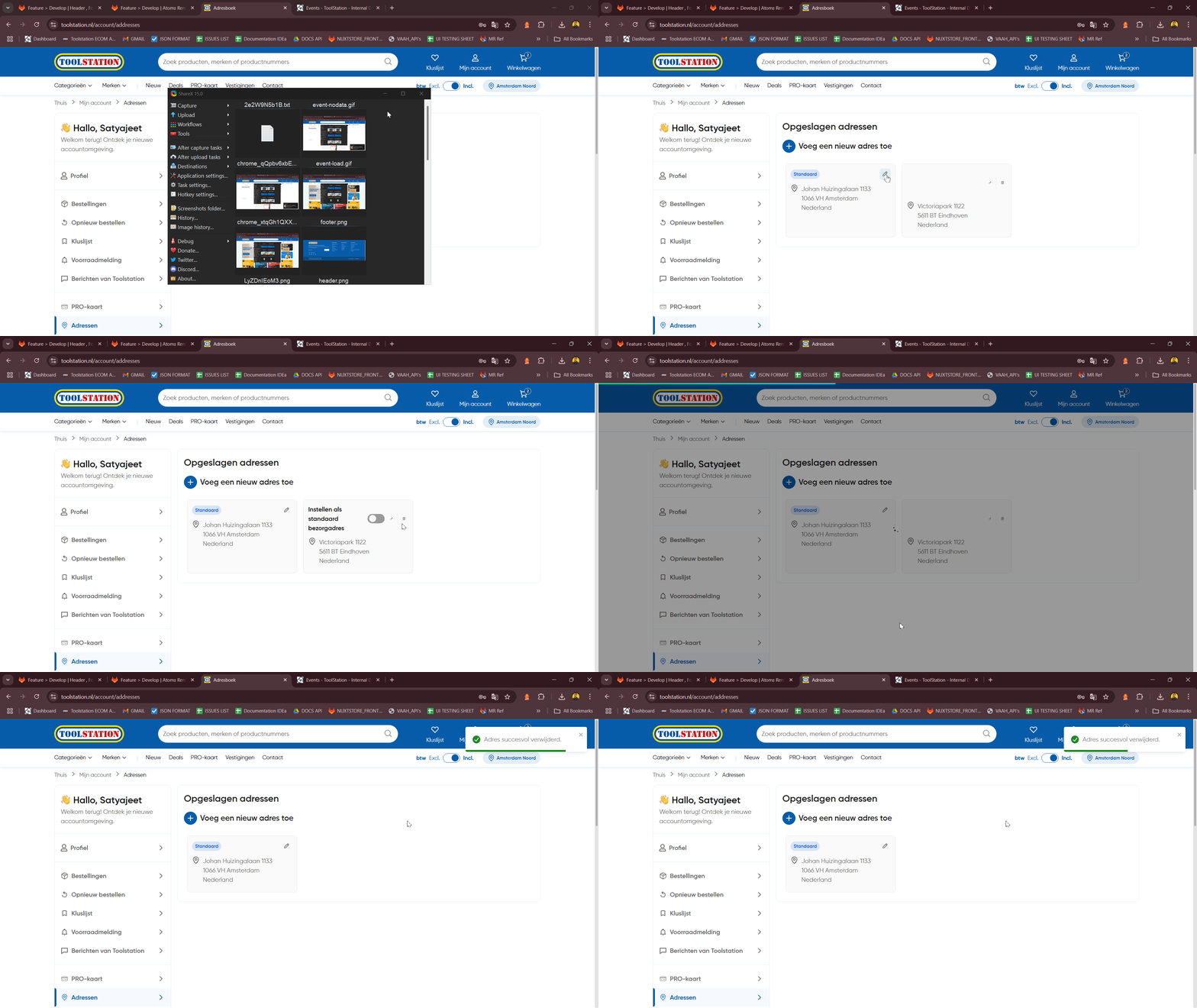
Make Primary
- Click set default ➝ call
accountStore.setAddressAsPrimary().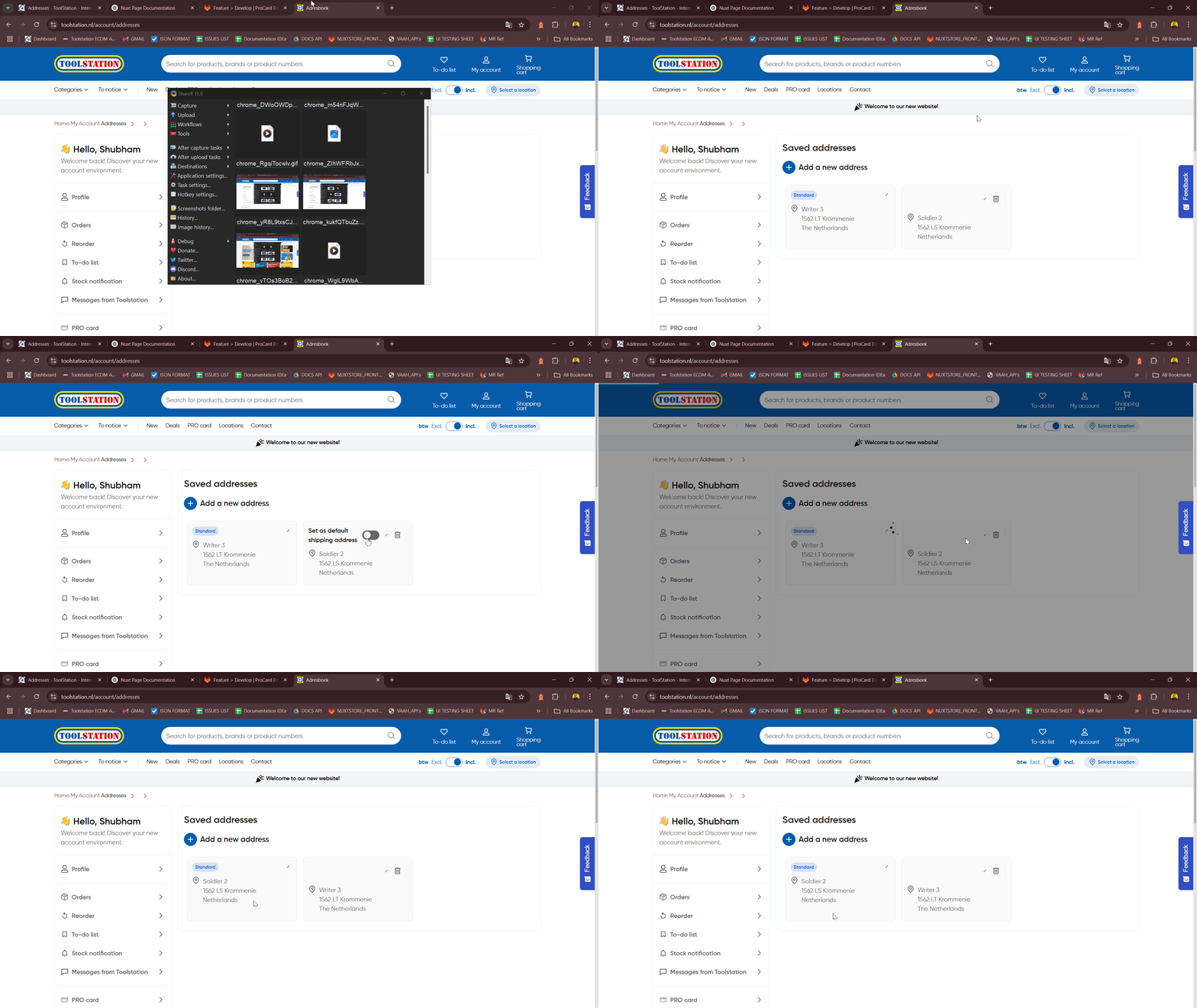
Cancel Form
- Click "Close" ➝ trigger
resetForm()➝ clear state & hide form.