

Data Model
Footer Links
Footer Links
Overview
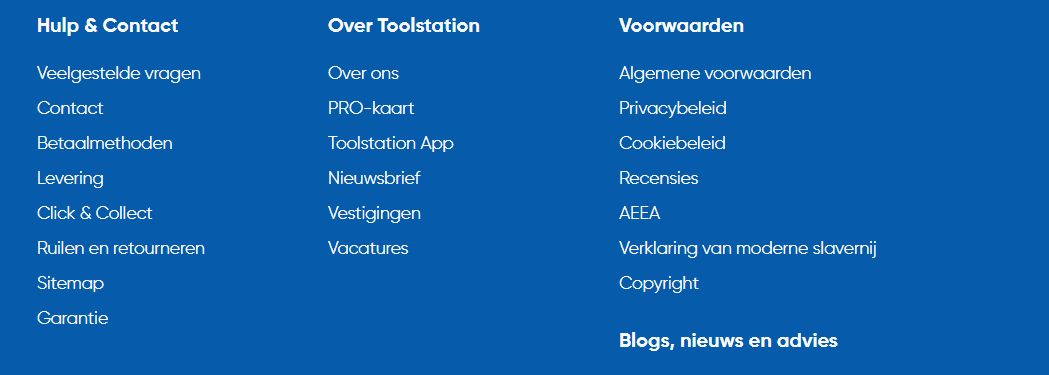
Footer links is a data model which is used to manage the footer section data links, where first three entries are three columns on the desktop view & after three entries it adds on as a sub-section to the last entry. As you can see in the image below, the Blogs, nieuws en advies is a sub-section.
Opening the entry on builder
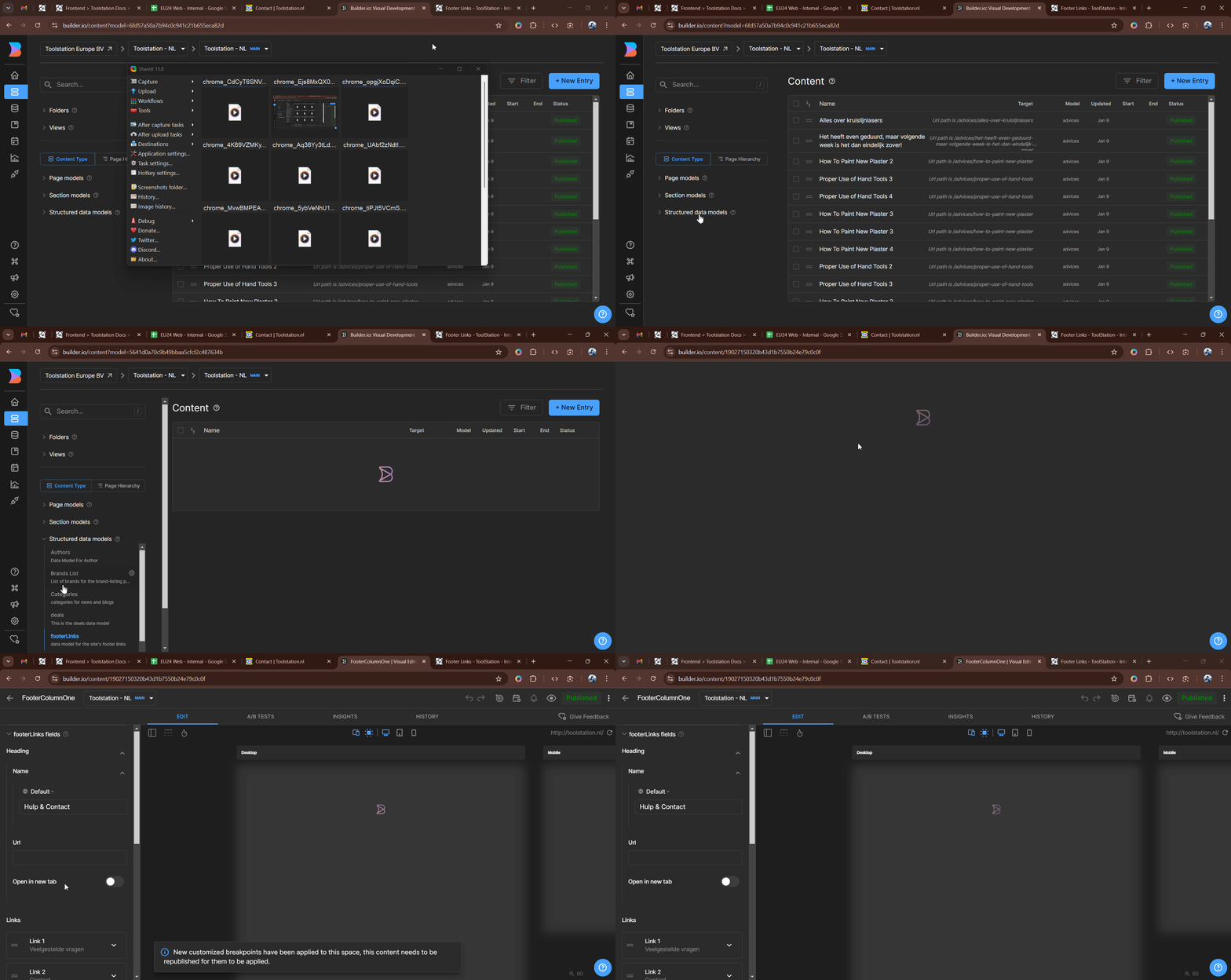
To create the entry on builder, select the data model on the left side bar & search for the Footer Links model.
Add or Edit the entry on builder
- To add a new entry, click on the
+ New Entrybutton or select the existing entry on the list. - Set the props like the Heading & Links ->
Name,Url,Open in new tab. - Click on the Save button.
Props
| Props | Description | Type |
|---|---|---|
| Heading | Heading of the link | object |
| Links | Links of the link | array |
Heading & Links Props
| Props | Description | Type |
|---|---|---|
| Name | Name of the heading or link | string |
| Url | Url of the heading or link | string |
| Open in new tab | Toggle to open the link in new tab | boolean |