

My Account
Order Again
Description
The Buy Again feature allows users to reorder products, search previously purchased items, manage saved products, and navigate through product history.
GOALS / EXPECTATIONS
- Enables users to search through previously purchased products
- Search bar provided at the top of the Buy Again page.
- Real-time filtering as user types full orderId as keywords.
- Enables users to reorder products.
- User can save previous order products in their save list.
- Only 6 product on a single page is visible.
DEV STRATEGIES / GUIDELINES
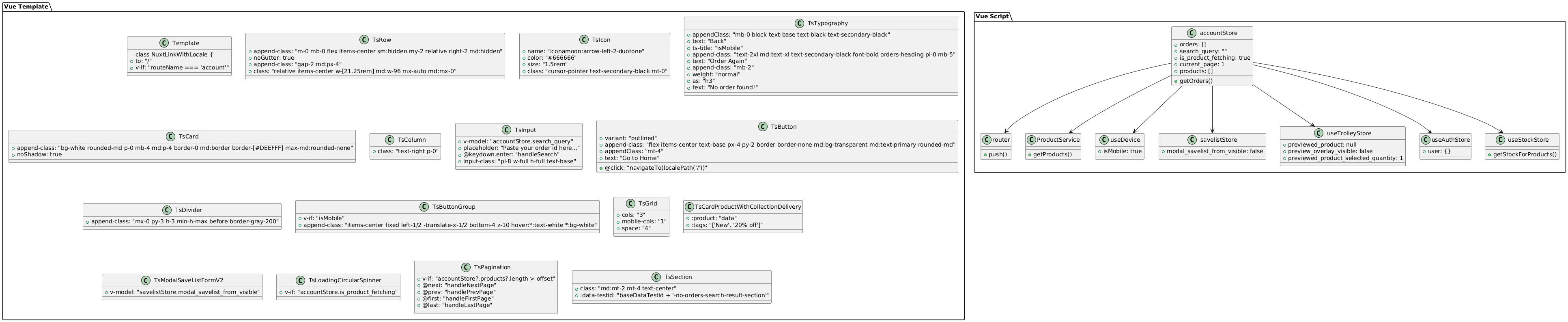
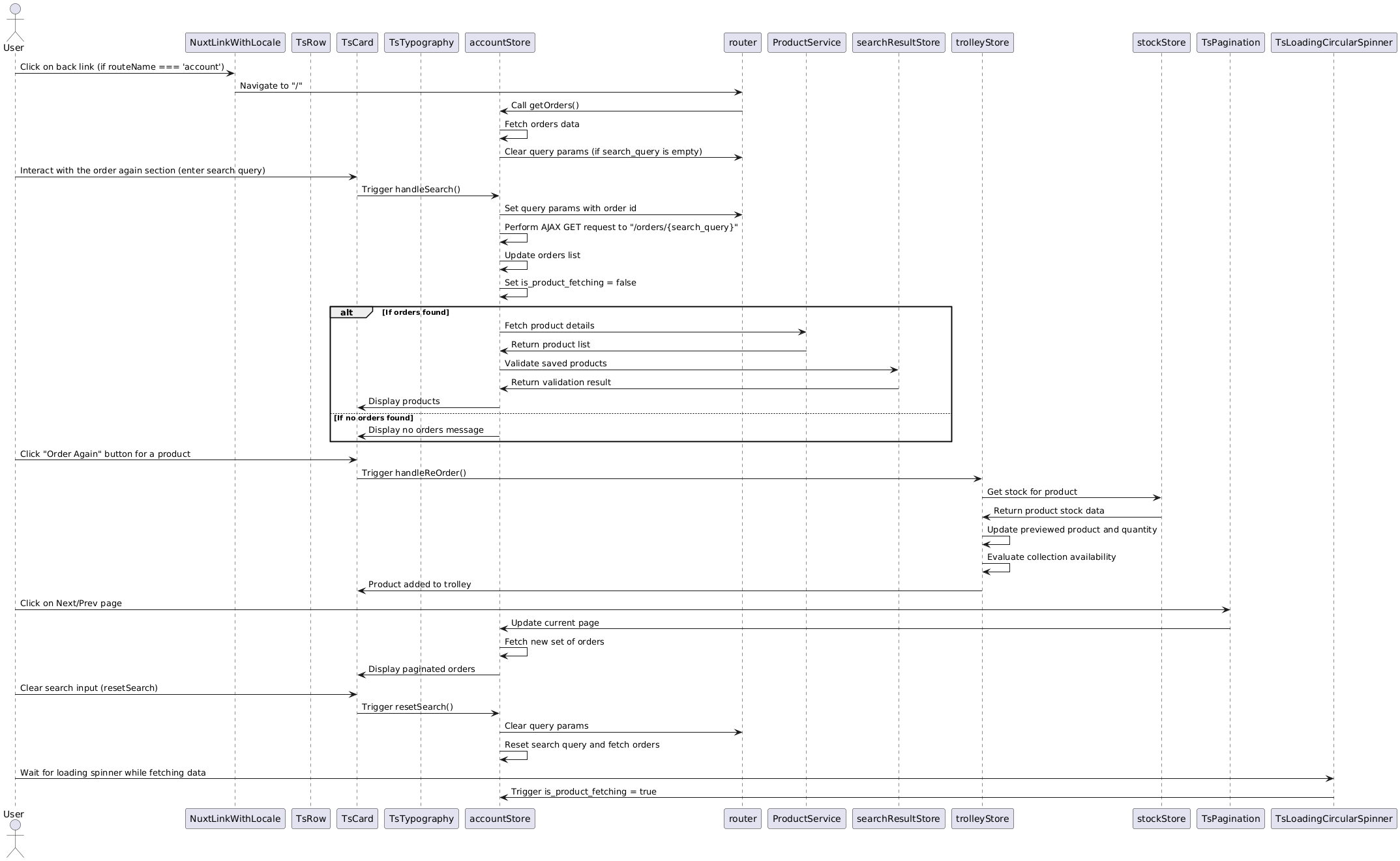
- Pinia Store (accountStore) Order Again component emits call the store methods directly which then propage the request to the concerned service i.e. ecomCustomerServices.. Every call to service must be enclosed by a try…catch block to manage client side error states inside the store. Within catch block, we need to use errorHandle composable. Buy Again Button for each products will trigger a modal which leads to the purchase of product flow till checkout. Loader will be visible when user visit the Order Again section in My Account Page.
- ECOM API Service & Requirement to make API call I. Orders Data : /customers/{orderid}/orders (GET) II. Product Data : getProduct() accepting orderIds as array of Numbers (GET)
COMPONENT DIAGRAM
FEATURES
- Searching Product
- Search functionality queries product names and details within the user’s purchase history.
- Allows users to reorder a product from their purchase history with a single click.
- Each product item includes an "Order Again" button.
- Organizes product history into pages, improving load times and usability.
- Page navigation displayed at the bottom of the product list.
- Users can move between pages to view more products in their history.
- Allows users to save products for easy future access.
- Heart icon displayed on each product item.
- Clicking the heart icon toggles the saved state of the product.
- Saved products are stored in the user’s account data.
SEQUENCE DIAGRAM
TODO LIST (DEV)
- Searching Product
- Search functionality queries product names and details within the user’s purchase history.
- Allows users to reorder a product from their purchase history with a single click.
- Pagination Implementation.
- Heart Icon Implementation.
- Clicking the heart icon toggles the saved state of the product.
- Order Again Flow to Checkout Feature.
- Variant Modal visible.