Get Customer and Guest Trolley Logic
Find Guest and Logged In Customer Trolley Details
Get and Set Trolley Resources
This document explains the logic behind finding customer and guest trolleys in the application in different scenarios.
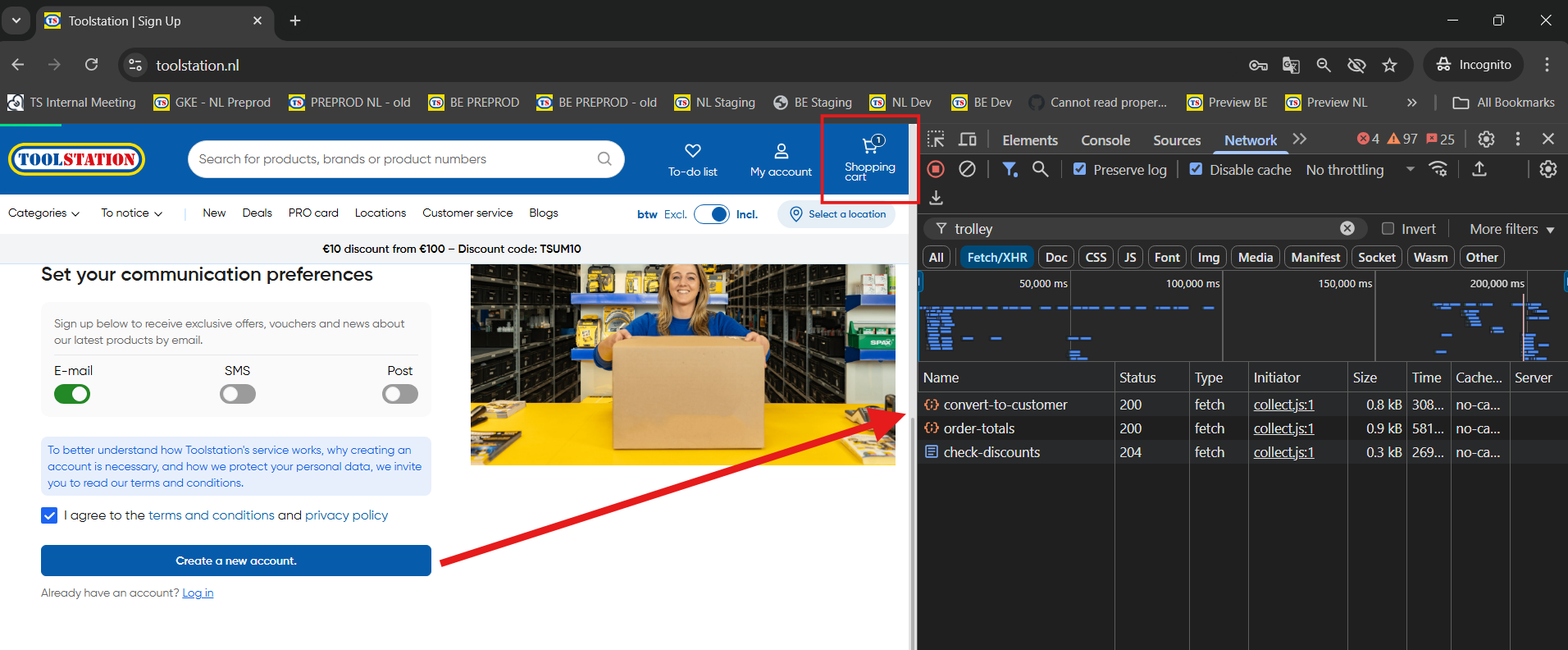
- Once a trolley is created, the frontend stores the trolley ID in cookies to avoid creating a new trolley on every request. Trolley ID and session token is used by the backend to identify each outgoing request.
- ENDPOINT (GUEST): GET
/trolleys/{trolleyId} - ENDPOINT (CUSTOMER): GET
/customers/{customerId}/trolleys/active - Once trolley resources are retrieved from the above endpoint,
trolleyStorestates are updated and store holds the cart details for global access across pages and components
Important: Go through @types/ecom/trolley/trolley.type.ts to understand the important schemas in trolley and checkout flow.
as, TrolleyResource and TrolleyLineItem are critical to understand the feature implementation.
1. On Page Refresh > Global Trolley Fetch
- The following function is called globally when the application mounts to ensure global cart state stays updated and synchronized
- Guest Trolley is fetched based on presense of
trolleyIdin cookies - Authenticated customer: Must be logged in (ensured by customer ID and customer login token)
- For logged in customer, the last updated trolley or the Active trolley is fetched
Important: There must be atleast one indicator on the frontend to determine if the current session is "active" or not If trolleyId or session token is not found or session could not be verified, any stale states (like, trolley items count on header cart icon) are cleared
// app.vue
onMounted(() => {
  loadTrolley();
});

function loadTrolley() {
  const authStore = useAuthStore();
  const isLoggedIn = authStore.isAuthenticated;
  /**
   * Guest (including guest checkout) must have trolley `id` and `session_token` to retrieve
   *
   * Authenticated user must have an associated active trolley in ECOM
   */
  const isTrolleyPresent =
    trolleyStore.trolleyId && (isLoggedIn || trolleyStore.trolleySessionToken);

  if (!isTrolleyPresent) trolleyStore.destroyTrolley(); // Handles expired sessions

  /**
   * 1. Set Guest Trolley If Not Logged In
   */
  if (!isLoggedIn) {
    setGuestTrolley(); // Gets trolley from ECOM API based on trolleyId in cookies
    return;
  }
  const customerId = authStore.user?.id;
  const customerToken = authStore.user?.token;
  /**
   * 2. Set Auth User Trolley
   */
  if (customerId && customerToken)
    setActiveCustomerTrolley(customerId, customerToken);
}
Demo Guest Trolley:
Demo Customer Trolley:
2. On SignIn
After Successful SignIn:
// auth.datalayer.ts > postSignIn()
if (
  trolleyStore.totalProducts > 0 &&
  trolleyStore.trolleyId &&
  trolleyStore.trolleySessionToken
) {
  trolleyStore.convertToCustomer({
    trolleyId: trolleyStore.trolleyId,
    customerId: authStore.user.id,
    trolleySessionToken: trolleyStore.trolleySessionToken,
    customerToken: authStore.user.token,
  });
} else {
  trolleyStore.setActiveCustomerTrolley(
    authStore.user.id,
    authStore.user.token
  );
}
Explanation: Two scenarios are considered when the user signs in:
A. Trolley Already Exists On Client -> Convert to Customer
If trolley session can be verified from cookies, the guest trolley is converted to the customer trolley after user signs in.
Check how convert to customer API call is made here
B. No Trolley Found On Client -> Attempt To Get Active Trolley
If trolley session can not be found on the client, last active trolley is fetched from ECOM
Check how active trolleys API call is made here
Note: It returns a list of active (status = 1) trolleys of the associated customer
// trolley.store.ts

async function setActiveCustomerTrolley(
  customerId: string,
  customerToken: string
) {
  const customerActiveTrolleys =
    await EcomCustomerService.fetchActiveCustomerTrolleys(
      customerId,
      customerToken
    );
  // safe check
  if (
    !customerActiveTrolleys ||
    !customerActiveTrolleys.data ||
    !customerActiveTrolleys.data.length
  )
    return;

  // set resources on the client for app wide references
  const activeTrolley = customerActiveTrolleys.data[0];
  trolleyStore.setTrolleyResource(activeTrolley);
}
Demo:
3. On Register (Sign Up)
After successful sign up, we only check if frontend has any trolley to be converted to customer trolley
// auth.datalayer.ts > postSignUp()
if (
  trolleyStore.totalProducts > 0 &&
  trolleyStore.trolleyId &&
  trolleyStore.trolleySessionToken
) {
  trolleyStore.convertToCustomer({
    trolleyId: trolleyStore.trolleyId,
    customerId: authStore.user.id,
    trolleySessionToken: trolleyStore.trolleySessionToken,
    customerToken: authStore.user.token,
  });
}
4. Persistence
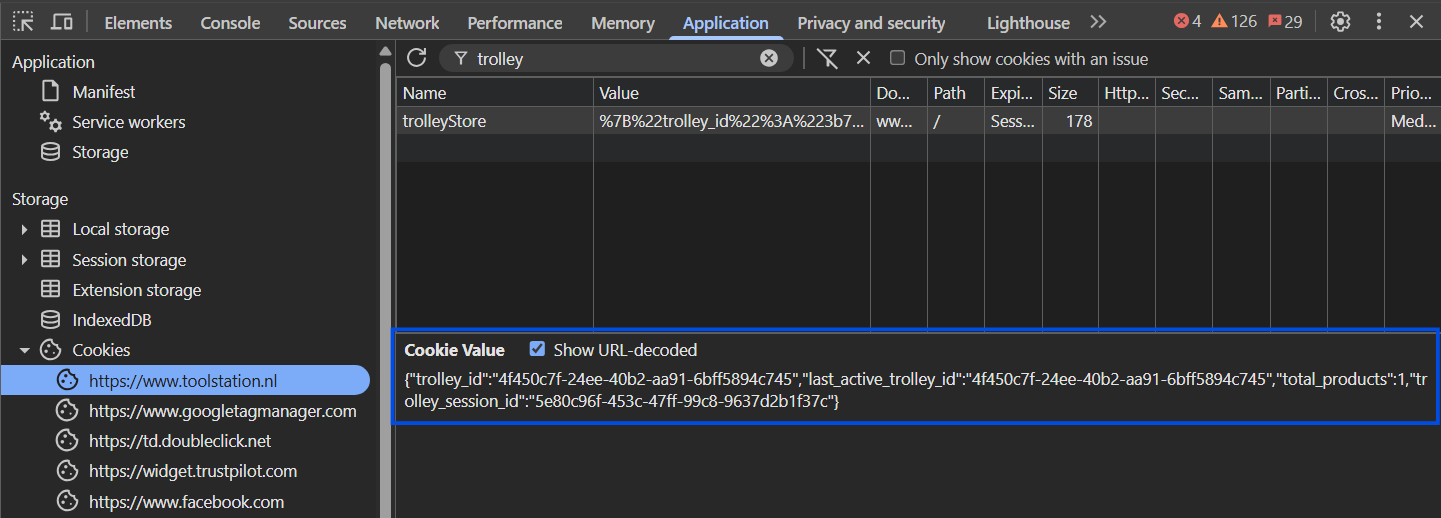
- Trolley ID > Cookies
- Trolley Session Token > Cookies
- Total Products > Cookies
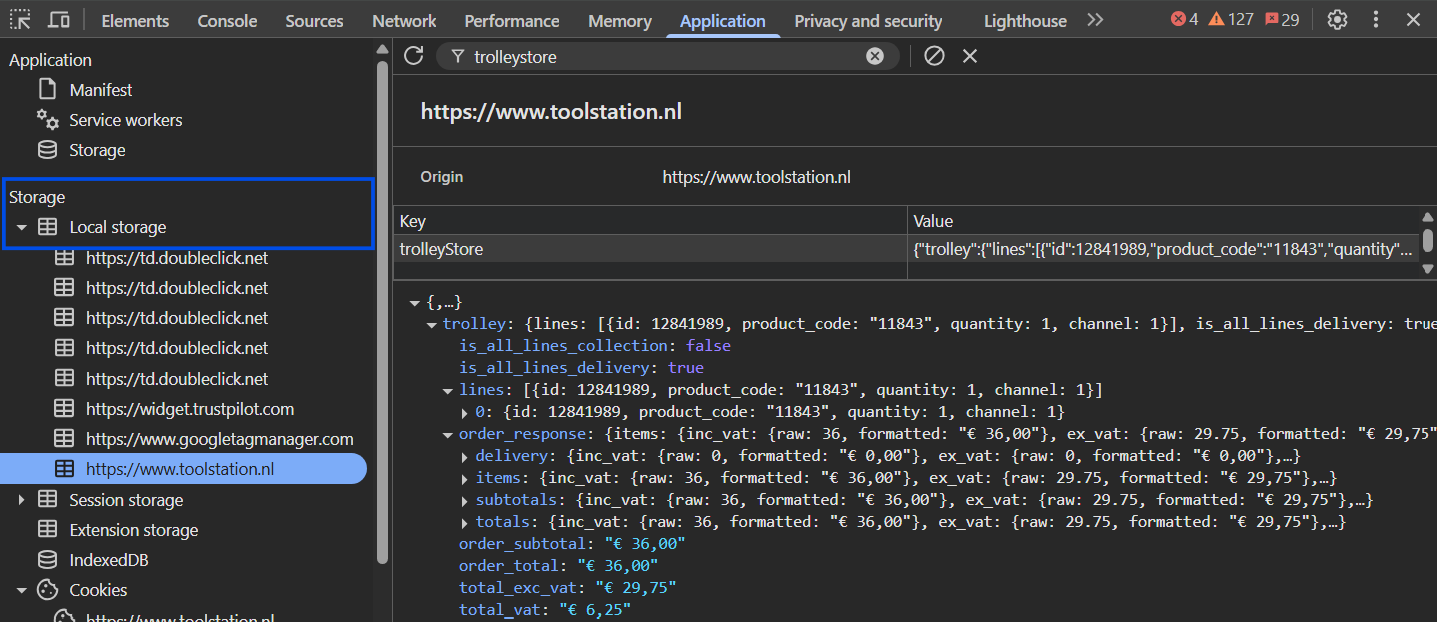
- Order Totals > LocalStorage
- Lines Details > LocalStorage
- Other Meta Details (trolley status, created and updated timestamps etc.) > LocalStorage
const useTrolleyStore = defineStore("trolleyStore", {
  state: () => ({
    trolley: <TrolleyResource>{},
    totalProducts: 0,
    trolleyId: <string | null>null,
    trolleySessionId: <string | null>null,
    trolleySessionToken: <string | null>null,
  }),
  persist: [
    {
      // Default Storage: Cookies
      pick: [
        "trolleyId",
        "totalProducts",
        "trolleySessionId",
        "trolleySessionToken",
      ],
    },
    {
      pick: ["trolley"],
      storage: import.meta.client ? localStorage : undefined,
    },
  ],
  getters: {...},
  actions: {...},
});
States In Cookies:
States In LocalStorage: