

Cookie Consent
Consent Plugin and Cookie Preference Processing
User Consent Handling Strategy
Overview
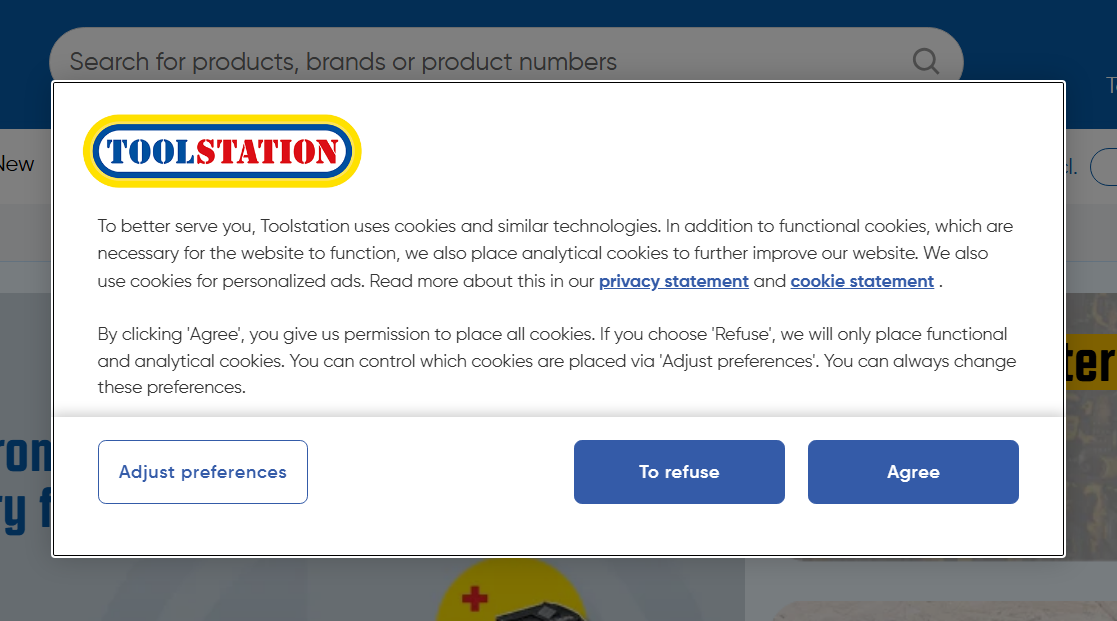
- The Consent Plugin integrates the OneTrust Cookie Consent service in a Nuxt.js application to manage user's cookie consent and tracking preferences.
- It handles the loading of the OneTrust SDK, processes user consent choices, and tracks page views with external services like Datadog.
- Once interacted, consent are stored in cookies and unless cleared by the user, onetrust popup never reappears on the site.
Features
- OneTrust Script Integration: Loads the OneTrust script to manage cookie consent preferences.
- User Consent Management: Handles user cookie consent choices and Controls third party services.
- Tracking: Affects third-party tracking based on user consent.
- Event Logging: Logs page view events using external services such as Datadog.
Setup
1. Loading OneTrust Script
- The OneTrust script is loaded using Nuxt Script in global plugin
03.consent.ts - It integrates the script into the application using the
domain specifickey. - Priority of this script is absolutely critical to ensure proper control over third party scripts and GTM Events.
// 03.consent.ts
export default defineNuxtPlugin(() => {
  const runtimeConfig = useRuntimeConfig();
  useScript(
    {
      key: "one-trust",
      src: "https://cdn-ukwest.onetrust.com/scripttemplates/otSDKStub.js",
      "data-domain-script": runtimeConfig.public.oneTrustDataDomainScript,
      "data-language": "nl",
      async: false,
      defer: false,
      fetchpriority: "high",
    },
    {
      tagPriority: "critical",
    }
  );
});
2. Managing User Consent
When the user updates their consent preferences, the plugin listens for the OneTrustGroupsUpdated event and
processes the active cookie groups by the following logic.
// 03.consent.ts
function manageUserConsent() {
  // Override the dataLayer.push method to capture consent updates
  const originalPush = window.dataLayer.push;
  window.dataLayer.push = function (...args) {
    args.forEach((eventObj) => {
      if (eventObj && eventObj.event === "OneTrustGroupsUpdated") {
        const eventGroups = eventObj.OnetrustActiveGroups?.split(",") ?? [];
        const activeGroups = eventGroups.filter(
          (group: string) => group.trim() !== ""
        );
        processConsentChange(activeGroups);
      }
    });
    return originalPush.apply(window.dataLayer, args);
  };
}
3. Processing Consent Changes
- The plugin waits for a consent choice to be made which is determined by whether
the cookie popup is closed or not (cookie name
OptanonAlertBoxClosed). - Queued up GTM events are fired only after consent choice is made (EW-432)
- It also verifies if tracking cookies are accepted before sending user events to external tracking services (e.g. Exponea and Noibu).
// 03.consent.ts
function processConsentChange(activeCookieGroups: OneTrustCookieGroup[]) {
  const hasConsentChoiceMade = computed(
    () => !!useCookie("OptanonAlertBoxClosed").value
  );

  if (!hasConsentChoiceMade.value) return;

  processQueuedEvents();

  // Third Party Tracking Services
  controlExponea(activeCookieGroups);
  controlNoibuTracking(activeCookieGroups);
}
Example: Exponea Tracking Consent
If the user consents to analytical cookies, the plugin ensures that Exponea tracking is activated by loading the script.
// utils/exponeaUtils.ts
export const exponeaTrackingConsent = useScriptTriggerConsent();

// 03.consent.ts
function controlExponea(acceptedGroups: OneTrustCookieGroup[]) {
  const checkAnalyticsConsent = acceptedGroups.includes(
    OneTrustCookieGroup.Analytical
  );
  if (checkAnalyticsConsent) exponeaTrackingConsent.accept();
}

// app.vue
useExponeaScript(exponeaScriptCDNSource, {
  trigger: exponeaTrackingConsent,
});
Demo Comparison When User Acccepts and Denies Cookies:
Addtional: Page View Event Listener
The plugin listens for route changes using router.afterEach and triggers the firePageViewEvent
function to log the page view event in datadog and GTM.
// 03.consent.ts
router.afterEach(async (to, from) => {
  // Integrate with external services like Datadog
  if (nuxtApp.$ddRum) nuxtApp.$ddRum.startView({ name: to.name });

  if (to.fullPath === from.fullPath) return;
  await firePageViewEvent(nuxtApp, from.fullPath, to.fullPath);
});
Notes
- OneTrust Integration: The plugin relies on the OneTrust script for managing user cookie consent preferences.
- Consent Processing: The
dataLayer.pushmethod is overridden to capture changes in consent groups and process them accordingly. - Tracking: Third Party tracking is activated only if the user consents to tracking.
- Page View Logging: Page view events are logged on route navigation, and the event includes information about the user's locale, VAT status, and user authentication state.