

Section Models
HiFiveSection
HiFiveSection is a symbol used to display the HiFive section on multiple pages.
HiFiveSection
HiFiveSection is a symbol used to display the HiFive section on multiple pages.
Opening the entry on builder
To open the entry on builder, select the section model > symbol on the left side bar & select the HiFiveSection symbol.
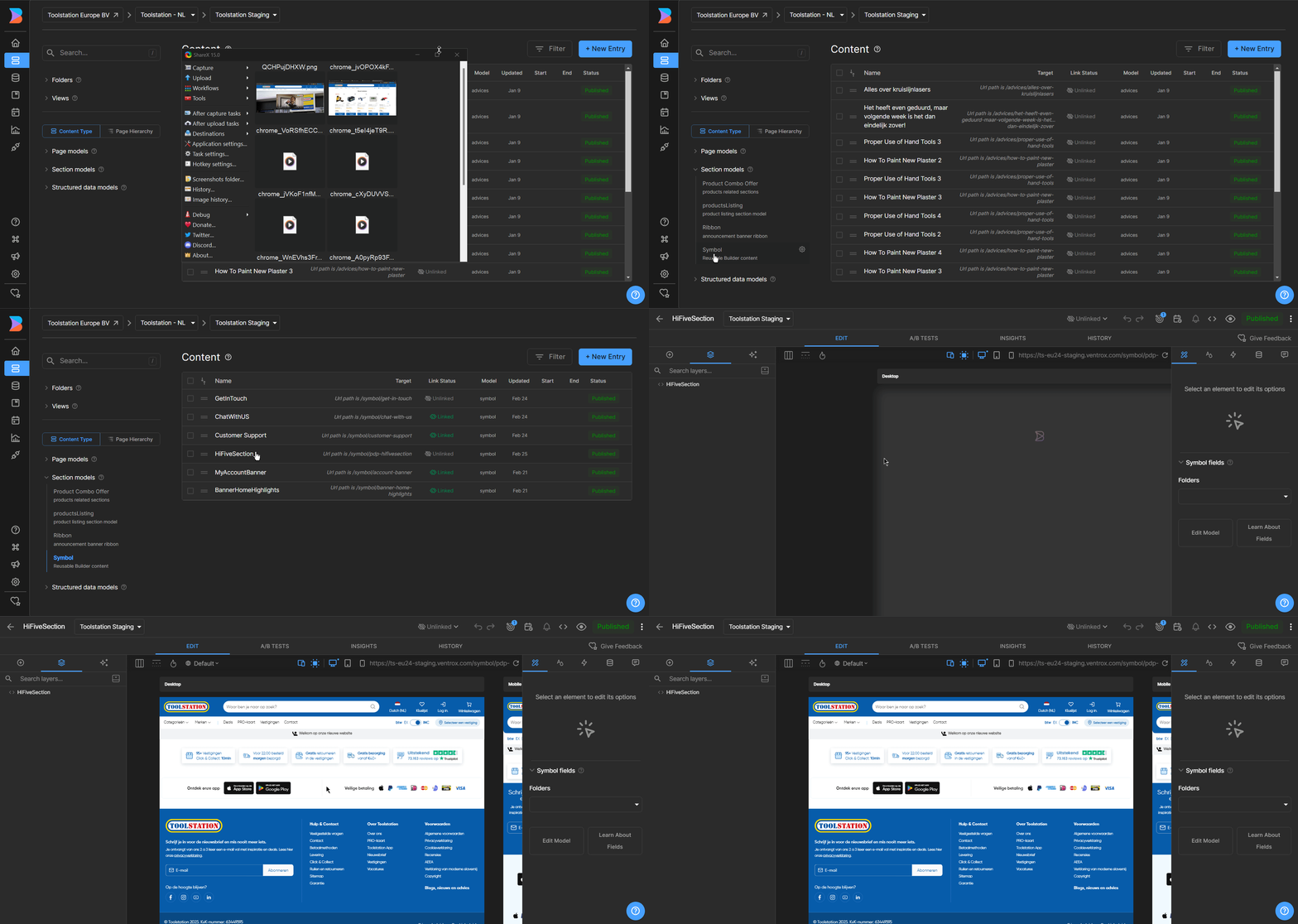
Editing the HiFiveSection Symbol
To edit the HiFiveSection symbol after opening the entry,
- Select the HiFiveSection component from the component layer.
- Edit the HiFiveSection component data from the data props.
- Save the changes.
HiFiveSection Component
The HiFiveSection component is used to display the Hi Five section symbol.
Props
| Name | Type | Default | Description |
|---|---|---|---|
| data | object | object | Data props for the HiFiveSection component. |
Data Props
| Name | Type | Example Value | Description |
|---|---|---|---|
| image | string | "/images/logos/delivery-boy.svg" | URL of the image displayed in the item. |
| description | richText | "<strong>100+</strong> Locations <br /> Click & Collect <strong>10min</strong>" | HTML string describing the item content. |
| description_img | string | "/images/logos/ratings.png" | URL of an additional image related to the description. |
| link | string | "/branches" | URL or path to navigate when the item is clicked. |
| isAbsoluteLink | boolean | false | If true, treats the link as an external URL. |
| isTrustPilot | boolean | false | If true, renders a TrustPilot component instead of normal content. |