

Postnl
PostNL Checkout
PostNL pick up point flow during checkout
Overview
- PostNL flow during checkout is a feature that allows users to select a PostNL pick up point for their order.
- This option is only available in NL region.
- Technical documentation for nearest postnl point search in EU24-WEB can be found here
Occurence - Checkout > Shipping Address Form
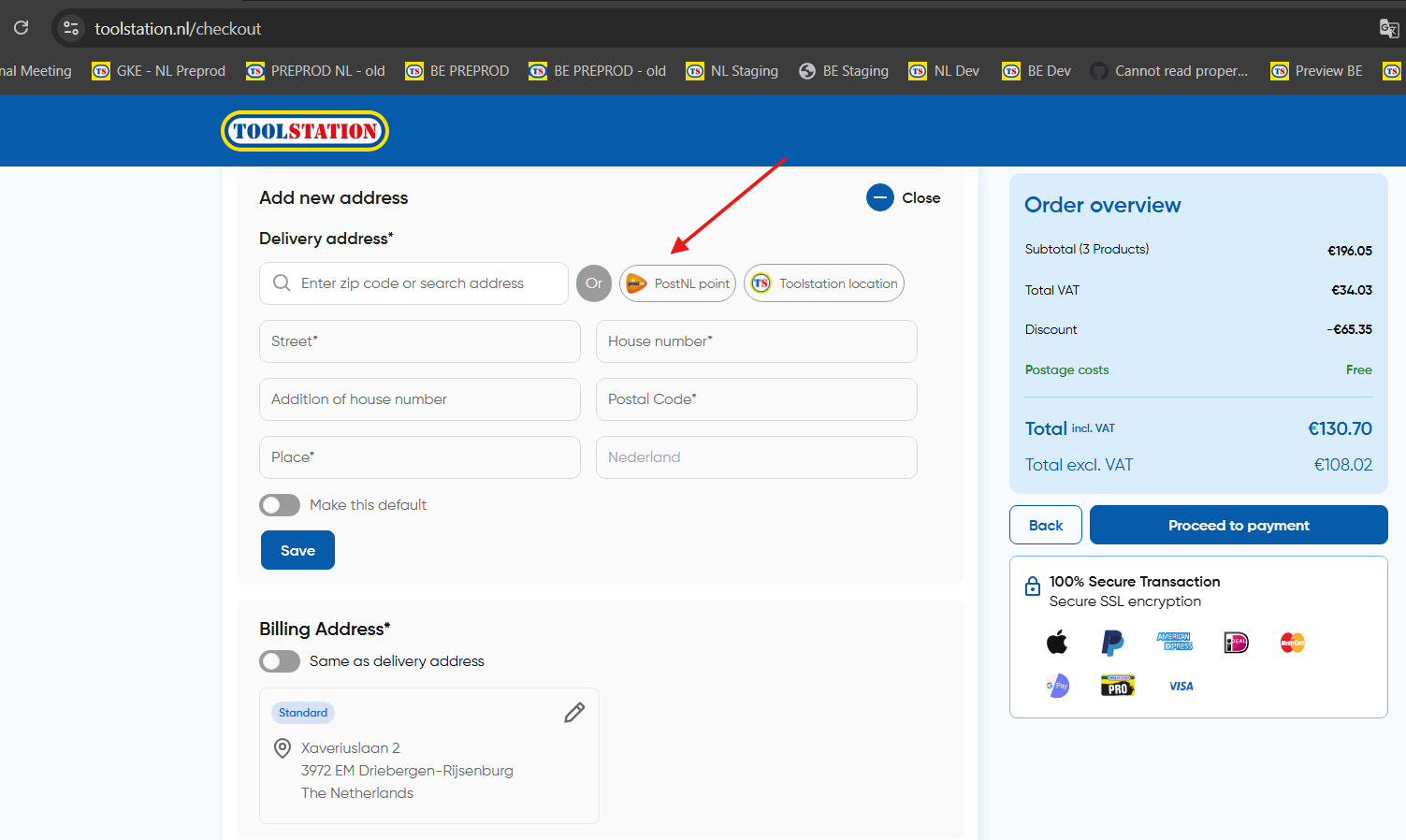
Flow
1. Search
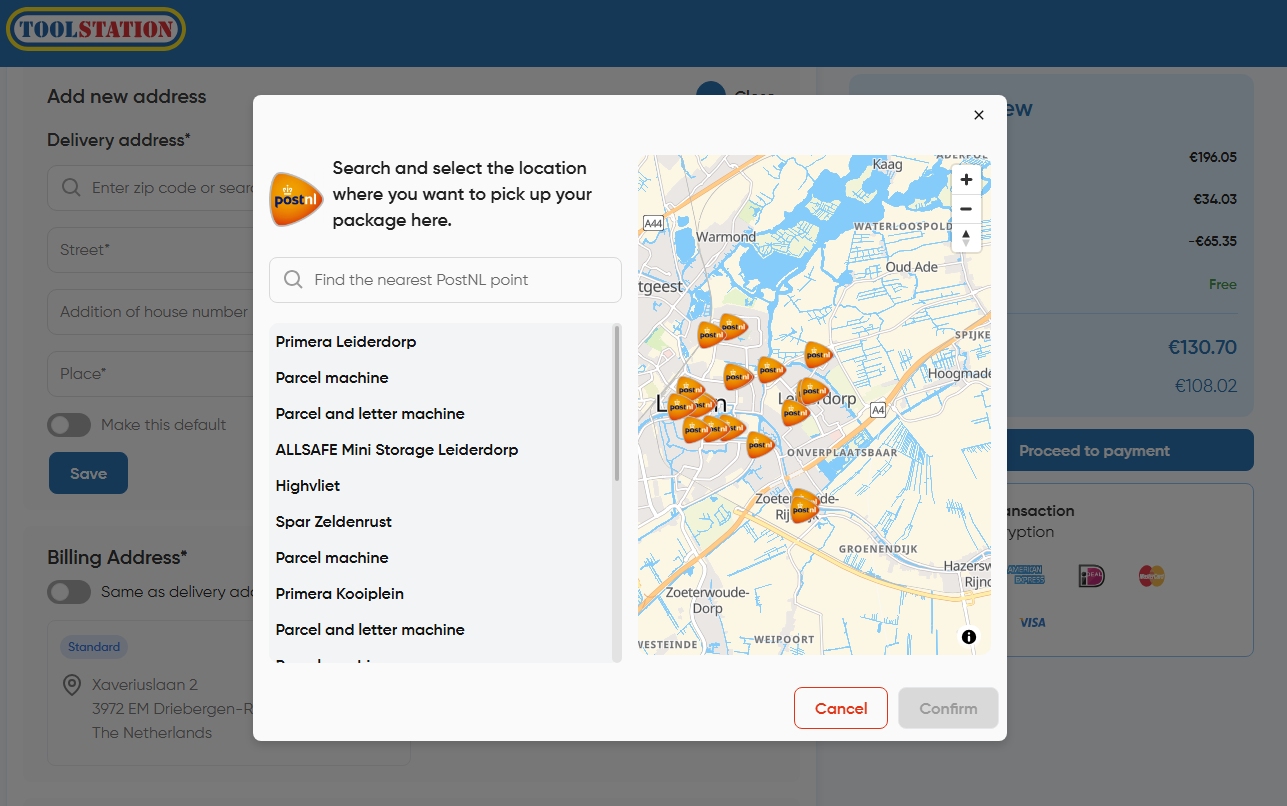
- Clicking on the postnl option opens a dialog with a search bar to search for a postnl parcel point.
- Default list of postnl parcel points is fetched based on a random address in the Netherlands (latitude = 52.3702, longitude = 4.8952)
- User can use the search bar to search for a nearest postnl parcel point
- Map view is powered by Woosmap
Core Method:
// ~/stores/postnl.store.ts

async function getNearestPostNLPoints() {
  //------------------- Send the latitude and longitude of the selected locality ---------------------------//
  const res = await PostNLService.fetchPostNLCollectionPoints(
    this.selected_locality?.location.lat,
    this.selected_locality?.location.lng
  );

  if (!res?.GetLocationsResult?.ResponseLocation?.length)
    throw new Error("no nearest post nl point available");

  /** Search Results
   * @type {PostNLPointResponse[]}
   */
  this.post_nl_collection_points = res.GetLocationsResult.ResponseLocation;
}
Core Types:
export type PostNLPointResponse = {
  Address: PostNLAddress;
  DeliveryOptions: DeliveryOptions;
  Distance: number;
  Latitude: number;
  Longitude: number;
  LocationCode: number;
  Name: string;
  PartnerName: string;
  RetailNetworkID: string;
  OpeningHours: OpeningHours;
  Sustainability: Sustainability;
};

export type PostNLAddress = {
  City: string;
  Countrycode: string;
  HouseNr: number;
  HouseNrExt?: string;
  Street: string;
  Zipcode: string;
  Remark?: string;
};
2. Select and Save
- Selecting a parcel point will focus the point in map view and activates the "Confirm" CTA on the bottom
- Saving the parcel point triggers a POST request to the
/trolleys/{trolleyId}/checkout/postnlendpoint with the selected address - The request generates a PostNL address in customer address-book and marks the trolley ready for a posnl checkout type order
- In the response we get an
address_idwhich is used to find it in address-book later and select it as the shipping address
3. Address Filtering
- PostNL addresses are filtered out from the address-book when the user visits account/addresses page as they make sense only in the context of checkout
- Request: GET
/customers/{customerId}/address-book?filter=true - Response: All saved addresses except PostNL points