Builder
Templates
Overview
Builder templates are used to create a reusable page on builder as a set of components. You can save a builder template from the existing builder page and use it in other builder pages.
Create a Builder Template
To create a builder template, follow the steps below:
- Select the
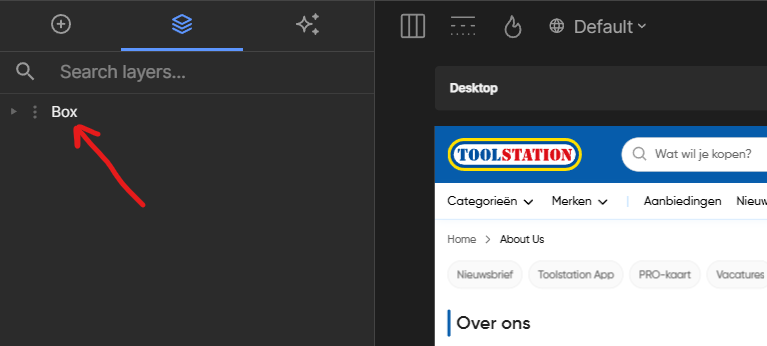
Builderpage that you want to create a template for. - Select the layer tab and right click on the page container element.
- Scroll down the list and select the
Save as Templateoption.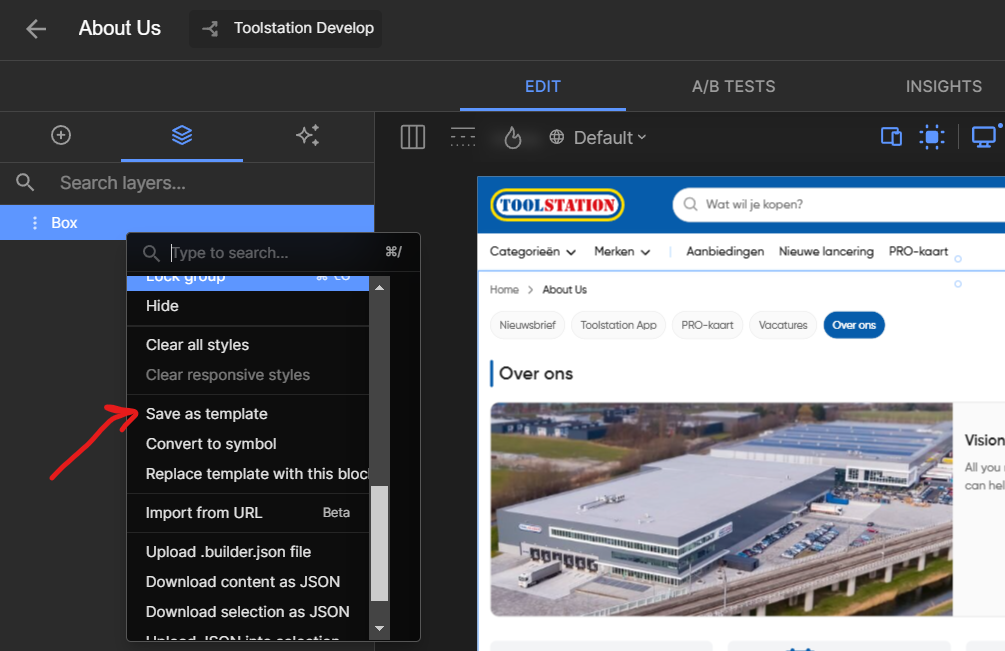
- A prompt will appear to enter the name of the template, enter a name and click
OK.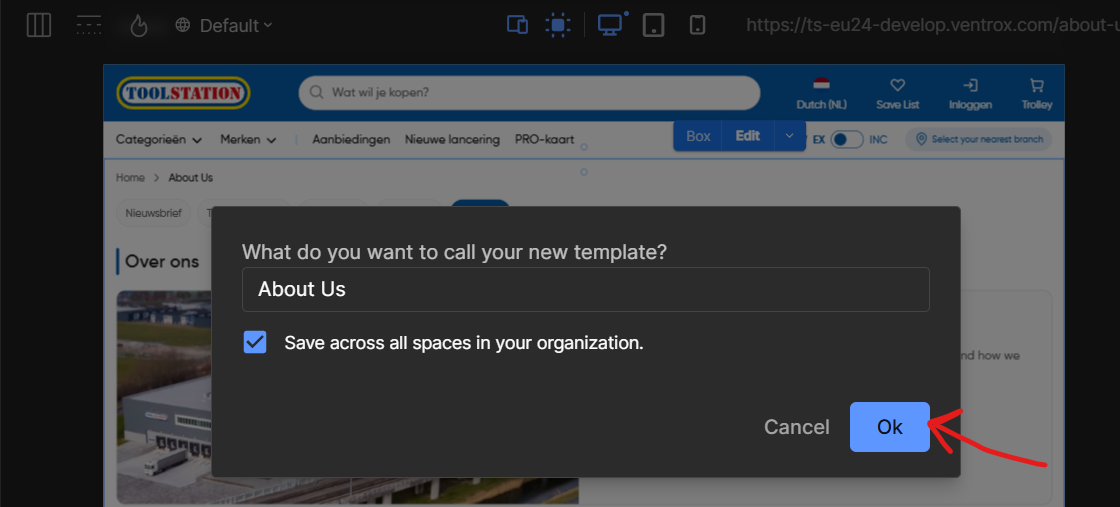
- Once the template is saved, it will be available in the
My Templatessection on theInserttab.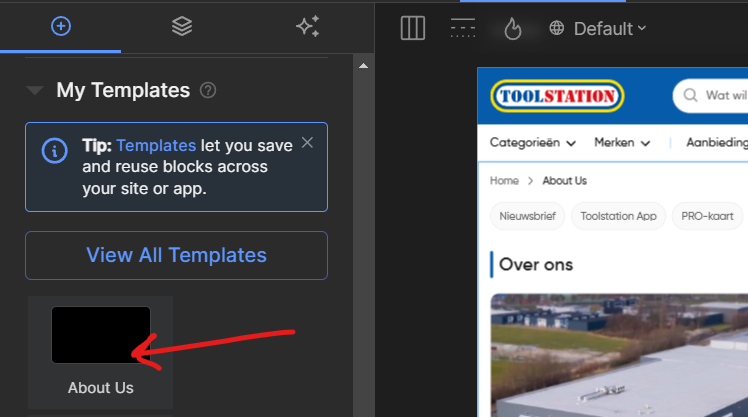
Export a Builder Template
You can export a builder template to a JSON file. To export a builder template, follow the steps below:
- Open any builder page & head over to the
My Templatessection on theInserttab. - Right click on the template you want to export and select
Download content as JSON.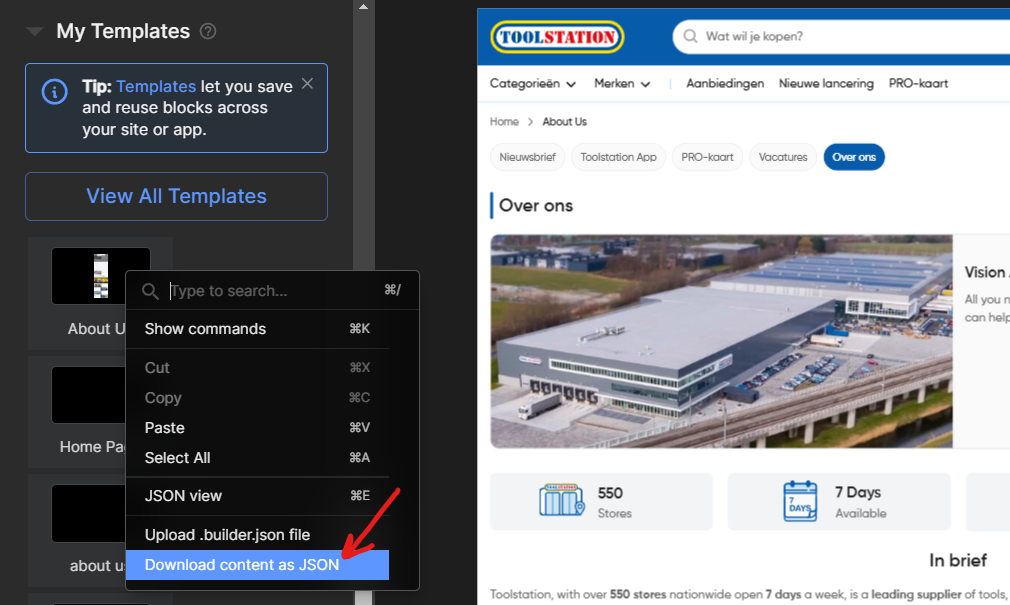 the template will be downloaded as a
 content.builder.jsonfile.
Import a Builder Template
You can import a builder template from a JSON file. To import a builder template, follow the steps below:
- Create a new builder page and head over to the
Layerstab. - Right click on the empty space and select
Upload .builder.json file.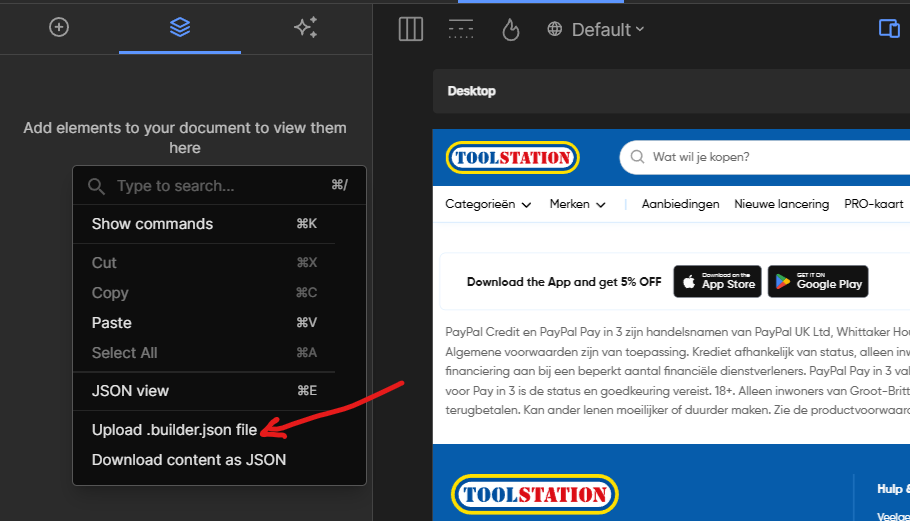
- Select the
content.builder.jsonfile to import the template. - The template will be imported to the
Layerstab & the content will be available on the page.