

Cookie Consent
Cookie Consent Groups and Effects
Effects on Third Party Services
Parsing Consent Groups
The consent groups are extracted from the OptanonConsent cookie, which contains
statuses in the following format:
{ groups = C0004:0,C0001:1,C0002:0,C0003:0 }
Each cookie group (e.g. C0001, C0002) has a meaning and a value:
- Status =
1indicates consent is granted. - Status =
0indicates consent is denied.
| Group ID | Category | Description |
|---|---|---|
| C0001 | Strictly Necessary | Always enabled |
| C0002 | Analytical / Tracking | Activity tracking and site performance analysis |
| C0003 | Functional | Features like product videos, order placement |
| C0004 | Targeting | Advertising and recommendations |
| C0005 | Social Media | Social media ads (e.g. Facebook, YouTube) |
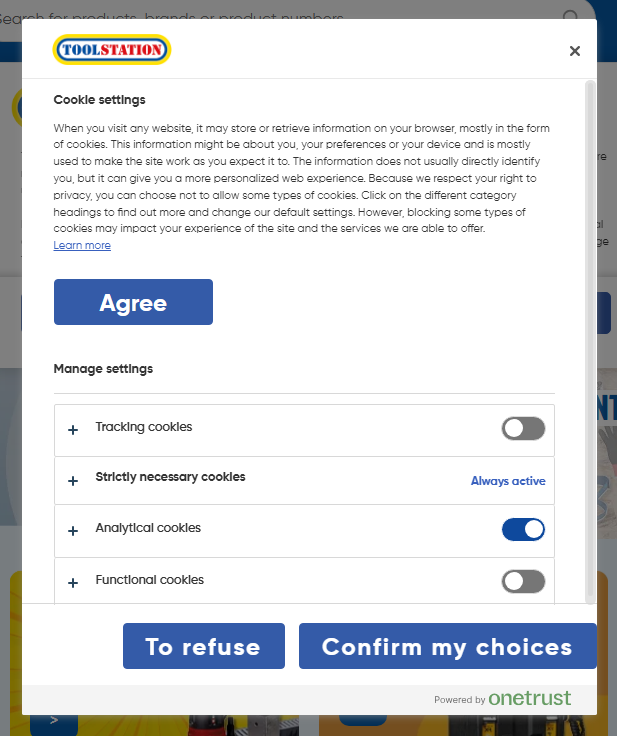
List of Third Party Services and Consent Dependencies
| Name | Consent Category |
|---|---|
| Algolia Events | Analytical (C0002) |
| Algolia Analytic Tags | Analytical (C0002) |
| Datadog RUM | Analytical (C0002) |
| Exponea Tracking | Analytical (C0002) |
| Noibu Tracking | Analytical (C0002) |
| Bazaarvoice Pixel Tracking | Analytical (C0002) |
| Builder.IO Page Tracking | Analytical (C0002) |
| Videoly videos | Functional (C0003) |
Implementation of Consent Check
An enum is created to represent each consent group by name instead of group ID.
// assets/constants/cookie-consent.ts
export enum OneTrustCookieGroup {
  StrictlyNecessary = "C0001",
  Analytical = "C0002",
  Functional = "C0003",
  Targeting = "C0004",
  SocialMedia = "C0005",
}
Globally checkConsent method is implemented in the rootStore that checks if a consent group is granted or denied.
This method scans the OptanonConsent cookie to determine user's preferences.
// stores/root.store.ts
const consentCookie = useCookie("OptanonConsent");

/**
 * @param {OneTrustCookieGroup} cookieGroupId - Example: "C0001"
 */
function checkConsent(cookieGroupId: OneTrustCookieGroup) {
  if (!consentCookie.value) return false;
  const decodedData = extractConsentGroups(consentCookie.value); // Contains `acceptedGroups` list e.g. ["C0001", "C0002", "C0004"]
  if (!decodedData) return false;
  return decodedData.acceptedGroups.includes(cookieGroupId);
}
Example Usages
- Third Party Scripts:
Nuxt Scripts supports manual script loading based on a
custom triggerwhich is leveraged to toggle state of a global consent variable for specific third party script
// utils/exponeaUtils.ts
export const exponeaTrackingConsent = useScriptTriggerConsent();

// app.vue
useExponeaScript(exponeaScriptCDNSource, {
  trigger: exponeaTrackingConsent,
});
exponeaTrackingConsent.accept() is called when user accepts tracking cookie.
Refer technical strategy and demo here.
- Builder CMS Activity Tracking:
trackrequests from browser are not triggered if user has denied consent to tracking.
<!-- TsContent.vue -->
<template>
  <content
    :model="props.model"
    :content
    :api-key
    :customComponents
    :can-track="rootStore.checkConsent(OneTrustCookieGroup.Analytical)"
  />
</template>