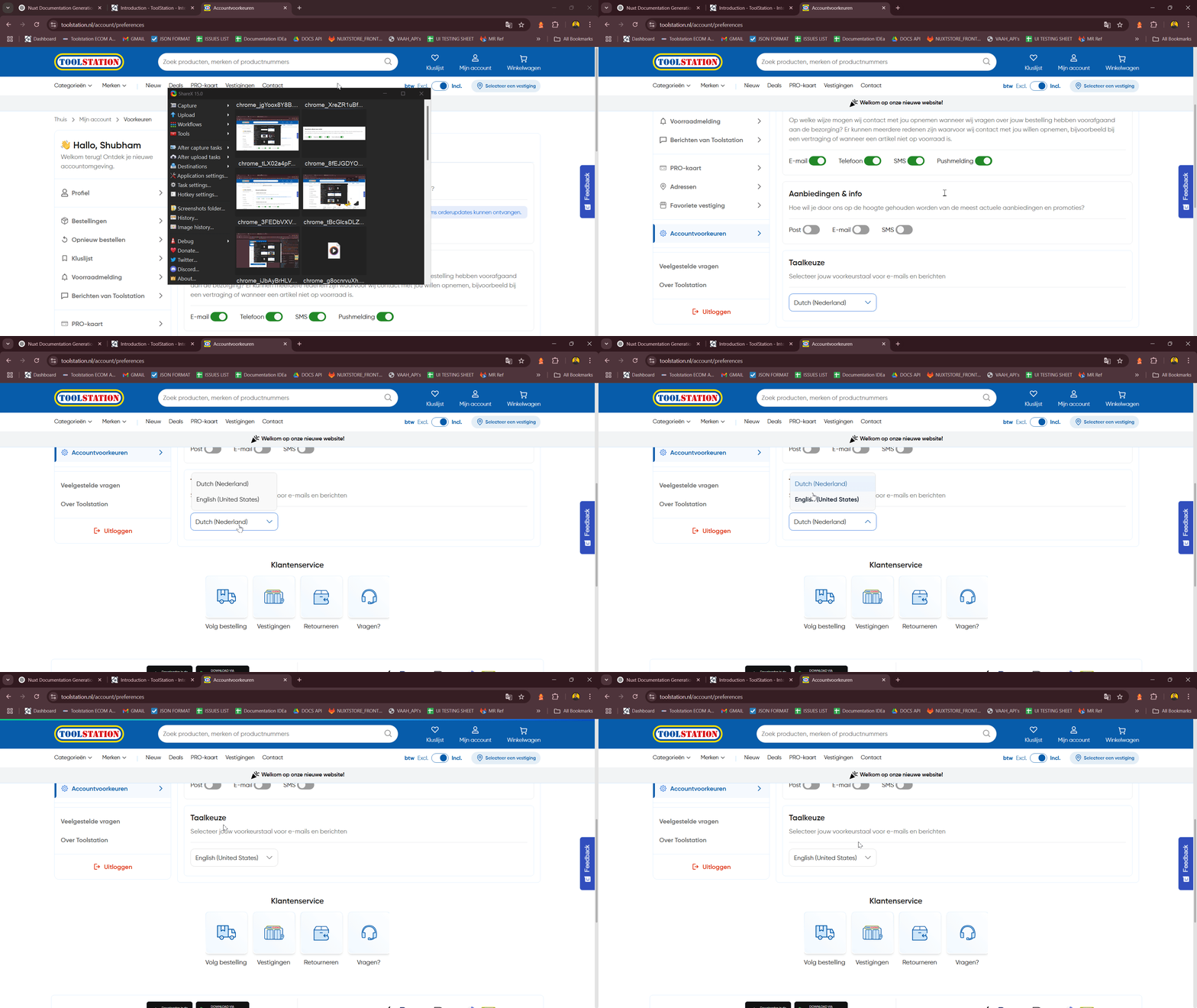
My Account
Account Preferences
Description
- The Account Preferences page allows users to manage how they wish to receive updates and communications (e.g.
email,SMS,push). - Built with Composition API, TailwindCSS, Pinia Store, and Nuxt 3.
- Responsive design with dynamic component rendering based on data availability and device type.
Purpose
- Allow users to view and update their contact preferences for different categories (order updates, offers, etc.).
- Enable communication language selection for emails and notifications.
- Improve personalization and compliance with user choices regarding notifications.
Use Cases
- Update Notification Preferences: Toggle contact channels (
email,SMS,push) for categories like order updates and offers. - Select Communication Language: Choose the preferred language for communication.
- Load Preferences on Page Load: Show previously saved preferences upon visiting the page.
- Graceful Loading: Spinner indicates data is being fetched before rendering preferences.
Expectations
- Display fallback spinner (
TsLoadingCircularSpinner) until profile and contact_preferences are loaded. - Render a list of preference categories using accountStore.preference_order.
- Exclude specific preferences like mail_catalogues from the list.
- Use responsive layout (e.g.,
grid,flex) for toggles based on the device. - Show language selection via
TsSelectBoxif preferred language is available. - Each toggle update triggers
handleUpdateContactPreference, which logs the event and updates the store.
Developer Strategies
- Use
defineAsyncComponentfor lazy-loading components (TsToggle,TsSelectBox, etc.). - Clone user profile and preferences from
authStoreintoaccountStorefor better separation and reactivity. - Use
useTranslation()for multilinguallabelrendering andi18nsupport. - Disable
togglesconditionally (e.g., fororder_progressif toggler is disabled viaauthStore). - Monitor and reactively update UI based on changes in
authStore.userusing awatch().
TODOs for Developer
- Add accessibility enhancements (e.g., aria-label on toggles).
- Improve fallback when
contact_preferencesare not available or empty. - Add error handling and retry logic if
initialize()orfetchPreferredLanguage()fails. - Unit test
handleUpdateContactPreferenceto verifyGTMevent logging. - Extract
preference_orderlogic into a composable/store to simplify logic. - Add feature to reset preferences to default.
API Endpoints
| Action | Endpoint | Description |
|---|---|---|
fetchPreferredLanguage(userId) | GET /customers/${cutomerId}/preferred-language | Retrieves the user's currently selected preferred communication language. |
updatePreferredLanguage() | POST /customers/${cutomerId}/preferred-language | Updates the preferred language based on user selection. |
updateContactPreferences() | GET /customers/${customerId}/contact-preferences | Saves toggled contact preferences to the server(method stub in store). |
Components Used
Component | Description
| Action | Endpoint |
|---|---|
TsNuxtCard | Card layout component used for grouping sections. |
TsTypography | Typography utility for headings and text blocks. |
TsToggle | Toggle switch for enabling/disabling preferences. |
TsLabel | Custom label wrapper around toggles for layout and style. |
TsSelectBox | Language selection dropdown component. |
TsLoadingCircularSpinner | Spinner shown while data is loading. |
Flow Summary
Step: 1
- Show
TsLoadingCircularSpinnerifaccountStore.profile.contact_preferencesis not yet loaded.
Step: 2
- Once loaded, render a
TsNuxtCardper preference category (excludingmail_catalogues).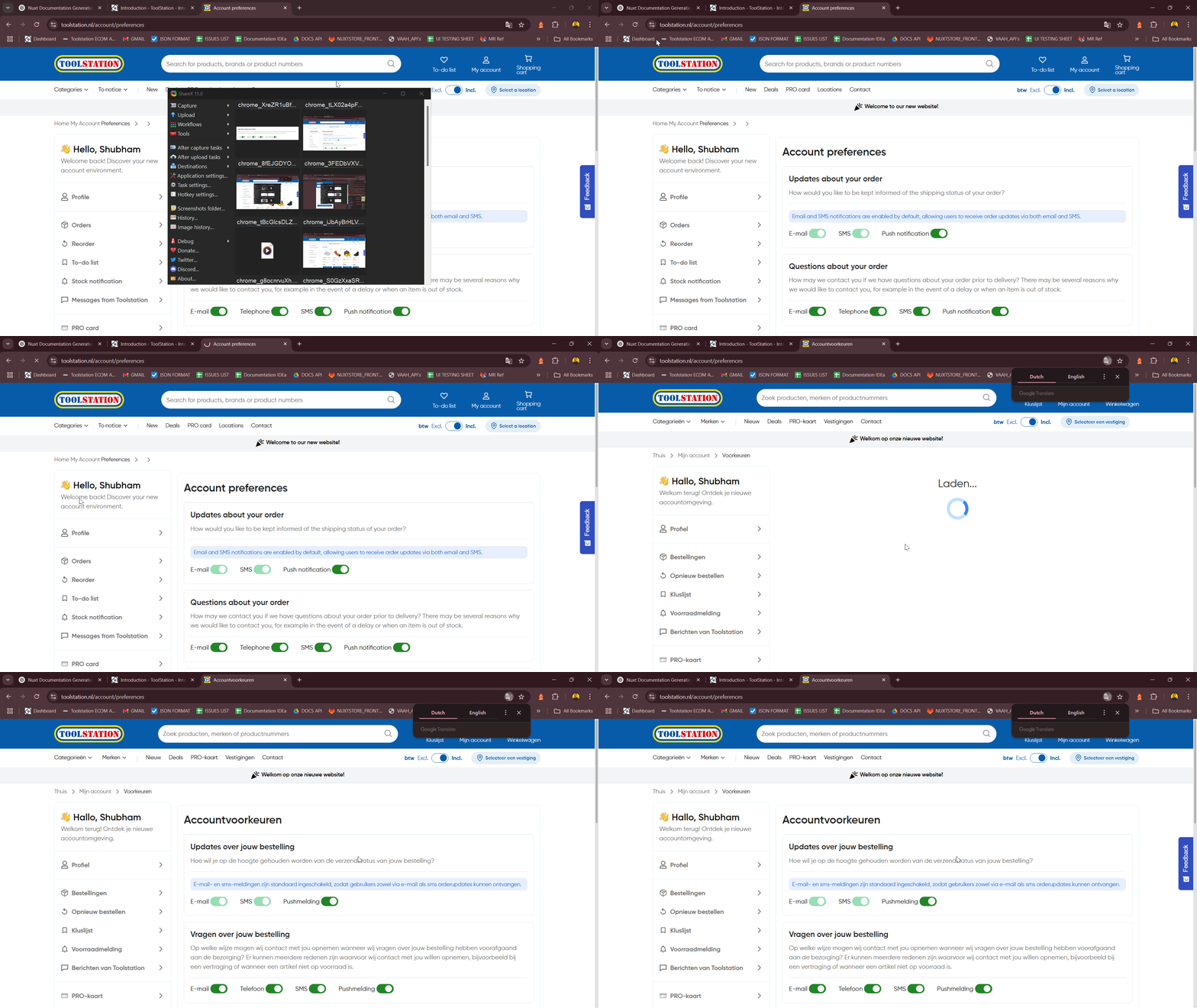
Step: 3
- Each card includes:
- Header (
title+description) - Toggles for available communication methods (
email,SMS,push, etc.)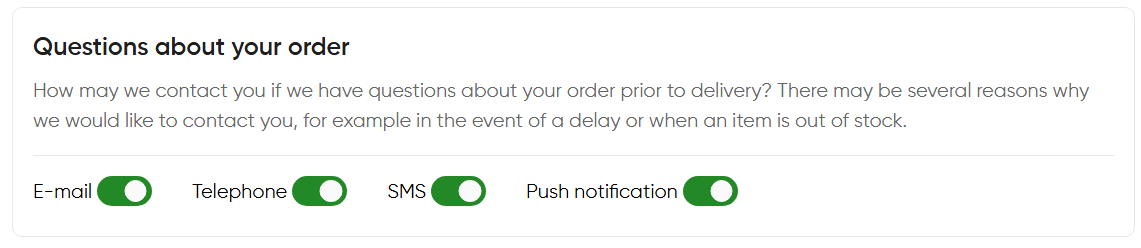
- Header (
Step: 4
- Render an additional card for preferred communication language using
TsSelectBox.