Builder
API Keys Setup & Configuration
Using Builder Api Key
An API key is an alphanumeric string that you can use to connect your code base with Builder. Use the Builder Public API Key to integrate with Builder.
An example of a Builder API Key is bb209db71e62412dbe0114bdae18fd15.
Prerequisites
To get the most our of this document, you should have the following:
- Builder account
- Nuxt Project
if you haven't setup a nuxt project yet - Click here
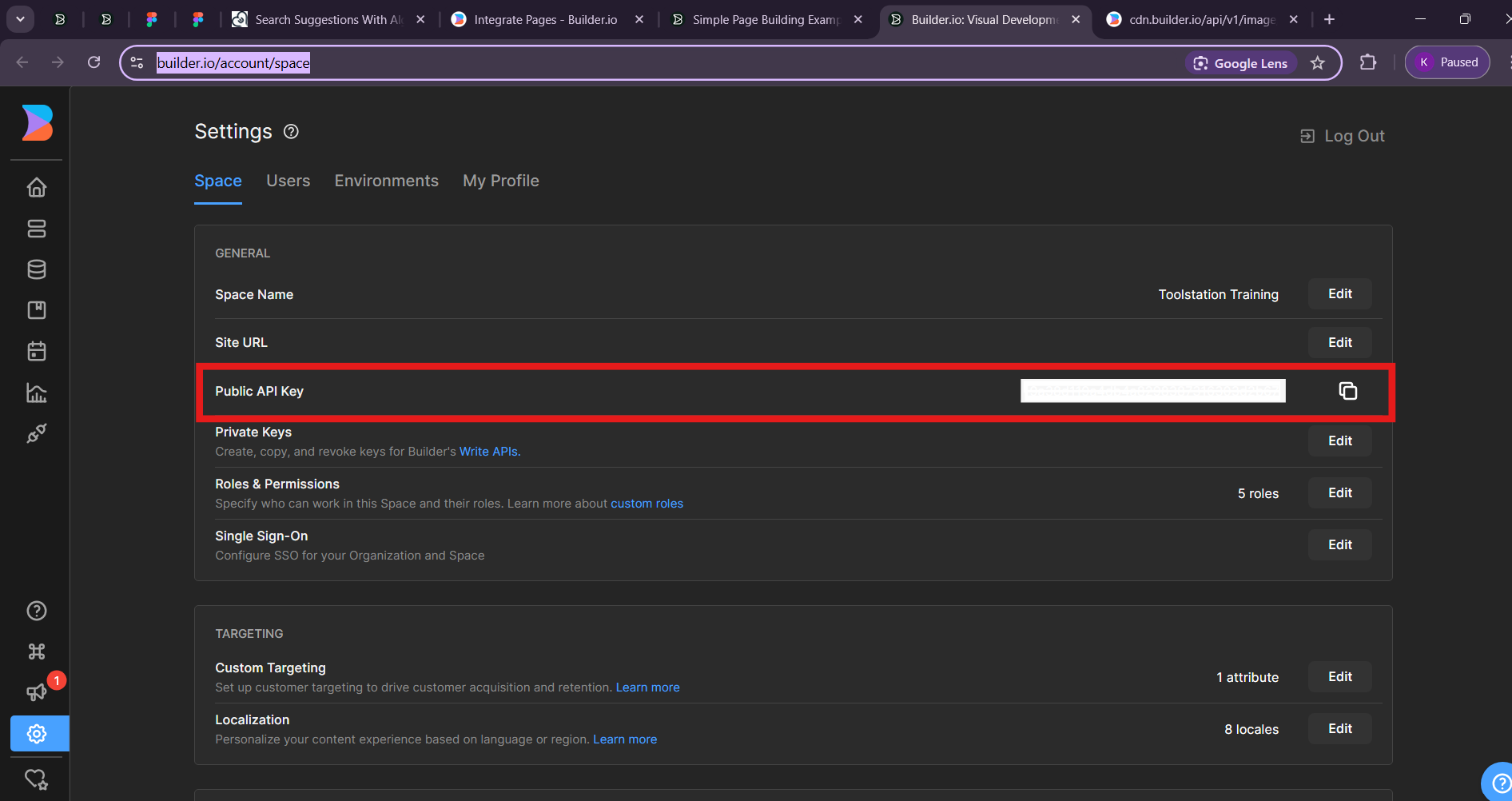
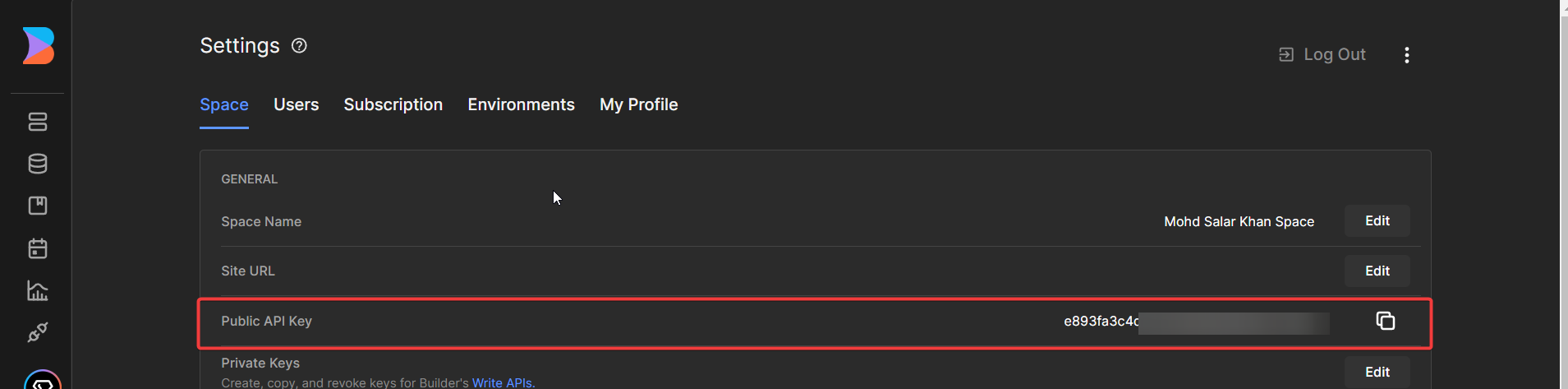
Finding your Public API Key
- Go to Builder.io
- Click on Go to App

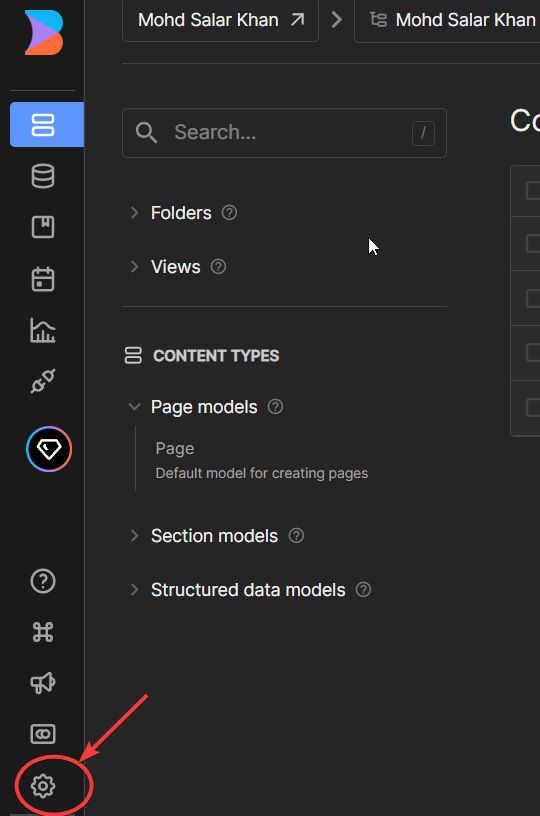
- Click on Settings
- Copy your public api key
Using your Public API Key in Nuxt App
- Create a .env file in your root folder and create an env variable
For Ex BUILDER_API_KEY

- Now go to nuxt.config.ts file and add the following code
export default defineNuxtConfig({
  runtimeConfig: {
    public: {
      apiKey: process.env.BUILDER_API_KEY //Replace BUILDER_API_KEY with your env variable
    }
  }
})
- Now go to your page where you are using Content Component (previously, RenderContent) and update the code there
const config=useRuntimeConfig()
const api_key=ref(config.public.apiKey) //this is your api key
const content = await fetchOneEntry({
  model: model_name,
  apiKey:api_key.value,
  userAttributes: {
    urlPath: '/' + route.params.page,
  },
})
- Also update it in Content Component (previously, RenderContent)
<Content
model="page"
:content="content"
:apiKey="api_key"
/>
Finding your Private API Key
- Click on Settings
- Click on Edit
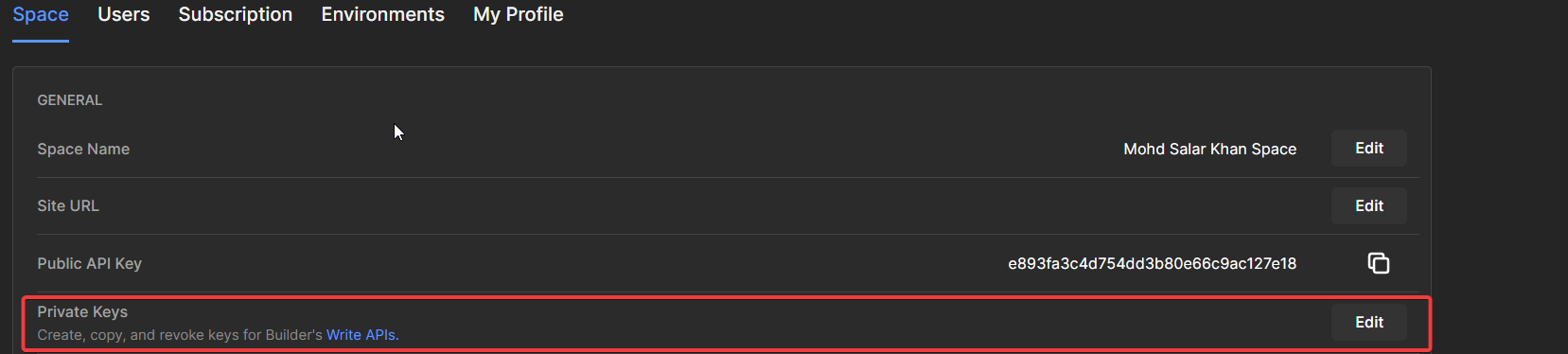
- Give it a name and copy it
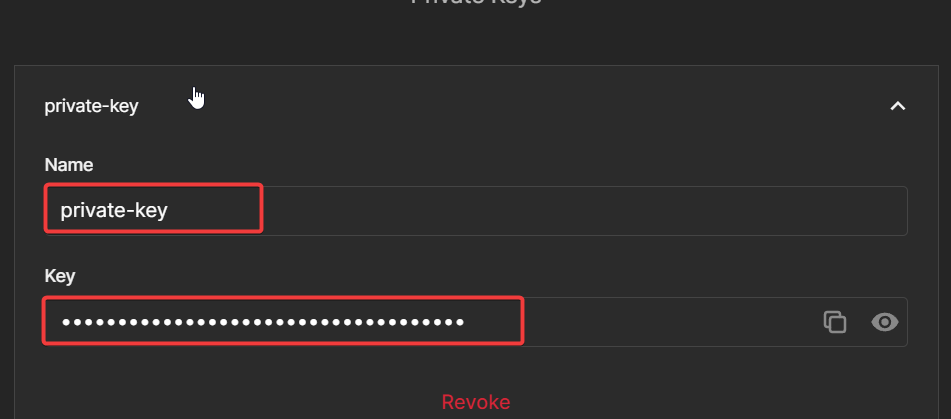
Now you can use it exactly like Public Api Key - You are good to go , All the Best!
Setup in Project
Setup for Environment keys of Builder
file - .env
# --------- Develop Environment ---------
NUXT_PUBLIC_BUILDER_API_KEY_DEVELOP=********************

# --------- Staging Environment ---------
NUXT_PUBLIC_BUILDER_API_KEY_STAGING=********************

# --------- Production Environment ---------
NUXT_PUBLIC_BUILDER_API_KEY_PRODUCTION=********************
file - env.js
|--------------------------------------------------------------------------
| App Environment
|--------------------------------------------------------------------------

let app_env = "staging";
if (process.env.NODE_APP_ENV) {
  app_env = process.env.NODE_APP_ENV;
}

let params = {
  builderApiKey: process.env.NUXT_PUBLIC_BUILDER_API_KEY_DEVELOP,
};

switch (process.env.NODE_APP_ENV) {
  case "staging":
    params.builderApiKey = process.env.NUXT_PUBLIC_BUILDER_API_KEY_STAGING;

  case "production":
    params.builderApiKey = process.env.NUXT_PUBLIC_BUILDER_API_KEY_PRODUCTION;

  case "training":
    params.builderApiKey = process.env.NUXT_PUBLIC_BUILDER_API_KEY_TRAINING;
    break;
}

module.exports = params;
file - nuxt.config.js
const params = require("./env.js");

let nuxtConfig = {
  ...,
  runtimeConfig: {
    public: {
      ...,
      builderApiKey: params.builderApiKey,
    }
  },
};

export default defineNuxtConfig(nuxtConfig);
Getting your API Key
To connect your Builder.io space to your application, add the Public API key to your code.
Find your Public API Key within Builder.io:
- Go to Account Settings and copy your Public API Key.