

Qa Testing
Screen Mirroring Using Vysor
Introduction
Screen mirroring allows you to display and control your Android device's screen on your computer. Vysor is a powerful tool that facilitates this process. This guide outlines the steps to mirror your phone using Vysor.
Setup
Prerequisites
- Vysor app installed on your computer (Windows or macOS).
- Android device with USB cable.
- Developer options enabled on your Android device.
Steps
- Install Vysor on Your Computer:
- Download the Vysor app from the official website.
- Follow the installation instructions to set up Vysor on your computer.
- Enable Developer Options on Your Phone:
- Go to "Settings" on your Android device.
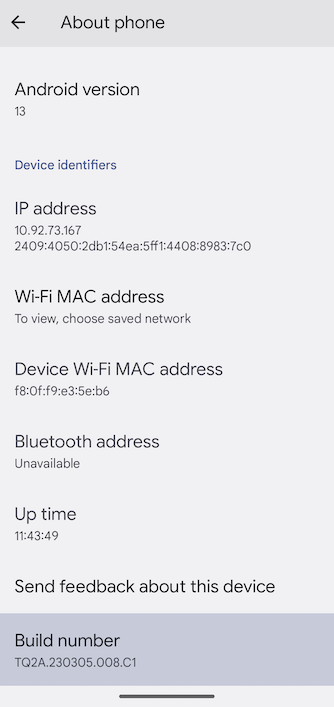
- Scroll down and select "About phone" or "System."
- Tap "Build number" multiple times (usually 7 times) until you see the message "You are now a developer!"
- Enable USB Debugging:
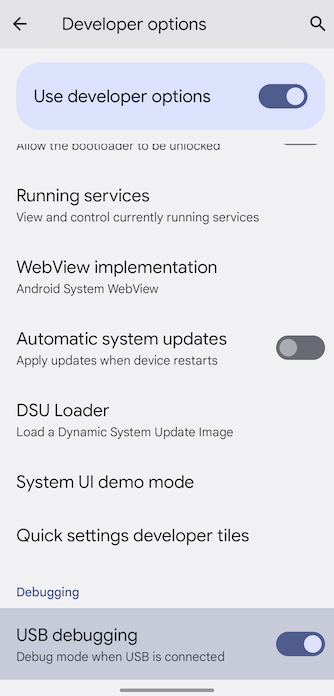
- In "Settings," find and open "Developer options."
- Turn on "USB debugging."
- Connect Your Phone to Your Computer:
- Use a USB cable to connect your Android device to your computer.
- Use Vysor:
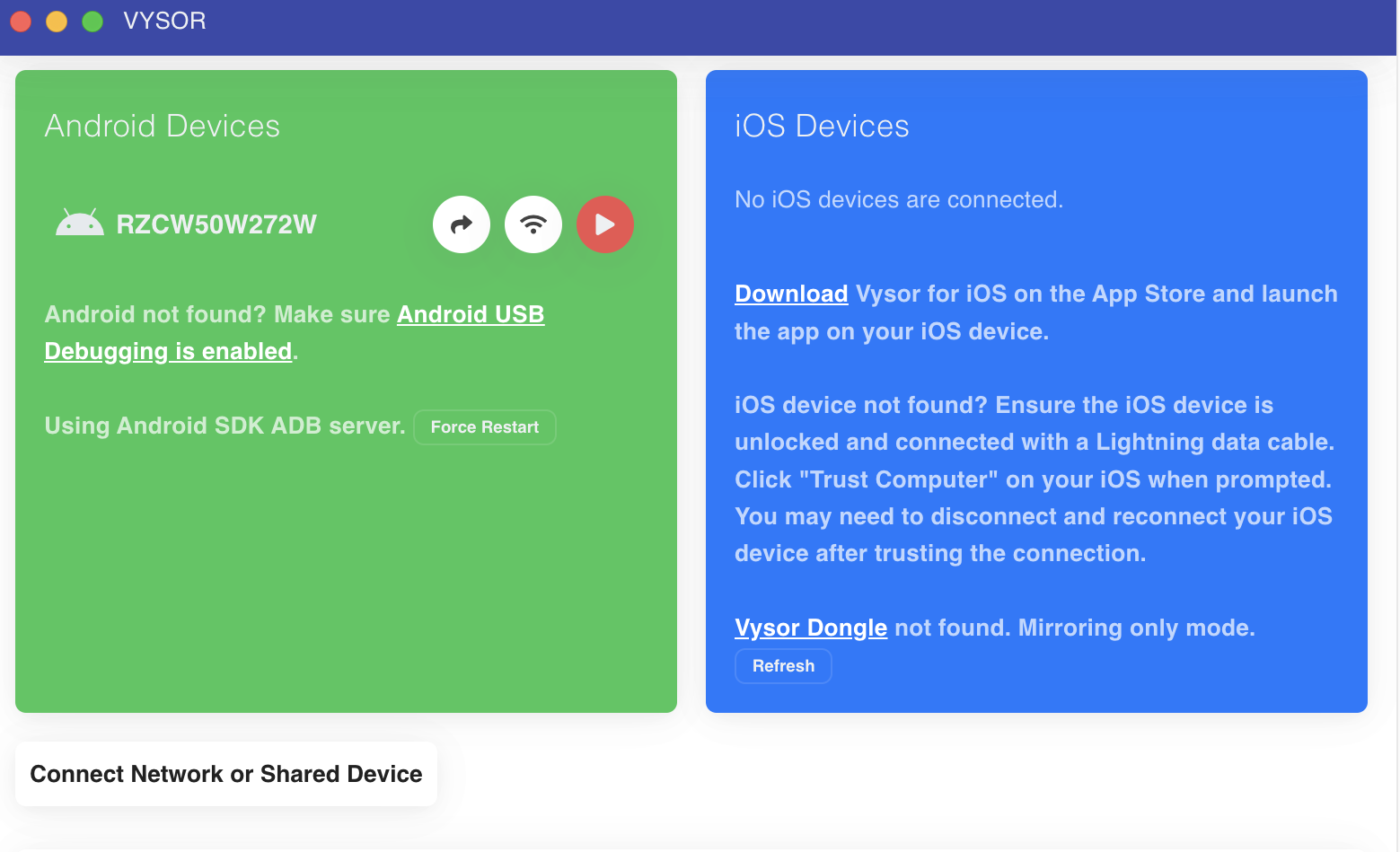
- Launch the Vysor app on your computer.
- Grant any necessary permissions on your Android device to enable USB debugging.
- Vysor should detect your connected device and display its screen on your computer.
- Mirror Your Phone:
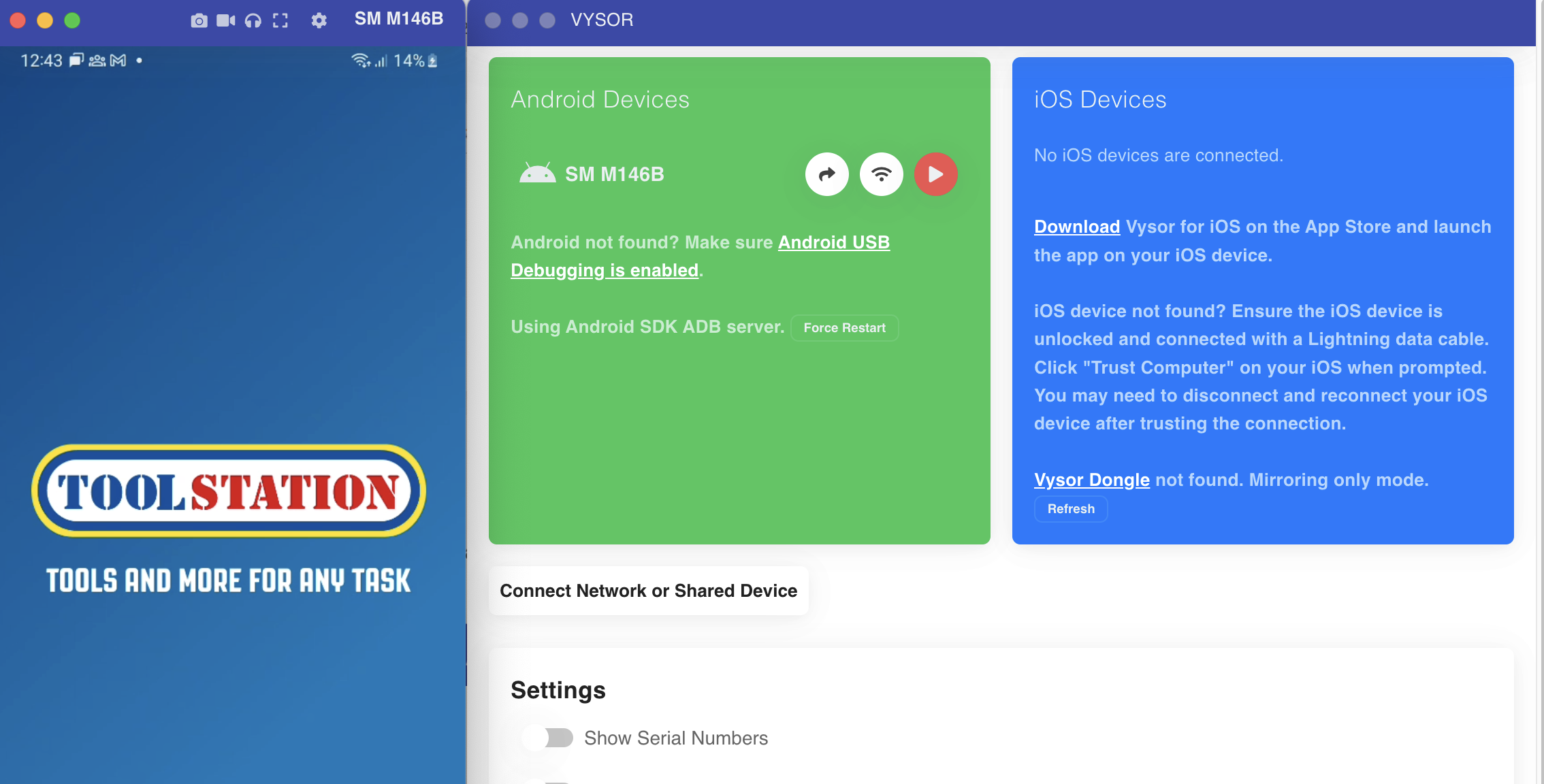
- Once your phone's screen is displayed on your computer, use your computer's mouse and keyboard to interact with it.
- Adjust the Vysor window size on your computer to change the display size.
- Utilize the Vysor interface to control your phone, open apps, navigate, and perform various actions.
Tips and Considerations
- Keep in mind that Vysor might offer advanced features through a subscription.
- Always download apps from official sources to ensure security.
- Be cautious while granting permissions to safeguard your privacy.
- Familiarize yourself with privacy and security implications before using screen mirroring tools.
Conclusion
Vysor simplifies screen mirroring, allowing you to seamlessly control your Android device from your computer. Following these steps ensures a smooth and efficient mirroring process.
Remember that software interfaces and procedures might change, so refer to the latest resources for accurate instructions.
For more information and troubleshooting, refer to the Vysor documentation.