

Lokalise Step by Step Guide
1. Introduction
Lokalise simplifies localization by enabling teams to manage translations efficiently. This documentation covers changing languages in Lokalise, exporting ARB files, and generating them for Flutter.
It provides step-by-step instructions and best practices to streamline localization workflows and ensure accurate, consistent translations across multiple languages in Flutter apps.
2. Accessing Lokalise
- Contact the Product Owners to grant you access.
- Once access is granted, go to Lokalise and log in.
- If logging in for the first time, create a password.
- After logging in, access the Toolstation project for localization tasks.
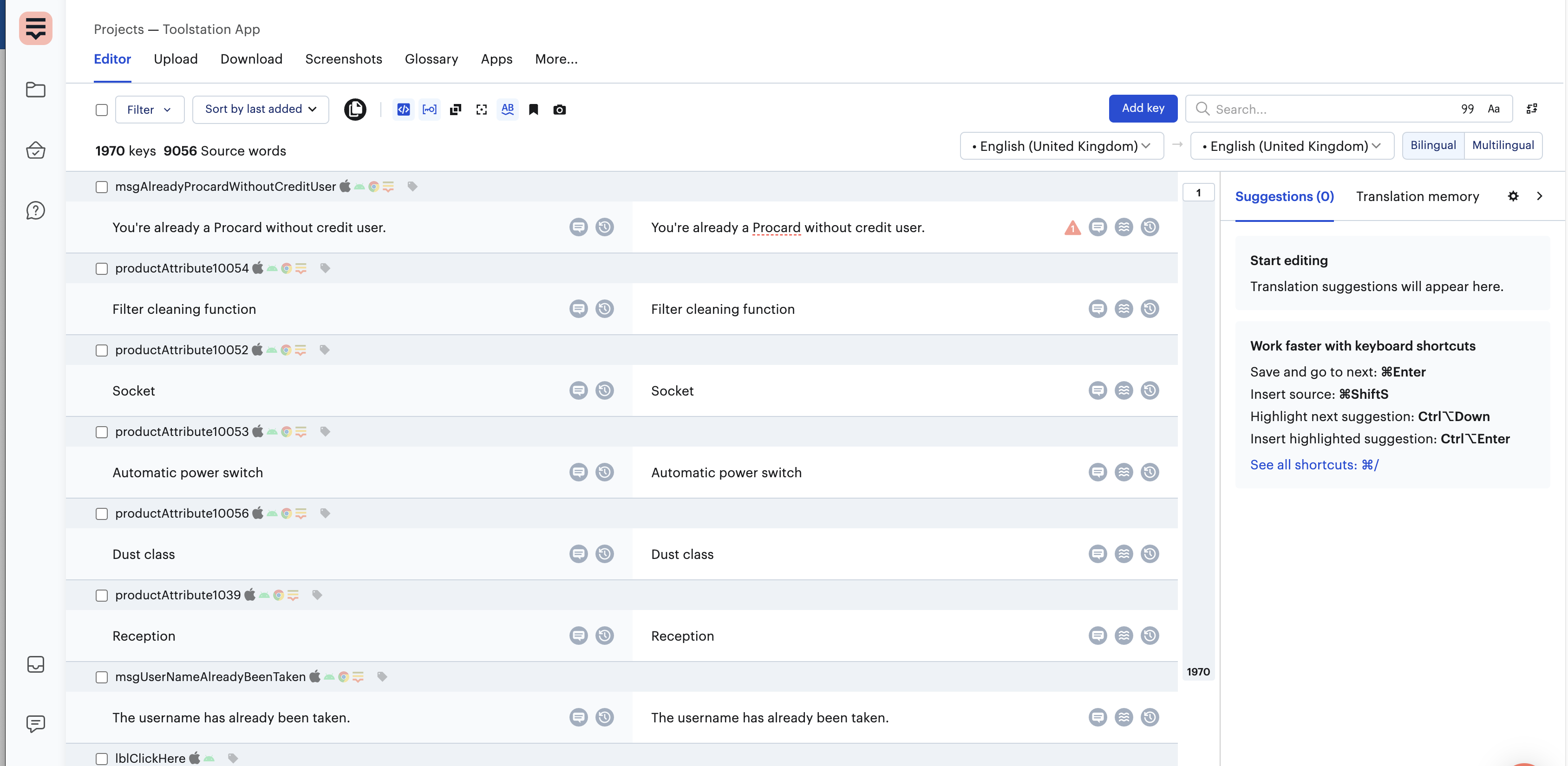
3. Adding Translations to Lokalise
- In the project dashboard, go to the "Translations" tab.
- Click on "Add Key" (usually found at the top right).
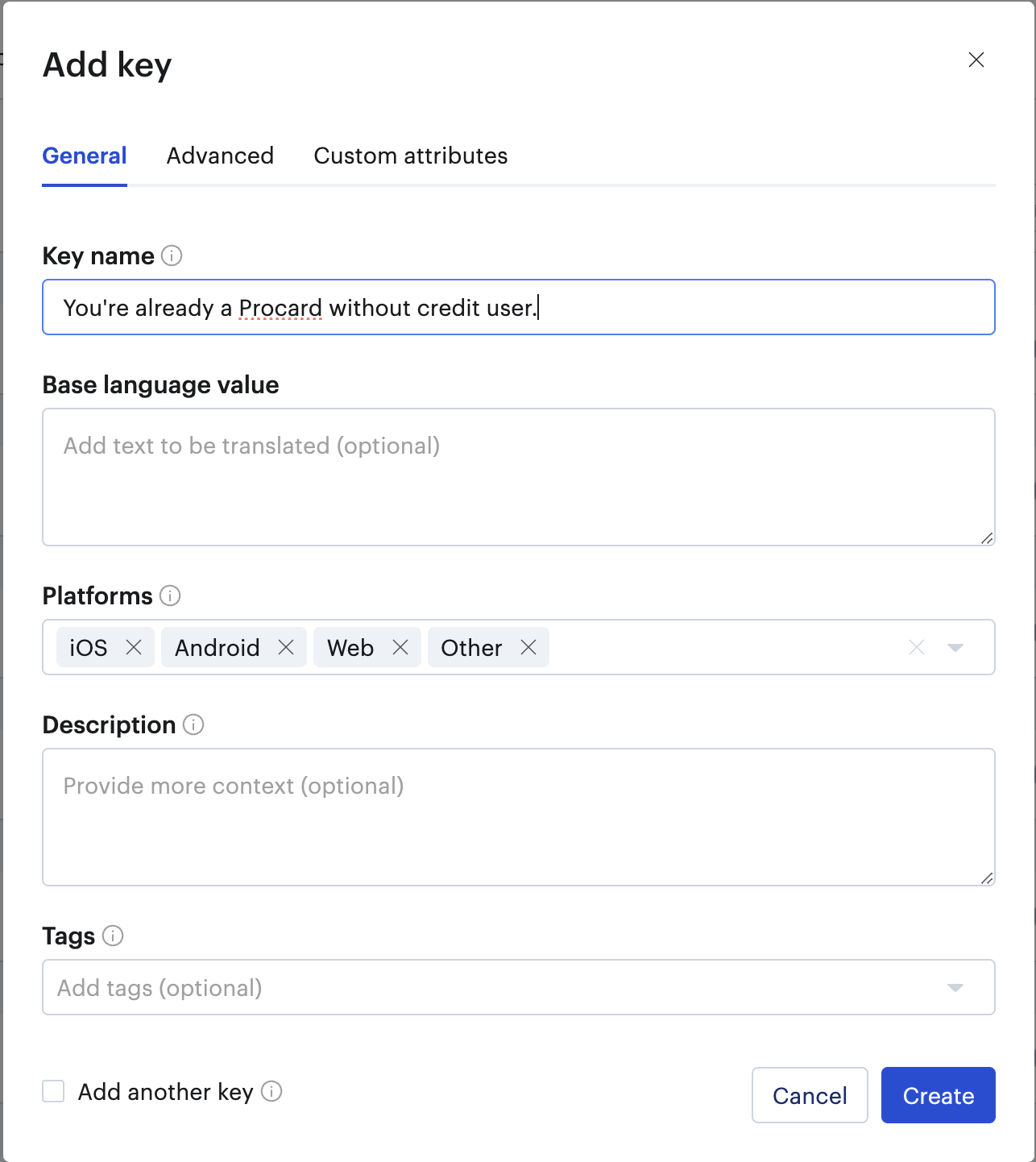
- Enter Key Name and follow a consistent naming convention.
- For example:
msgAlreadyProcardWithoutCreditUserhasmsgas a prefix to specify its type as an informational message.
- For example:
- Switch to the "Multilingual" section.
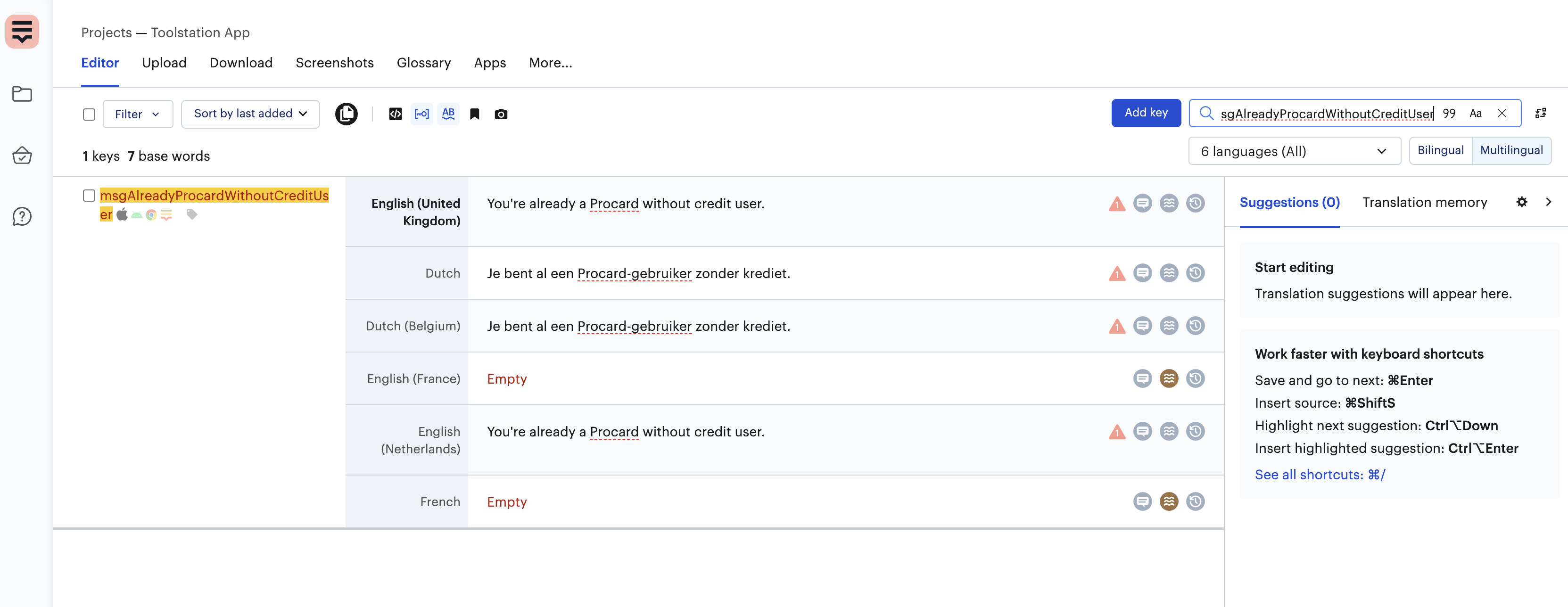
- Select a language (e.g., Dutch).
- Add translations for the required languages and click "Create" to save the translation.
4. Updating Localizations and Using Translations in Toolstation App
Regenerating .arb Files
To regenerate the .arb files for all translations, open the terminal and run:
dart run tools/update_localisations/bin/main.dart
This command will update the localization files, ensuring that all translations are available for use within the app.
Using Translations in the Toolstation App
Once the localization files are updated, translations can be accessed directly using the context extension.
For example:
context.translations.msgAlreadyProcardWithoutCreditUser
This allows the application to display the required localized string dynamically.
Committing Changes
- After generating the
.arbfiles, commit only the changes that you have made. - If multiple users are adding keys to Lokalise, stash other automatically generated changes to avoid conflicts in the repository.
This ensures a smooth workflow while maintaining accurate and up-to-date translations in the project.