

Analytics And Logging
Content Square
- Document for implementation from CS: https://docs.google.com/spreadsheets/d/1AR_MJAAiPYKZ3YAtJRvrkxlwSJJNpkEvcUOPdmWSbng/edit
Dashboard
https://app.contentsquare.com/
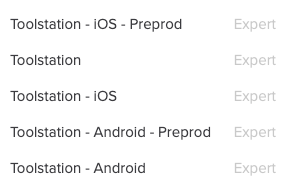
Flutter Implementation
- Pub.dev package: https://pub.dev/packages/contentsquare
- This plugin supports Android and iOS.
ContentSquare Documentation
- Flutter documentation https://docs.contentsquare.com/flutter/#usage
- Android documentation https://docs.contentsquare.com/android/
- iOS documentation https://docs.contentsquare.com/ios/
Usage
ContentSquareWrapper
The application needs to be under a ContentsquareRoot widget, therefore we have created the ContentSquareWrapper widget that wraps the application and is responsible for enabling/disabling ContentSquare.
class ContentSquareWrapper extends StatelessWidget {
  const ContentSquareWrapper({
    Key? key,
    required this.child,
    required this.isEnabledStream,
  }) : super(key: key);

  final Stream<bool> isEnabledStream;
  final Widget child;

  @override
  Widget build(BuildContext context) {
    return StreamBuilder<bool>(
      stream: isEnabledStream,
      initialData: false,
      builder: (_, s) {
        return s.requireData ? ContentsquareRoot(child: child) : child;
      },
    );
  }
}
ContentSquareRepository
The core ContentSquare functionality is implemented under the ContentSquareRepository.
Verification
- To verify that the ContentSquare SDK is set and running properly we need to check for the following native messages:
- Android
- I/CSLIB: Contentsquare SDK 4.11.0 starting in app: your.application.package t: timestamp
- iOS
- Contentsquare SDK vSDKVersionNumber starting in app:: your.bundle.id