

EU Legacy Setup
EU Development - Legacy Pre-Prod
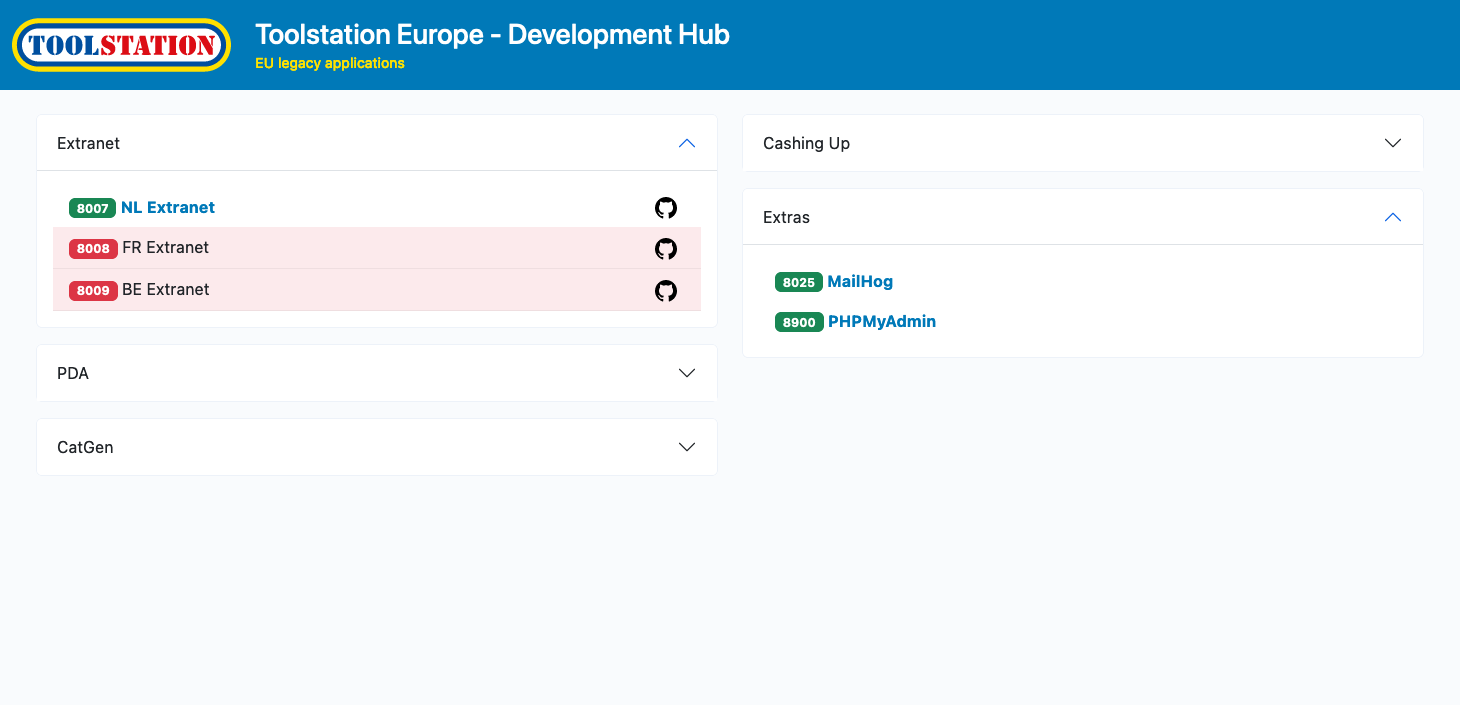
Summary
This service provides access to various applications across all EU regions for local development purposes.
How?
Each application is provided by means of a Docker image and is initiated using docker-compose. You will find the respective yaml files in the Resources directory.
Database
The database for each region is made available to the docker instances by creating a tunnel from you localhost to the relevant database within the gcp project.
PHPMyAdmin
This is available via port 8900 on the localhost. It is configured to provide access to any region's database, assuming there is an application for that region currently running.
Application Links
Each application listed in the dashboard is accompanied by a link allowing direct access to the application via the browser.
Other Links
There are also links to the application's repository and branch within GitHub. And links to the relevant secret contaning the appropriate environment variables within GCP Secret Manager. Note: these environment variables will need to be copied/pasted into the application's .env file.
Console Commands
For each Compute VM the commands to start an SSH session is provided as well as the appropriate command to create a tunnel providing access to the VM's filesystem via SFTP. The information in the dialog box can be used to configure an SFTP client.
Usage
To start the process, simply open the service directory in a terminal and run ./go.sh
You will be asked several questions allowing you to select which applications you wish to run and (for most) which regions.
The process follows these steps...
System requirements
Checks that the necessary prerequisites are met:
- gcloud is installed
- GitHub SSH key is enabled
- Docker is installed
Select applications (for each application)
- Application (y/n)
- Region(s) - enter a comma separated list. Eg. nl,fr,be (not case sensitive)
After all options have been entered
Database
Establish the relevant database connections
Go
Open the dashboard
The Dashboard
Each application is listed and will indicate whether or not it is currently running.
Useful Links
Install Gcloudhttps://cloud.google.com/sdk/docs/install
Set up GitHub SSH keyhttps://docs.github.com/en/authentication/connecting-to-github-with-ssh/adding-a-new-ssh-key-to-your-github-account?platform=mac
Get Dockerhttps://docs.docker.com/get-docker/