

Practice Tickets
How To Debug Tickets
How To Debug Tickets
Steps
- Study the ticket (Check which region you have to work)
- Check on which page you have to work go on that page right-click on that section and select
View frame source
"you can see the code file location in which you have to work/debug"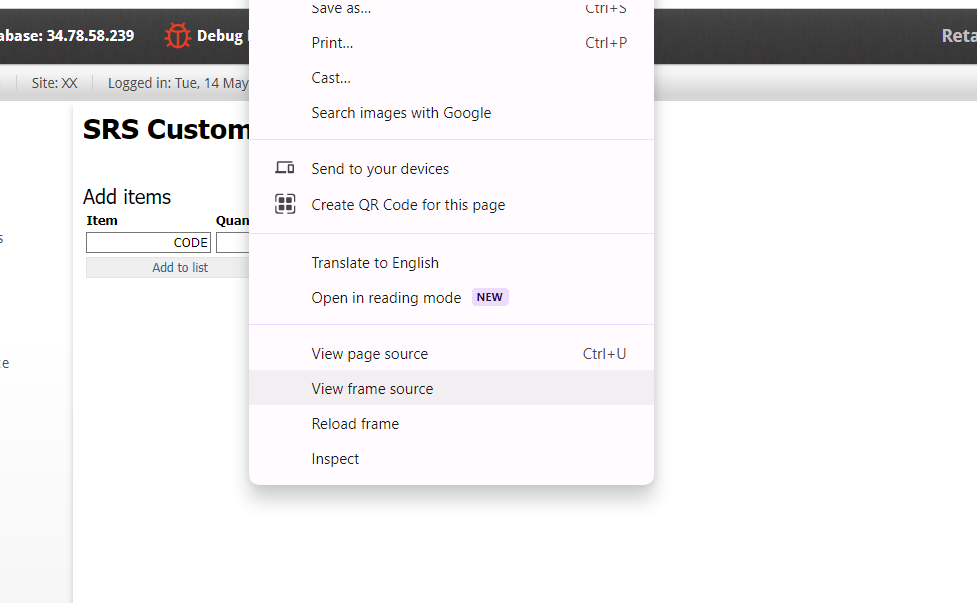
- Replicate the issue in pre-prod first because the pre-prod is faster.
Example:
Ticket KOET-2591
EPOS NExt - Catalogue request letter changes - NL
Description
Update the format of Catalogue request letter
Steps to Reproduce:
This request can be viewed inExtranet > system > customer > customer request status > catalogue request > select month > date > find ur cust id > view request
Expected Result:
Update the format of Catalogue request letter
How to debug this ticket
- Open extranet - NL and go to the given path :-
Extranet > system > customer > customer request status > catalogue request > select month > date > find ur cust id > view request - Right-click and select
View frame sourceoption & check on URL in which page you have to code (ordersystem/print_catalogue_request.html) - Now to go the code editor open the
Extranet_LIVE_NLfile and go to this pageordersystem/print_catalogue_request.htmland check from where this letter coming. - PR link for this ticket