

Web App
Project Setup
Prerequisites
| Software | Version |
|---|---|
| Node.js | 16.X.X |
| Docker | X.X.X |
Steps
1. Install npm
# install dependencies
$ npm install
2. Update env
Create a new .env file if it already does not exist and then copy all data from .env.dev to this new file.
3. Download VPN
- Download VPN from here
- And install it.
4. Start VPN
- Start the VPN
- Enter the url
sesame.support.toolstation.com - For
username&passwordcheck project credentials or contact your reporting manager. - If you are connected to the VPN you will be able to access this site https://www.gke.pre-prod.toolstation.dev/
5. Register to dev Site
- Go to the following site and register https://www.gke.dev.toolstation.dev/register
- During registration use UK postal code eg:
56273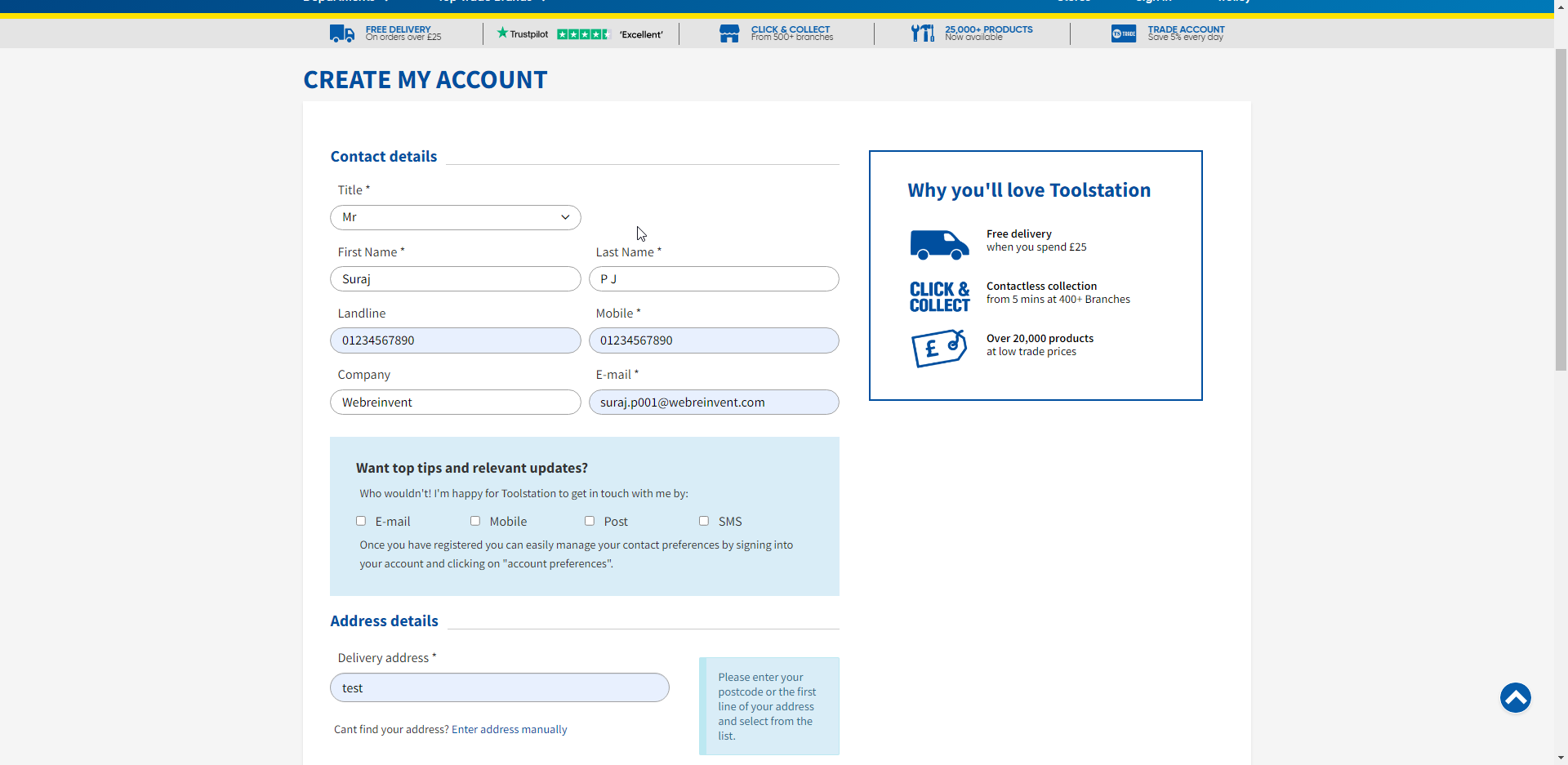
6. Get JWT Cookie
- Once you have registered and logged in, open the developers tools in your browser
- Go to the Applications tab
- From the sidebar open cookies tab
- Here look for the
customer-jwtand select it. - Copy the cookie value
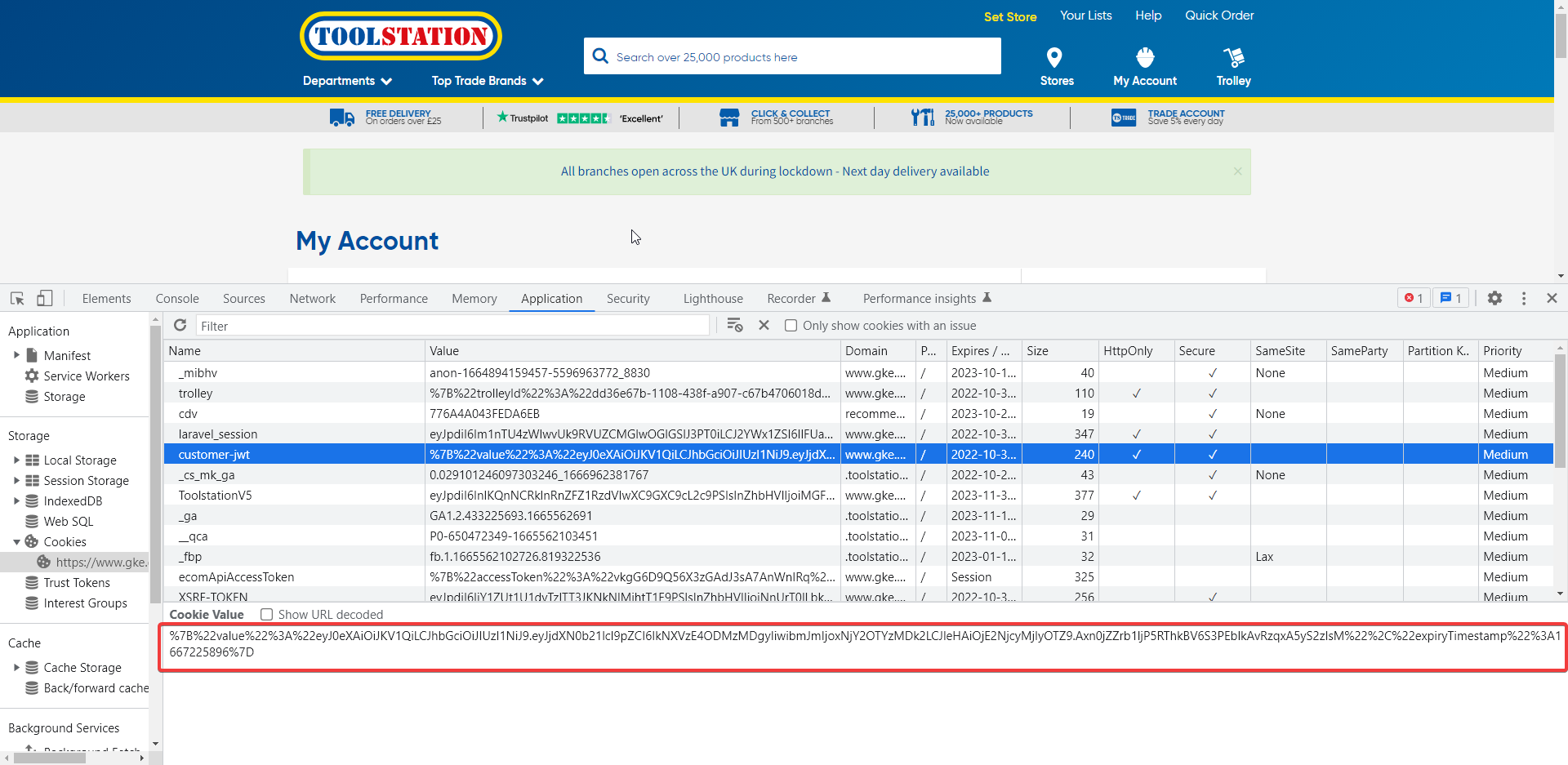
7. Decode the cookie
- Use any online cookie decoded such as https://amp.urldecoder.org/dec/cookie/
- You will decode json would be something like this
{ "value":"eyJ0eXAiOiJKV1QiLCJhbGciOiJIUzI1NiJ9.eyJjdXN0b21lcl9pZCI6IkNXVzE4ODMzMDgyIiwibmJmIjoxNjY2OTYzMDk2LCJleHAiOjE2NjcyMjIyOTZ9.Axn0jZZrb1ljP5RThkBV6S3PEblkAvRzqxA5yS2zIsM", "expiryTimestamp":1667225896 } - Copy the
valueproperty, this is theJWT tokenwhich will be used login to yourlocalhost.
8. Run command
npm run dev
9. Login to your local system
- Once the server is up, you will get the url on which the local environment is running
- Go to the URL, and paste the
JWT tokento input box and click the button next to it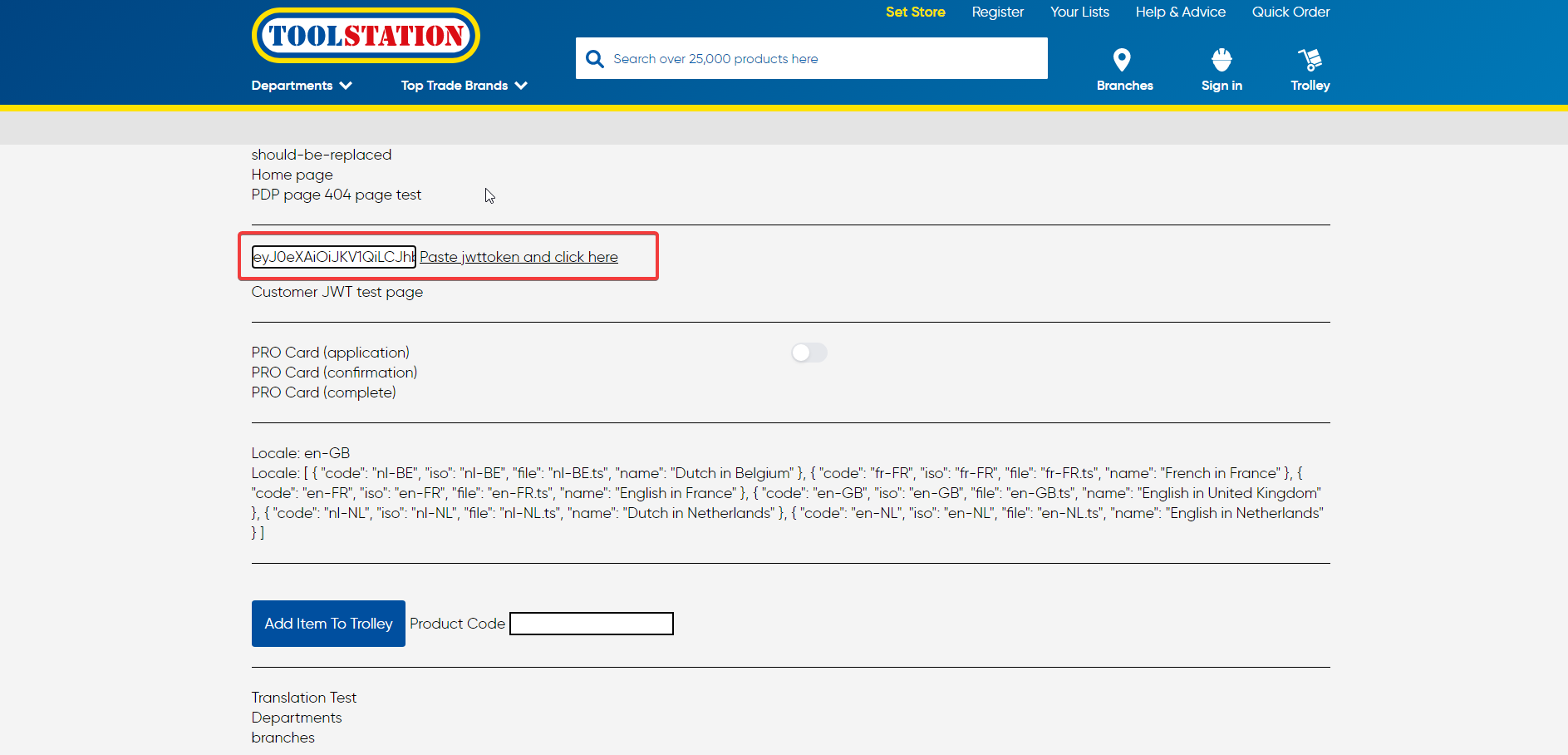
- The
Sign Inlink in header will change toMy Accountif you are successfully logged in.
10. Change Timezone for git commits
To commit your changes on github repository, you have to change the timezone of your system to: (UTC +00:00) Dublin, Edinburgh, Libon, London